Up next in 10



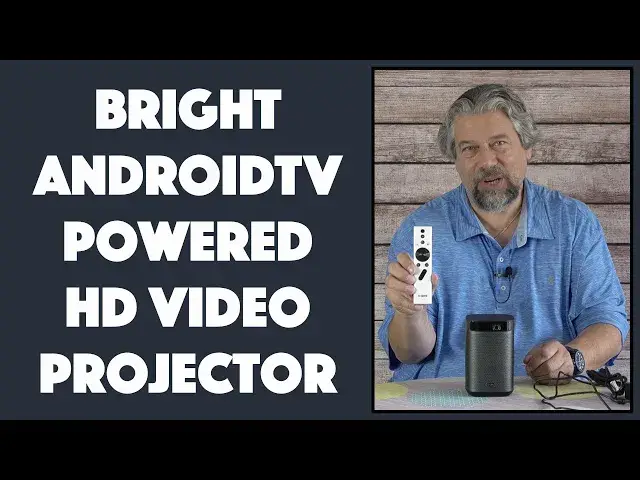
XGIMI MoGo Pro Plus Portable HD Video Projector? Can something this size actually project a great image? Yes, it can. In fact, the MoGo Pro acts as a full AndroidTV so offers access to thousands of streaming apps and games through the Google Play Store. Tech expert Dave Taylor of https://www.AskDaveTaylor.com/ walks you through the features and capabilities, shows off its crisp full HD projection, and offers a demo of the Harmon-Kardon speaker system too.
Check it on Amazon: https://amzn.to/3uC9gwM
Show More Show Less View Video Transcript
0:00
This is one of the coolest video projectors on the market. Let's check it out
0:11
Dave Taylor here and I'm looking at another video projector There are a lot of these and a lot of them are really weirdly small
0:18
The problem is they're not very bright and they don't offer a huge amount of functionality
0:23
Enter this. This is the XG me MoGo Pro Plus portable video projector and you can see it's a really nice size and it's bright. It's
0:35
300 lumens that's three times the brightness of a lot of the more typical small video projectors on the market
0:43
What difference does lumens make? Well, it gives you a bigger brighter crisper picture in a less dark
0:51
Environment. So in other words if you have a very low lumens projector
0:55
You need it to be almost pitch dark for it to look any good This can work in a surprising number of different environments
1:03
Now this that I'm in is really well lit because that's what I do for video
1:08
So it's not gonna work in this environment if I pointed at the wall behind me, you're not gonna see it very well
1:13
So I've got a demo all set up, but we're gonna have to go into my basement to do it where it's nice and dark
1:20
Before we get there. Let me tell you a little bit about it First off let me show you a close-up
1:25
It is a really nice simple elegant design and there are a bunch of ports on the back
1:32
So you can see there's the power on off switch There is the audio out switch if you want to use headphones or something
1:42
HDMI USB 3 and power now you're thinking power Hmm, but turns out that it also has a battery. It has a
1:51
10,000 400 milliamp hour battery which gives you about two hours of playback now
1:58
That's a lot of battery for a relatively small amount of playback because it consumes a lot of energy
2:04
So 10,000 milliamp hours for your phone's gonna last you a super long time when you're projecting high-quality bright video
2:12
Not so much, but still that two hours is pretty slick You can literally just like put this in the kids room point it at the wall
2:19
Push on press play and then they can watch a show or watch a
2:25
Screensaver or something and then or after a while it'll just turn off. So really nice now what makes this really interesting
2:33
Is it's actually running Android TV. In fact, it runs Android TV 9.0
2:39
So this thinks that it's just a television with the Android TV operating system on it
2:45
Which is pretty slick as you'll see in the demo It gives you lots and lots of apps if you're online
2:52
which you will be then it's going to give you access to things like HBO max and Disney Plus and
2:59
You know, if you have a Plex server setup, you can use Plex. I use this. I'll show you with Peacock TV
3:06
I'll show you some sports. I mean, it's really pretty slick to have the whole Android TV OS on the device
3:13
It's also native 1080p so one of the other things a lot of projectors do is they kind of sneak and they project at 720p or even less and
3:24
That means that it's just not as crisp as it could be This is a really nice crisp HD image and you can feed it 2k or 4k
3:34
Signals and it'll do the right thing now. It's not projecting 4k
3:39
But that you know HD 1080 by 1920 is gonna look mighty clean when you're projecting it
3:47
So 300 lumens the LED Bulb or projection system that they use has a 30,000 hour lifespan on it. So that's plenty a lot and
3:59
It has autofocus and auto keystone correction up to 40 degrees So you don't have to have this perfectly centered in front of your wall you can have it off to a side you can tilt it
4:11
Up there's even a little built-in foot so you can do something like that
4:15
And as you'll see in the demo, it just automatically figures all that out
4:20
In fact, you know what? Let's just switch to that demo And so I'm in the basement right now and I have this projecting just on a regular white painted wall
4:28
And it's actually a surfaced wall texture, but you can see the image is terrific
4:33
Now the autofocus and auto keystone is really fun. So let's kick that in
4:39
so it should actually recalibrate itself and that is a pretty nifty feature so watch and
4:47
Figures it all out and it's ready to rock and roll and now I have my remote so I can for example choose HBO max, which I've previously signed into and
5:00
Once it's actually logged in This is eminently watchable And
5:11
You find out what I've been watching or we can press the home button on the remote
5:15
And I can go to for example Disney Plus and see what's new there
5:21
and It really does function as an Android TV. So For most of these programs and most of these systems
5:31
It's just another television, you know, the only hiccup it has is
5:36
It's very testy about Netflix, but I'll come back and talk about that momentarily. So here's Disney Plus and
5:44
Let's go to Peacock because I watch a lot of soccer and obviously a projector and a soccer or any sports game
5:52
It's pretty fantastic. You can really get a nice big screen and see what's going on. So
5:59
Peacock's not the fastest for logging in but we'll let it do its thing
6:05
So now we're logged in and you can see if I go down to continue watching
6:10
It is indeed soccer matches and you can see just from this very short
6:17
Snippet that is that pretty nice way to watch sports Let's see, oh
6:24
I'm actually in the middle of this game. So because of the way that they convert
6:30
the stream It ends up where I get just dead time, but I can also go to YouTube for example
6:39
But I want to show you a couple more things number one is that you have access to
6:45
Thousands and thousands of apps that are Android TV compatible through the Play Store and that
6:51
Includes a lot of this stuff. There's really almost Zero programs other than Netflix that are incompatible with this device. So this is really an
7:04
extraordinary set of options and Then you even have things like this air screen
7:10
Which supposedly lets you use airplay on your iOS device like an iPhone and
7:17
Then actually just share your image. Let's see we get this to work and share that with
7:24
Your projector. So let's see if this actually works My iPhone 12 Pro is right now trying to do screen mirroring and
7:35
There it is. So And there it is, so that is pretty cool so you can see
7:44
that I am Looking at my screen. However, if you think ah, well, this is how I do a shortcut. Oh
7:53
It looks like I'm having some problems with network performance, but that's part of being in the basement so
8:00
But if you think oh well then I can use this sort of thing to be able to watch
8:05
Netflix on my iOS device for example, and then I can just go ahead and
8:13
Share it or you know chromecast it to the projector and the answer is no it doesn't work that way
8:18
So unfortunately, that's not a solution. So here's the our demo Let me show you real quick a couple of the settings because there's something wrong with this
8:29
Because there's some pretty neat settings here, too That you will want to know about and yes, it does have battery as we have talked about
8:37
so if I go to projector settings, you can see some of these options and
8:45
Device preferences So it's all really the experience is very very similar to having an Android TV
8:54
It just happens to be a projector. That's the size of a really
8:59
Extremely fat can of soda. So let me switch things around so I'm back on camera and let me tell you a little more about the whole Netflix thing and
9:07
All the other things that I found work and work not quite so well. So hang on just a sec
9:14
I'm pretty darn impressed with this thing The only big hiccup is the whole Netflix thing and here's the deal is that
9:21
Netflix is very very particular about where it will license its software to run and it has
9:28
Yet been approved for the XG me MoGo Pro So what this means is you can install Netflix on here from the Google Play Store
9:39
but it won't work if you try to use Chromecast or airplay to push a
9:45
Netflix signal onto here It also won't work if you plug in a device
9:51
Physically and have a wire going into the back or you use something like an Amazon fire stick
9:57
Or an external physical Chromecast device that'll work fine But right now built-in Netflix is the only hiccup I have with this and that's really kind of a drag
10:08
Now there were also some other issues is that it says that it supports Chromecast
10:13
It's on the same network as my other devices, but my other devices don't see it
10:18
I suspect that's a setting issue that I have to figure out But so it goes you also saw my demo with airplay using the third-party Google App Store app and
10:30
It kind of worked for a couple of seconds and then because I had a poor Wi-Fi signal
10:35
It needs both the signal for my phone and the signal for this device. It just wasn't quite good enough and it gave up
10:43
Hopefully in an environment where you have a better connection You can do something like that and then you can stream content from your device
10:51
Maybe your iPhone maybe an iPad, you know Heck, you know if you can get a Chromecast to work then you could do it from your PC your Chromebook your Mac
11:00
You know, there's a lot of ways you can use this and of course you can always just do a physical wire
11:06
It's always cool to do all this wireless stuff But a physical wire has the benefit of working in any environment
11:13
You could take this camping and you could take your phone and if you have the adapter and the wire you can watch content
11:21
Projected on to for example the side of your RV or heck the side of your tent. How cool would that be right
11:29
So let me tell you a little bit more about it. So it is a DLP wireless mirroring system
11:34
then like I said it is a 10,400 milliamp hour battery built in Google Play Store, which gives you access to
11:42
Thousands and thousands of apps built in Chromecast. I had some issues, but I'm sure you can get that to work and
11:49
It comes with this really nice remote. That's a voice activated remote
11:53
This is sort of the modern design of remotes as you can just talk to your remote and then it will actually send the data
11:59
And it'll do the work for you way easier So here's a close-up so you can see all the buttons that are actually on the remote
12:06
The funky looking one in the middle is actually Google Assistant so you can push that and just talk and
12:13
It'll start figuring out what you're doing. Now if you're looking at this and you're thinking
12:18
That looks like a speaker to the answer is you're spot-on This actually can also be a Bluetooth speaker and it's actually pretty darn nice sounding
12:28
So you just put it into that mode pair with any source device you want and now you can use this to listen to music if you don't want to actually
12:36
Also project any video content. One thing I realized is I haven't demonstrated the sound. It's really good
12:43
In fact, the speaker system is developed by Harman Kardon. So here it is in Bluetooth speaker mode and you'll hear it's pretty nice
13:06
All of that is pretty slick, so it's the device it's the remote it's a fairly hefty power adapter setup
13:14
and I will say that If you use it in battery mode, it's a little bit less bright than if you plug it into the wall
13:21
So if you want to get the maximum possible brightness Then having it plugged in is going to give you better results
13:27
If you're in your RV, then you might want to run an extension cord from your generator or something
13:32
It'll just give you a little bit better results but still there's a whole heck of a lot to like about this and as you saw
13:39
Using this and projecting it for something like the latest movie from Disney Plus or HBO Max or something
13:45
that is a massive win the fact that it does the autofocus and auto keystone correction means you don't have to
13:52
obsess with getting it to be perfectly pointing exactly at your wall or your projecting surface and
13:59
It projects pretty far it works pretty well I've actually used it where I've just had it pointing up at the ceiling and
14:06
Just watching something there if you want to just lay on the floor because your back's been killing you you could do that and project
14:12
You know any content you want onto your ceiling so Lots to like about this. It is also a reasonable not particularly heavy and the dimensions you can see are
14:23
It's very easily portable. So definitely one to check out in the world of projectors
14:29
If you want something that's way brighter, they have way brighter devices. They are gonna cost you way more
14:36
so Before I tell you the price of this one though I'm gonna ask if you could subscribe to my channel just a click or a tap on that subscribe button
14:44
Really appreciate when you do that and give me some feedback What else would you have liked me to demonstrate and give me a thumbs up if you think this was a really helpful and useful
14:55
Review and demonstration. Okay, cool This is the XG me mogul pro plus
15:03
portable video projector and it is 679 99 at amazon.com But right now when I look there's a $70 discount available making it
15:16
609 dollars 99 that's not a bad price for something that has
15:21
300 lumens and this level of flexibility Now the company can't promise but they did say to me they continue to work with Netflix because they're very aware that
15:31
Having it also have onboard Netflix would be pretty darn sweet So I'm really hoping I'm gonna do one of these updates and it's like oh look what icon just showed up and then that Apple
15:41
Just work for now for Netflix You're probably gonna want to do a hardwired plug from a laptop or something
15:48
But for everything else, this is a really wonderful solution and I'll tell you as people start traveling again
15:54
Imagine having this in your hotel room and imagine how much the kids are gonna love it
15:59
Definitely one more check it out. And with that I'll catch you in my next video
16:18
You
#TV & Video
#Online Video
#TV & Video Equipment