Up next in 10



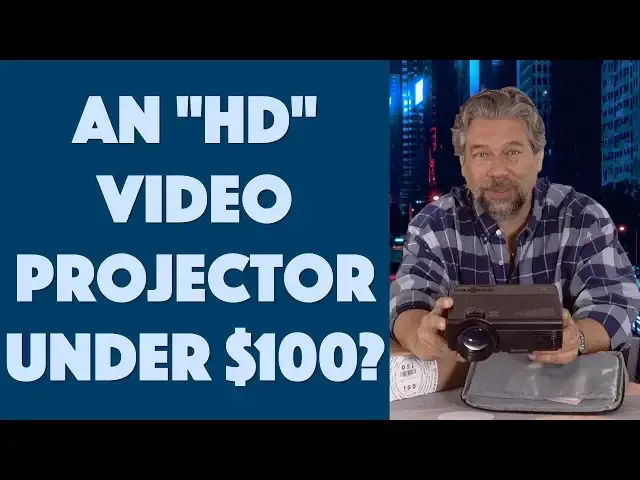
Imagine a portable color video projector so small that you can easily carry it with on trips, so bright you can watch it any time you want and with built-in speakers and an array of different video input options, from USB to MicroSD, HDMI to VGA. Now imagine that it's under $100 for the entire setup, including carrying case. That's the Vankyo Leisure 3 portable video projector and while it has a lot of limitations, there's also a lot to like about this entry-level video projector.
Tech expert Dave Taylor of https://www.AskDaveTaylor.com/ plugged a Vankyo Leisure 3 portable video projector into his computer and gave it a test. In this candid review he talks about both the great features and some of its significant limitations too.
Check it on Amazon: https://amzn.to/2LXKHJE
Vankyo website: https://www.ivankyo.com/projector/leisure-series/leisure-3.html
Show More Show Less View Video Transcript
0:00
A video projection system for under a hundred dollars? Let's have a closer look
0:11
Dave Taylor here and you know things like video projectors have really ended up being commodities
0:17
and that means the price keeps going down and down and down to the point where it's kind of
0:21
amazing what you can get for a remarkably low price. Like this. This is the Vancure Leisure 3
0:28
Portable Video Projector and as you can see it comes in a handy carrying case. Let's open it up
0:33
and I'll show you everything that's inside. Then I'll explain what this box is so we'll get there
0:37
in a second. But you open this up and cables. It has lots of cables. HDMI cable and it has an RGB
0:46
cable if you want to hook it up to a computer. Has a remote control. Has a composite video or
0:53
component video connector. Power cord. Always helpful. And the projector itself. Now here's
1:01
what I want to do is I'm going to get rid of the case. Okay it's a soft case. Nothing else was in
1:06
there. Nothing was broken in the making of this video. Don't panic. So here's the projector. It's
1:12
fairly sizey for what it is. But you know when we get to the price which I'll hit at the very end
1:18
you'll realize that for what they're charging it's a pretty remarkable piece of technology
1:23
Now the projector itself actually comes with of course the most important piece which is a nice
1:30
bright bulb. Turns out it's a 2400 lux bulb that has a 40,000 hour lifespan on it. Now that's really
1:37
important because generally speaking with these sort of projectors once your bulb's dead you
1:42
basically just have to replace the unit. Now they have a three-year limited warranty so you probably
1:47
want to do a little homework whether you might actually have them cover it if it dies relatively
1:52
soon. But 40,000 hours that's what 20,000 movies. That's a lot of time right. So it projects
2:01
theoretically in 1080 HD but it's really an 800 by 400 projection system. Now this is true of a lot
2:09
of projectors. They will accept an HD input but what it actually projects is a lower resolution
2:16
than that. So you know they say not great for office presentations. If you're using this for
2:22
spreadsheet or something then it's not going to look that great. But if you're watching a movie
2:27
honestly the difference in resolution on movies is probably something you won't even notice that much
2:32
So not a huge issue to me. You can project this far enough away you can focus it that you can
2:39
actually end up with over 100 inch up to 170 inch display. However my experience is the bigger you
2:46
make it the harder it is to have it get and stay in focus. And this is just straight mathematics
2:52
or physics too. The further away you make it the bigger it is but the less bright it is. And that's
2:58
just because there's still basically the same amount of lumens or brightness coming out of the
3:03
projector. But if you make it this big then it's going to be pretty bright. You make it this big
3:08
and that same amount of brightness is covering a larger area so everything's going to be less
3:14
bright. So you know one of the big issues with these sort of projector systems is what kind of
3:18
environment are you working in. If you were in a bright sunny conference room or you're in a hotel
3:24
room with all the windows open it's not going to look very good. Close the windows make it nice and
3:28
dark and suddenly it looks a whole lot better. So there's that. Now it has built-in stereo speakers on
3:34
the back and the top control which is by the lens there's a dial for focusing and then there's a
3:42
little sort of lever that lets you adjust keystone. Now keystone is something where you look at an
3:48
image and maybe it's like this or like this and then keystoning lets you correct it to be
3:54
rectilinear or square. That's pretty important. Like I said it does come with a remote control
4:00
which is handy because the controls on the very top are not exactly what you want. But you know
4:06
again we're going to look at all of this from the perspective of price point because I think that's
4:10
really really important with this product. Now the size eight inches by six inches by three inches
4:17
and it's 2.1 pounds. When you get all these cables and everything in the box then it's obviously
4:22
going to add weight but you don't need to take all these cables. For me all I needed is the HDMI
4:28
cable and the power cable and of course the remote. So already there are two cables or connectors
4:35
that we don't need so we'll get rid of them. You might actually use different connectivity
4:41
and to be fair on the side there are a lot of connection options. So let me actually walk you
4:47
through is that there is let's see there are headphones or external speaker there's AV there's
4:54
a micro SD or TF card slot HDMI USB and RGB. Those are all different inputs and of course headphones
5:04
is output but that's actually really nice because the speaker in here so if you can hook up a better
5:11
speaker it's definitely going to sound better. Now let's see on the back there is a receiving
5:16
unit for the remote control on this side is for power and then there's a little foot on the bottom
5:24
that you spin to make it higher so you can adjust this up or down and then of course that's when you
5:30
use the key stoning because you're projecting it it's looking like this and then you can square
5:34
it back up again. Handy, easy to use and I'm going to do a demo in a minute but you know I have to do
5:40
different lighting for the demo so I just thought I'd talk through. Now on the top there are a bunch
5:45
of controls but the control that's not here and I don't know why is there's no pause play there's no
5:51
ability to mute there's really no controls over what's being streamed in and maybe that makes
5:58
sense because maybe that's just how it is right if I'm using say my computer to watch Netflix
6:04
through this then this isn't going to necessarily know how to stop or play the movie but it is
6:10
frustrating when you're using this as a projector to not actually have that control and of course
6:16
the all of those functions are exactly duplicated on here though it does have rewind fast forward
6:22
and pause play so the remote control has it and hopefully it will work but the base unit just
6:29
doesn't have that feature so that's something I found a little disappointing but overall pretty
6:35
straightforward pretty easy to use and it works it's actually really easy to work with plug
6:39
everything in turn on all your devices and boom it should automatically find the input that's live
6:44
and automatically start projecting it. Now before we get to actually me showing you a demo I want
6:50
to show you what's in here too because Vancu also sent me what they call their portable projector
6:56
screen and I love that it says screen comma screaming so I'm not sure I want my screen to be
7:02
screaming but it's basically this huge piece of of all things spandex and it's a screen and it's
7:12
actually really nice because it has these big eyelets and it comes with string and it comes
7:19
with hooks and sticky stuff so you could basically just put this on the wall or the side of your
7:27
house or on the front of your garage and then this will hang down with no folds and it will give you
7:33
a screen to project on. Now this is really big so if you want it to be brighter then you probably
7:39
aren't going to be using the entire screen that's okay I found that I actually had it just over my
7:45
mantle in front of my fireplace and I was projecting on that with it literally just
7:49
hanging down and worked pretty well actually it was definitely watchable so that's what we're
7:54
going to do with the demo but like I said I got to get this all set up. Now this is ridiculously
7:59
inexpensive and of course you don't need it if you're in a hotel room probably there's an empty
8:04
wall and probably it's white and maybe you have to take off a painting or something or you need
8:09
to sort of put it between some pictures or something but generally speaking my experience
8:13
when I travel is that there are blank walls and frankly there's the ceiling you could actually
8:18
just do this and lay on the bed and watch it on your ceiling which I think would pretty much
8:24
encourage me to fall asleep even in the best of movies a whole other subject. Now what I want to
8:30
do is I want to switch to a live demo so you can see just a little bit about how it works and the
8:34
on-screen guide and stuff so let's do that and then I'll come back. Okay so now we have it plugged
8:40
in let's fix the keystone first and you'll see what I mean by keystone so you see how it makes
8:46
it more square and then notice that the focus actually works better. Now let's go to the menu
8:57
and you can see here are all the different inputs and I'm just going to leave it on HDMI because
9:02
that's what I have working right now and I can just choose it and then there are settings and
9:08
there's lots of different settings lots of things you can do. I think reduce display is an interesting
9:16
one because if you're projecting it far away but you want to have it be a smaller image so that
9:22
it's a little brighter and it's a little more if you will dense so a little higher looking resolution
9:28
you can do that or you can just dial in exactly the size you want and then we'll get back to 100
9:38
and go back let's see I think we can just go back here so now we have no signal let's give
9:47
it a signal and what I'm going to do is I'm just going to plug in my computer and with any luck
9:52
in a second or two my Macintosh I'm using HDMI it mirrors what's on my Mac so now I can do a
10:01
little bit more with focus right get it just so but you can see it's really not going to be great
10:08
for things like using it to show spreadsheets or something I don't know that I would use this for
10:13
a PowerPoint presentation although maybe an informal one but if we go down let's number one
10:21
let's see we can make this full screen let's see I can at least do this and now if we just pick one
10:30
well let's let's get some sound too right so let's see sounds and I would do that oh I think
10:38
I have it muted on the unit there we go this is the one that we're seeing promoted on Netflix so
10:50
let's just start just the first couple of seconds of it so you can see because I obviously don't
10:55
have license rights to this content but you know this is entirely watchable so let's get into a
11:02
full screen and while we're at it let's try the pause play yeah pause on the remote doesn't work
11:10
but I can at least mute it and then let's actually go back and I'm back on my Macintosh let's see
11:18
how to get back here and now what I'm going to do is I'm just going to go to my YouTube channel
11:24
and then we can put up a YouTube video because that I do have rights to my own videos pretty
11:30
handy really so let's just pick this one and we'll watch it full screen and I will unmute
11:40
and so now you have a good sense of the strengths and weaknesses of this video projector and
11:47
you only buy from Apple or whether you buy from third parties there are a lot of bands from which
11:52
to choose for your Apple it's a little dark I actually haven't had you know and the sound is
11:58
not fantastic but considering the price and everything I think this is eminently watchable
12:03
now let me zoom in a little bit just so you can see a little bit closer let's pull it out of the
12:08
box so let's see as you can see it is like a nylon maybe let's get rid of this ad at the bottom
12:19
sorry western Colorado engineering there we go and they have this dark blue camouflage and keep
12:26
in mind as is always the case with projection systems in a darker room this would have more
12:31
dynamic range it would have more color it would seem less like you want to turn up the brightness
12:37
but still I would say this is eminently watchable eminently watchable hey Dave
12:47
there we go okay so you know we can keep watching the video you can see the whole projection system
12:53
super easy to work with I really kind of jury rigged by just putting it on top of the box
12:58
and by the way we're using that same projector screen that I just put on top of my green screen
13:04
which is why at the bottom you can see a little bit of the green but this is the little folding
13:10
projector screen that I have just tacked to the wall or taped to the wall and it's working pretty
13:15
darn well so with this demo let's now switch back to me being on camera and let's talk about the
13:21
pros and the cons of this particular system that's my demo so you know like I said there's a lot to
13:28
like about this and there's a lot that works pretty well and there were definitely some limitations
13:33
but when we talk about the price you're going to say no way it's really that inexpensive so you
13:38
know you're not buying a thousand dollar projector this is not the five thousand dollar projector that
13:44
they have at the local museum so that they can show videos in the middle of a bright sunny building
13:49
you know it is not that that is not its purpose this is a fun little entry-level projector you
13:56
can play with and maybe show a movie to the kids while you're in a hotel room at Disney or something
14:02
because they don't want to watch the tv or you want to watch a sports event on the tv and you
14:07
want your kids to be entertained you know something like that this could work really well
14:11
these sort of things in my experience are really fun for when you travel so it does have limitations
14:17
so let's talk about some of the limitations I've already talked about the fact that I wish there
14:22
was pause play on the unit there are some implementation issues with that but you know
14:27
still as a feature I wish it had that kind of control there's no battery power so if you don't
14:33
have it plugged in you're out of luck it'd be nice to have maybe a couple hours of battery but that
14:38
would add to the weight and the size and the price so you know if you can handle having a power cord
14:44
then this is actually something that's entirely reasonable speakers not very good but then again
14:53
how good do the speakers need to be for what you're trying to accomplish right so if you want
14:58
your kids to be able to watch Cars or The Incredibles or something then they're not going to
15:02
say daddy where's the bass I don't really hear any bass in the music they're just going to be listening
15:07
to the dialogue and then they'll be happy as little clams right hopefully so staying in focus the
15:13
bigger you make the image the more I found that it had issues with wandering focus or with an
15:18
inconsistent focus at different points on the screen this would be something that would be
15:24
solved with better screens so this works but honestly I think a nice bright wall is a better
15:31
option because it is a perfect you know perfect flat surface then you just need to make sure that
15:37
it you know if you're projecting this upward that's a harder job for it to have consistent
15:42
illumination and consistent focus than if you have it perfectly you know centered so that the center
15:48
of the image is the same height as the center of the projector that's something you can experiment
15:53
with and finally the location of the remote sensor you can't use your remote from in front of the
16:00
projector and that's something that I've found consistently across this category I don't know
16:05
why they don't just have sensors on all four sides maybe it's price but honestly given how much all
16:11
this costs them I can't imagine that would add more than another dollar or two and it would give
16:15
you so much more flexibility or a little dome on top that would be able to get it from all the
16:20
different directions I don't know so all right let's talk about the price because that's really
16:25
the crazy key thing here but before we get there can I ask for you to subscribe to my channel
16:31
really appreciate that thank you now the price this is the Vankyo Leisure 3 portable video
16:38
projector and for what it is and if you understand its limitations it's pretty darn impressive for
16:44
the price and that price is $89.99 at amazon.com yes under ninety dollars for a color video
16:53
projector a little amazing that they can get it down to that price I remember when these would
16:58
have been four or five hundred dollars and of course it doesn't have the build quality it doesn't
17:02
have the brightness it doesn't have the feature set of a five hundred dollar projector but it's
17:08
$89 so if you just want to play with this if you want to have this showing I don't know your
17:15
twitter feed while you're working and just have it projected on the wall next to your desk or
17:19
something this would do that you could use this as a second screen on your computer crazy right
17:25
super inexpensive and definitely worth looking at just know its limitations now our little projector
17:31
screen let's just talk about that too just briefly this is the Vankyo projector screen
17:37
and it is 120 index or inches it is a spandex material foldable and it actually has a really
17:44
nice build to it it's like double stitched and it has these nice grommets and everything it's a
17:49
pretty well made little gadget gadget it's a really well made piece of fabric comes with a
17:55
little bag to carry it and stuff and all the little hooks and ropes and everything and it is $28.99
18:01
at amazon.com so the combination of these for about 120 bucks you are ready to rock and roll
18:07
with your portable movie theater this could work really well for outdoors at night in the summer
18:12
if you wanted to have everyone sitting around on their lawn chairs I would probably put a better
18:16
speaker or plug in a better speaker to get audio that everyone be able to enjoy but this is a fun
18:22
alternative and this is something worth checking out and with that this is Dave Taylor and I will
18:26
catch you in my next video
18:52
you
#TV & Video
#Online Video
#TV & Video Equipment