Up next in 10



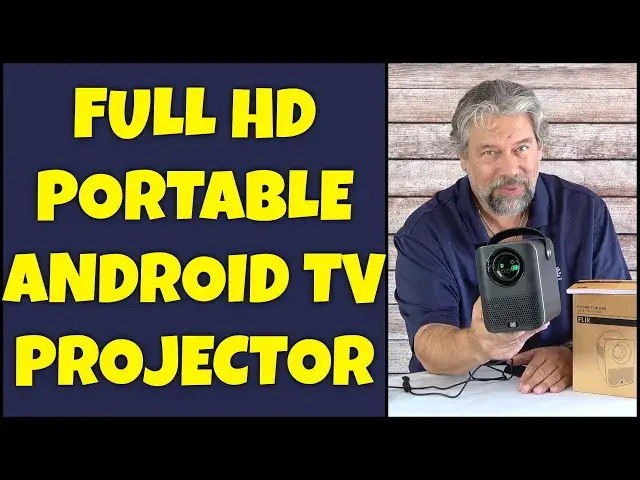
Imagine a full HD 1080p video projector that's no heavier than a paperback book and includes dual 3W speakers; that's the Kodak FLIK HD9 Smart Projector. Running full Android TV 10, it includes on-board support for Netflix, Amazon Prime Video, Disney, Plex, YouTube Premium, and much, much more. It's also incredibly portable and easy to work with, as tech expert Dave Taylor demonstrates in this detailed demo and review.
Check it out at: https://amzn.to/45JA00W
Visit Dave's Q&A Web site at: https://www.AskDaveTaylor.com/
#kodak #androidtv #tvprojector #videoprojector #flik #flikhd9 #kodakflik #askdavetaylor
Show More Show Less View Video Transcript
0:00
An Android TV projector? Let's check it out
0:03
Dave Taylor here and I'm checking out this. This is the Kodak Flick HD9 Smart Projector
0:17
And as you can see, it is small and it is light. In fact, it's 4.3 inches by 5.4 inches by 5.9 inches and it's 3.3 pounds
0:28
It's pretty darn light. It's also pretty simple. So you have the lens in the front, there's a focus wheel on the top
0:35
and then on the back there's a strip with various input options. There's power, obviously, and HDMI, USB, and there's a 3.5mm audio out
0:47
So you could project this on the wall in a hotel room, for example, and then use earbuds if you wanted to just listen so no one else does
0:55
And it works pretty darn well. Most importantly, it's native 1920x1080, which means it's a full HD resolution projector
1:05
It is not super bright. It's 200 lumens. I'm going to give you a demo, but we're going to have to go into my dark basement to do it
1:12
I'll do that in a second. It has dual 3-watt speakers. It actually pushes out pretty good audio and it's plenty loud
1:19
So if you're in a big room, this is probably not the projector for you. But if you're in a small room, like a dorm room, it's going to give you plenty of audio
1:28
And, of course, you can always plug in a bigger speaker if you want something a little better
1:33
Now, it is running full Android TV 10.0. Most importantly, that means it runs Netflix. It works with Netflix
1:43
And a lot of these projection systems, when it gets to Netflix, it doesn't work or Netflix says, oh, we don't work with projectors. We only work with TVs
1:52
So by having a full Android TV system on board, this is good enough that Netflix says, we cool. I'll show you that in the demo, too
2:02
Google Assistant, so you can do voice navigation, also comes with this pretty slick remote control
2:08
And as you can see in the close-up, it has shortcut buttons for Netflix and Prime Video
2:14
And it has some functionality buttons, too, for settings where it can do like automatic keystone correction
2:20
What's keystone? Well, if you project something at an angle, you'll often see the sides will look like this instead of like that
2:27
This can automatically compensate. So you can project it and position it however it is you need
2:33
You can even do rear projection if you have the setup for that. And it can actually compensate for that
2:39
And you can go into settings and make the unnecessary tweaks. So pretty cool
2:44
Wi-Fi connectivity, Bluetooth 5.0. It also works from mirroring both Android through Chromecast and iPhones
2:53
So you can push images onto here and then project them. I will warn you in both those cases, there are services like Netflix that won't let you do that
3:02
So you can do that for lots of apps and games and web pages and stuff. You could use this as a second screen for your computer projecting onto the wall
3:11
Kind of a cool idea. But if you're going to try to think that, oh, well, I can watch Netflix on my phone, can't I just project it
3:19
Doesn't work that way, unfortunately. So contrast ratio is 3000 to 1. Bigger is always better
3:28
And showed you the input ports. It can project anywhere from like 43 inches up to 120 inch projected screen
3:36
If you project it to something like this close, it can't focus. It's just too close. So there's a minimum distance you need
3:44
And if you're thinking you can project this onto the side of your cubicle or something, this is not going to work for that because you need what's called a short throw projector
3:52
It's different. So this is the unit it comes with and must be plugged in. And that includes this power brick
4:01
It's kind of a little brick. I'm not sure I should call it that. Includes the remote control, but not the two AA
4:07
Actually, let's see. Not the two AAA batteries you'll need to have for the projector and remote control to be able to communicate
4:17
So you'll need to bring batteries. Comes with an extensive user manual. It gives you lots of information
4:23
And of course, it comes with this cool swanky box. Who doesn't like nice boxes, right
4:28
So that's really everything. Let's take this downstairs and I'll give you a live demo
4:33
I'm projecting onto the wall of my basement. It's the middle of the day, but I've closed the blinds
4:39
So it's not super dark, but it's kind of dark. And you can see it's a bright, crisp picture
4:45
And I've already preloaded some of my favorite apps so I can get to what I want
4:50
Go back to Netflix and just have a quick peek at what's the latest. We'll just choose this profile
4:57
And this should give us some trailers momentarily. And you're hearing the audio directly out of the Kodak unit
5:07
And if we go to a different trailer, again, it's that audio
5:17
Now, I don't have rights to play trailers or anything, so let's go ahead and jump back to home
5:23
It is worth pointing out that, yes, Netflix works, which is really probably the benchmark for all of these projectors
5:30
Because a lot of them don't actually work with Netflix, which is kind of annoying
5:35
So this has Disney, Amazon Prime Video. I have my own Plex server. I can go to YouTube
5:42
And again, you can see it's speedy. The audio is good. And I don't really want to pay for premium
5:51
So we can go to video for cats. That sounds like a good option
5:57
Every time I ran on the field, I'd yell. Oh, and so what do we get? We get an ad. Let's skip the ad
6:04
OK, now here, video for cats. I don't actually have my cat here, but you can hear the audio is plenty loud enough to fill a hotel room or an office or something
6:16
And that image, that's pretty crisp. In fact, not being a cat. Let's go back
6:25
So there's lots going on. And this is just regular Android TV
6:29
So as I scroll down, you can see there's YouTube, there's movies, there's different apps from Google Play, there's Spotify, Prime Video
6:41
There's lots of stuff you can do here. It's actually pretty slick
6:47
And if I go all the way back home and I go all the way to the top and all the way over, I can also get to settings
6:55
And this gives you the option to do lots of different configuration, which is pretty important
7:01
But once you get it all set up, I got to say the image itself is pretty clean and crisp, as you can see
7:08
Now, let me jump back on camera. There's lots to like about this projector, but it's important to remember that it's 200 lumens
7:16
More lumens means it's brighter, which gives you more flexibility to use it in brighter spaces
7:22
This is at the level where you really want a pretty dark room for it to work well
7:27
I think that's important for you to know. But if you can create that dark environment, like a hotel room at night with all the lights turned off, or during the day in the kid's room
7:39
and maybe you pull down the blinds or close the curtains, then it's actually pretty slick
7:45
It's very well done. Android TV has been evolved over so many iterations
7:50
It's very smooth and easy to work with now. Really nothing not to like
7:54
And it even has a tripod mount on the bottom, so you could mount it upside down from the ceiling, or you can put it on a tripod
8:03
So there's just an enormous amount of flexibility, and I really like that all of the streaming apps all work
8:10
This isn't one of these where some work and some don't, and you need to plug in a fire stick or something
8:16
This does everything that you're going to want. So, really one to check out
8:21
That's pretty much all I got to say about it. Now, hang on, because we should also talk about the price
8:28
So, this is the Kodak Flick HD9 Smart Projector, and it comes in black, this color obviously, or white, and it is $249.99 at Amazon.com
8:42
I think that it's definitely one to check out if you're looking for a compact projector that can be pre-programmed, pre-set up
8:49
and is ready to rock and roll for you or your kids. You know, this would be great for an RV if you're camping and you have a power source, because it needs to be plugged in
8:58
but then you want to like, you know, put up a sheet or something between two trees and project a movie
9:04
this will do it, and you don't have to bring speakers or anything else to sort of fiddle with
9:08
So, really pretty fun and cool device. There's lots to like here, and it's just an amazing form factor
9:15
Really nice piece of engineering. That's all I got. I think I'm going to go back to Netflix, so I'll have to catch you in my next video
#TV & Video
#Online Video
#Consumer Electronics
#TV & Video Equipment