Up next in 10



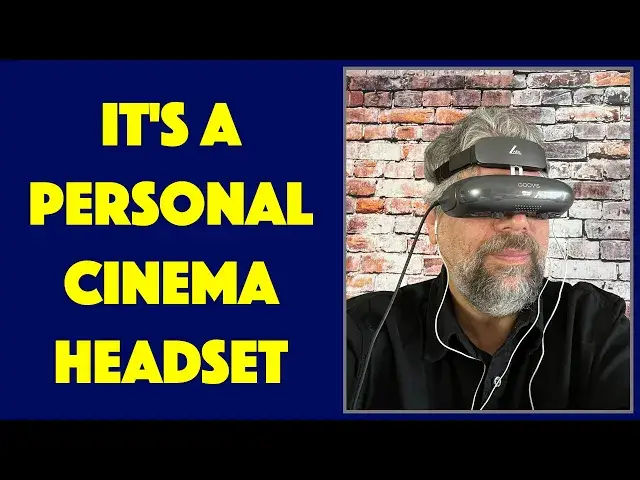
Imagine walking into a movie theater and you're in control of what's on the screen. Better yet, no-one else is there, so it's your own private cinema. That's exactly the experience of the Goovis LITE Personal Cinema, and it's quite remarkable. Couple it with the Goovis Portable Media Player and you have a really interesting portable screen to enjoy films, TV, and other video content on the go, even on an airplane. But there are some definite limitations and issues too, as tech expert Dave Taylor highlights in this detailed review.
Check out the Goovis Lite Personal Cinema at: hhttps://www.goovislife.com/products/goovis-lite-crystal-clear-personal-3d-cinema?utm_source=youtube&utm_campaign=lemonkol2021&utm_medium=dave_us
Or on Amazon: https://www.amazon.com/dp/B09F6DQFZN
Check out Dave's Q&A Web site at: https://www.AskDaveTaylor.com/
#goovis #goovislite #portablecinema #personalcinema #mediaplayer #askdavetaylor
Show More Show Less View Video Transcript
0:00
Your own personal cinema? Let's check this out
0:10
Oh, hang on. Dave Taylor here, and I'm checking out this. This is the Govus Light Personal Mobile Cinema, and it's pretty amazing
0:20
Now, you're looking at it, and you might be thinking, oh, it's a virtual reality headset, but it's not
0:25
There are no motion sensors in this. It's really designed to be
0:29
essentially like a little movie theater that only you can see. And it's a pretty amazing bunch of
0:37
technology and all the optics and stuff are really cool. So when you have this on and you have it
0:42
plugged into an HDMI source, it's as if you had your own personal cinema, like literally
0:49
like a movie theater with this huge screen, just a foot or two in front of you. And it just
0:55
looks crystal clear and it's really cool. And the way they get that to like
1:00
mess and like trick your mind is really quite remarkable. Now, I got a lot going on here. So let me just
1:06
clear off some space. You can see the packaging for the personal mobile cinema. And then I also have
1:12
the Goobis personal media player. That's this unit. We'll get to that in a minute. But I'm just
1:17
going to get these boxes off of here. So we have some space. Cool. Now, the unit itself features
1:28
and you're going to think, what the heck, man? It's two 0.49-inch AMO LED displays inside of here
1:37
and each of them is running 1920 by 1080, but since they're so small, that's a half an inch
1:44
It's the tiny, tiny little screen. It gives you 4,496 pixels per inch
1:51
which means it's a really, really crisp screen. It's just really, really tiny
1:57
But with the, optics and with this having, you know, the screen literally maybe two or three inches from your
2:03
eye, what your brain interprets is that you have this like a hundred inch TV that's just a
2:10
couple of feet away from you. It's a remarkable experience. I wish I could show you. In fact
2:16
you can see here, I tried to capture some of the video through the eyepiece and it's really
2:23
really hard to do that if not completely impossible because the way a camera captures video
2:28
is different to the way our eye works. So I tried. So it's actually pretty simple to work with
2:36
There's a strap so you can put it on your head as I had. And then once you have that, there's a padded forehead rest
2:45
And then you can tilt it up if you actually want to like interact with your device or talk to someone or something
2:50
And then when you're done, you just tilt it back down and it essentially cuts out everything
2:55
So on the inside, it's padded all the way around. There's actually a sensor on the top of your nose piece here
3:03
that lets it turn the screen off when you have it tilted up
3:07
So if you put it down or you tilt it up and the screen turns off, don't worry
3:11
It's supposed to do that. It has adjustable brightness. And on the bottom, as you can see here in this close-up
3:18
it has seven brightness steps. It allows you to switch between 2D and dual screen 3D
3:25
But you need a 3D source to be able to work with that. And then there's a ton of optical modifications you can make to have it work perfectly with your eyes
3:36
Now, I don't have 20-20 vision, so that worked out really well. You can change the interpupillary distance from 56 millimeters to 72 millimeters
3:46
That's the distance between the center of your pupils. If you're nearsighted, it can adjust from zero to minus seven diopters
3:54
And if you're far-sighted, it can adjust from zero to plus two diopters
3:58
That's all done with the dials and the slides on the bottom. Basically, you put it on
4:04
They have a screen that you can see lines and edges and corners
4:08
And then you just adjust that to get it to be the best you possibly can for your eyes
4:13
This does mean that if you are doing any vision correction, you really don't want to be moving between multiple users
4:20
unless you all coincidentally happen to have exactly the same prescription. You probably don't
4:26
Now, the other end of this wire, this is a hard wire, it is not something you can unplug or replace, is the HDI
4:35
And it is actually HDMI plus power which is kind of cool but most devices that have HTML don push out power on that connection So it also comes with this adapter which you going to need if you plug it into your PC
4:50
If you plug it into, I actually plugged it into my phone. I'll talk about that in a minute
4:54
But basically you plug this HTML into this adapter included. And now you have regular old HDMI and USBA, which you can
5:05
use for power. So this means that in addition to it being like a little movie screen, it can be a
5:12
computer screen. It also means you can use it for all your favorite video game systems, Xbox
5:19
PlayStation, you know, the switch, whatever. Imagine just putting on your headset. It's a really
5:26
immersive experience. Again, not VR. It's not virtual reality. It's just an immersive
5:33
completely private, personal mobile cinema. Now, on the other edge is a 3.5 millimeter audio jack, so you can plug in any gear
5:42
It comes with nothing, but even El Chippo little earbuds work just fine
5:47
And again, it's really immersive. It's so immersive that you really need to be sitting down safe, because if you try to walk around with this on
5:56
you are absolutely going to hurt yourself. There's no way around it. Now, it is using an older HDMI spec
6:02
This is HTML4A, which is a bit of a bummer. I wish they were doing HDMI 2, but then again, it's also 1080P HD, not 4K, so probably not a huge issue there
6:16
Comes with all of this stuff. It does not come with any memory cards
6:21
Well, that's actually the separate portable unit, as this, which is separate
6:26
It also includes a carrying case, but the unit they shipped me didn't have one, so I assume that's coming down the road soon
6:33
So what we need to talk about is we need to talk about the price, but I'm going to hold off on the price
6:38
That's a big, complicated topic. This is a very spendy device. But I'm going to hold off on that until we talk about this
6:46
This is the Govus portable media player. And the idea is that it is a 8,000 millanph hour battery, so it can power the power part of this connection
6:58
And it has HDMI out. So essentially, it's like a little portable
7:03
movie source. Now, one of the things you can do with it is you can plug it in to your own TV
7:08
right? It is designed for the headset, but it doesn't mean you have to use it that way. So I plugged
7:14
it into my studio TV, and let me walk you through the experience of using it at its most basic
7:19
You can see, this is the main screen, and let's go over to online video, and yes, it's on my
7:25
television, but that's okay. And I can get to Netflix, and the signal it puts out is really clean
7:33
really good on my Vizio, but the scrolling is a bit problematic
7:38
So let's go back. Then switch to local video. And now there's internal TF or MicroSD and USB
7:46
And I happen to have the new series Blade Runner Black Lotus
7:50
And man, it's really cool. It's sort of an animated sequel to Blade Runner, not Blade Runner 2049
7:57
but part of that same universe. And you can see this is really eminently watchable
8:03
It's a really straightforward simple interface, but I don't have rights to broadcast that
8:08
So let's back up again. And you can see there's a file manager depending on how you've connected to get to your files
8:16
And there's also settings, Wi-Fi, Bluetooth, touchpad, fan speed, and clarity adjustment
8:23
If you need to, I didn't find the need to go near that. And then down on the very bottom, my apps, you can see have installed a couple, even though the track
8:33
doesn't work right and then we can go to system settings and you can see here's some
8:40
information on the product so cool let me switch back let me tell you some specs about it
8:44
too it's running Android 7 which is insanely old it is an old crifty version of
8:50
Android I just updated my phone to Android 12 that's a long journey back has Wi-Fi
8:56
has Bluetooth that 8,000 milliamp hour battery will give you 8 to 10 hours of
9:01
playback so together if you put some content on this, which is what I would highly recommend
9:08
then that gives you a lot of plane flying time. You could easily watch the entire Matrix trilogy without having to worry about the battery charge There is a micro SD or TF card slot on the side I just dropped in a 32 gig You want to bring your own
9:26
And what I did is I just put it onto my Mac and just dumped a bunch of MKVs and AVIs and MP4s and it handled everything
9:34
It works great. In fact, it is this unit is HDMI 2.0 and it supports 4K at 60 frames per second
9:43
So this is actually decently capable as a media player other than it has some issues with its user interface and that Android 7 is concerning
9:53
It's really old and I don't even know what security holes might still be there, but that's something to think about before you put it online as I did unsuccessfully with Netflix
10:04
So it also has the USB so you can use this as a USB drive
10:09
It has onboard storage. it gives you 4 gig so you could drop a bunch of episodes of wheel of time or
10:16
whatever else that you're really into right now and all of that would then be on this device
10:21
So dimensions wise it is 5.8 inches by 2.4 inches by 7 tenths of an inch thick and it's 7.6 ounces
10:30
ironically it's actually about the same weight as the headset and you can see on the front
10:37
It's a pretty basic interface where this is the ring controller with the little pad in the middle
10:43
and you have return and home and settings, volume up and down
10:49
What is not at all obvious is that this lower portion is actually a touchpad
10:54
so you can use that for mouse interaction. What I couldn't figure out, as you saw, was how to actually scroll down
11:00
So lacking that particular capability, it is pretty limited. But my experience was that I really just used the ring control to get to my content, which I had previously installed on the device
11:13
So they work together really well. It is really easy to just plug this in
11:21
And like I said, this actually supports the power down the HDMI wire
11:27
So that's enough. Now, if I turn this on, I can actually power the headset and I can use this
11:34
this, put this on my head, and I could be instantly watching my favorite movie or whatever else
11:41
I've downloaded onto this device. Now, what else can I tell you is that the whole setup
11:49
is pretty spendy. But before we get to that, I know I keep deferring the price. I just want to say
11:57
that I did figure out how to get it to work with my iPhone, and it worked fan-dantastic. So
12:04
I have this Hd.MI interface, so it gives me H.D.M.I. out of the lightning connector on my iPhone 13 Pro
12:12
So I plugged that in, and then I plugged in a separate power
12:18
because this actually, and I tried it with Android 2, my Pixel 6 Pro also
12:24
they can't power this device. They just don't put that power out
12:28
So you do have to use this interface, so I actually did that wrong
12:32
So let me plug this piece in and then this I just plugged into my external power source, right? Pretty easy enough and then this I plugged into the actual headset and
12:48
with just a moment of effort here. I literally I am now seeing my iPhone screen and it's obviously a little awkward to use this when you're actually looking at some
13:02
something different, but once you get to some content or something, for example, I was watching
13:07
some movie on HBO Max off my phone and it was working just fine in the display
13:18
And that is a pretty game-changing thing. And the reason I wanted to talk about that first is because by using these devices, I
13:28
essentially bypass the need for this. and I get a far, far more capable device
13:36
So, you know, how much different content can I play off my phone
13:39
Oh, I don't know, all of it? How much can I play off of this
13:44
It's pretty limited. So this is probably a device that you probably won't need
13:50
So let's talk about prices. But, see, one more time, hold on
13:56
Before we get there I going to ask if you could subscribe to my channel I put a lot of effort into my reviews I candid I straight I don pull any punches And I appreciate if you could subscribe Cool Now let talk about this first
14:09
This is the Govus Light Personal Mobile Cinema and it's 749 marked down to 449 with an additional 5% discount if you sign up for their email newsletter dropping it down to 426
14:27
dollars at goovus.net. 426 bucks is still pretty spendy. It is a gorgeous display. It is crystal
14:36
clear. It is a pleasure to watch content on this. It's very cool. I mean, really very cool
14:43
But 426 bucks is a lot of money for the ability to have a private display. And it doesn't do
14:51
VR, it doesn't support any VR, it doesn't have any motion sensors. It has the significant
14:57
limitation of this being a hardwired HDMI cable. So if this went
15:03
bad, this connection went bad, you're out of luck. You can't like pop it out and put a new one in. So I think
15:09
all of those are problematic. It is comfortable. Like I said, I can't say enough about how beautiful that display is. And it blows my
15:16
mind that that tiny screen that's less than a half an inch
15:21
is enough to fill my vision and give me a really beautiful display. So
15:27
So this is if you got a lot of coin and you're on a lot of like long journeys on airplanes or trains or you want to just like go to work and just have your display in front of you and put on some music or something, this is a really interesting option
15:42
You know, it's really honestly like getting a whole other display and everything
15:47
Now obviously if you're using this as your monitor or something, you can't look down and see your keys on your keyboard
15:52
So you better be a good typist. But the flip side is that this, the Goovus portable media player, 249, down to 224, minus 5%, 212 at Govus.net
16:07
This is a device that I'm not sure there's really much of a purpose for
16:11
It's an interesting idea. I think if they could have more on board storage, bring it up to Android 12, and maybe run Android TV on it
16:19
and figure out that whole scrolling issue, then this becomes an interesting device
16:24
I hooked this up to a TV. So I could use this, for example, in a hotel room
16:30
hooking this up straight to the hotel television and then watching whatever content I've loaded onto here
16:35
without worrying about, did I bring the right adapter for my phone
16:39
do I have the right cables for my computer, do I want to have my computer hooked up to the TV
16:45
even though I want to do some work on it, or maybe it needs charging, right? So this is an interesting portable media player
16:51
waiting to be reinvented, as is, I don't think this is something I would recommend that you acquire
16:57
It's just not worth 200 bucks when for like 30 bucks and I don't know, 15 bucks
17:06
I got all the same functionality and much, much, much more through my smartphone
17:12
And you could obviously do that with your tablet too. And honestly, I could hook this straight up to my MacBook Pro, which now finally
17:20
the latest generation now finally again has HdMI and I tried it
17:25
So with the adapter, I could definitely have, you know, the HDMI coming off of my computer
17:32
and then this ended up I needed a USBC adapter, but I plugged those both in and boom
17:38
I was watching my computer screen on this and that was really sweet because it's like
17:44
wow, that's a really big monitor. And since it's so crystal clear, you can absolutely
17:50
read content and do coding or whatever it is you need. Again, you can't look at your keyboard
17:56
so you better be pretty good at that. So that's what I got. This is really a cool toy
18:02
a really neat device to check out if you have some spare coin. This one, maybe the next generation
18:08
will be worth that. But overall, super interesting experience. I hope you found this valuable
18:13
and helpful for you. And I will hope to catch you, virtual or otherwise, in my next video. video
#Consumer Electronics
#Virtual Reality Devices