Up next in 10

Jetbrains Junie IDE & CLI Coding AI Agent is INSANE to Build Full Stack Apps From Prompt For FREE
Apr 10, 2026

Watch My Visual Studio Code IDE Setup Video For Fonts,Themes & Extensions
https://youtu.be/Bon8Pm1gbX8
Hi Join the official discord server to resolve doubts here:
https://discord.gg/cRnjhk6nzW
Visit my Online Free Media Tool Website
https://freemediatools.com/
Buy Premium Scripts and Apps Here:
https://procodestore.com/
Show More Show Less View Video Transcript
0:01
Uh hello guys. Uh Jet Brains, a really
0:04
popular coding
0:07
editor company has released their own AI
0:09
assistant. If you simply type here Jed
0:12
Brains AI uh and it's called as Juny J U
0:17
N E.
0:19
So it's actually a AI coding agent by
0:23
Jedrains. It also offers a CLI version
0:26
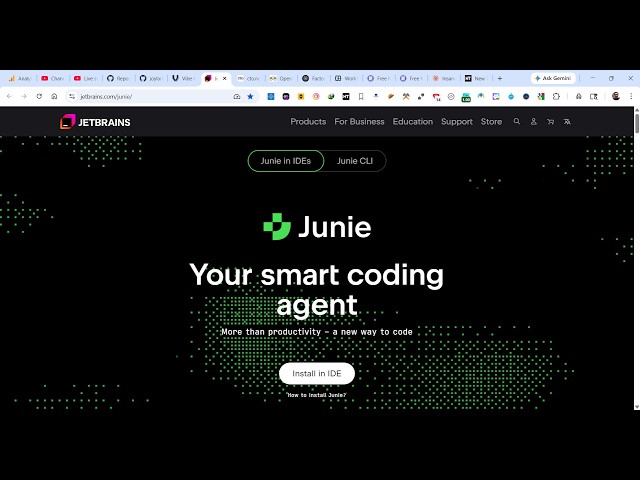
as well. So simply go to
0:27
jetbrains.com/juni.
0:31
So if you land on this, it has its own
0:34
IDE as well. For this, you do need to
0:37
have Jetbrains
0:39
coding editor
0:42
to actually use this. So it's actually a
0:44
smart coding agent to build out full
0:46
stack coding application. So it will
0:48
look something like this. Inside the
0:50
chat prompt you specify what sort of
0:52
application you want to generate and it
0:54
directly generates those application
0:57
generates all the files for you. So
1:03
once you ask the question the AI will
1:06
respond to you creating all your
1:08
application directly step by step.
1:16
So it has
1:18
tracking functionality everything.
1:22
So these are all the applications which
1:23
are made by people. The pricing is
1:26
really expensive. You do need to have a
1:29
license which is $100
1:33
per user per year. It gives you 10 AI
1:36
credits per 30 days.
1:40
These are the pricing. Uh it also offers
1:42
you a CLI version as well.
1:52
So it also offers a CLI version as well.
1:55
So directly you can on Windows Mac these
1:59
are the commands which are given.
2:02
So just open your PowerShell uh directly
2:06
install this by executing this command.
2:13
So it will install this Juni install
2:15
directly CLI. If you enter it.
2:22
So once it completes the Jetbrain CLI
2:25
will directly get installed inside your
2:27
system. So then you can actually use any
2:29
sort of AI model with the Juni CLI.
2:37
It also includes up to $50 usage per
2:41
user. It gives you free access.
2:44
So it has its own terminal as you see.
2:46
It looks something like this. From here
2:48
you specify what sort of application you
2:50
want to generate.
2:53
It has all the top AI models access
3:00
so
3:03
you can bring your own API key from open
3:05
router or Gemini anthropic to actually
3:08
use it. So no cost extra cost is there.
3:27
So once the command completes you will
3:29
be able to use Jun CLI directly inside
3:32
your system. So these are their pricing
3:34
plans.
3:36
These are two different things. First is
3:38
actually the IDE and secondly this is
3:40
actually a CLI version which is created
3:44
offering you the same feature. First one
3:46
is actually the IDE, second is the CLI
3:49
version. So definitely check this out if
3:52
you are interested in this.
3:56
So once it get installed
3:59
you can restart your terminal
4:04
go to the project directly simply type j
4:07
u m e. So juni. So once you activate
4:10
this just write is inside the command
4:13
line.
4:15
It will start
4:17
it will look something like this. So
4:18
first of all you can either sign in with
4:21
your Juni account, provide the Juni API
4:24
key or use external LLM providers. So
4:28
for that select your provider. It can be
4:31
open AI, Anthropic, Google and just
4:34
paste your API key like this.
4:39
You can provide a different provider.
4:41
Same goes you need to enter the API key
4:44
right here.
4:47
Open router right here.
4:50
So I think open router does offer you
4:52
free access for a limited time. So if
4:56
you have a open router account you can
4:57
directly paste that API key.