0:00
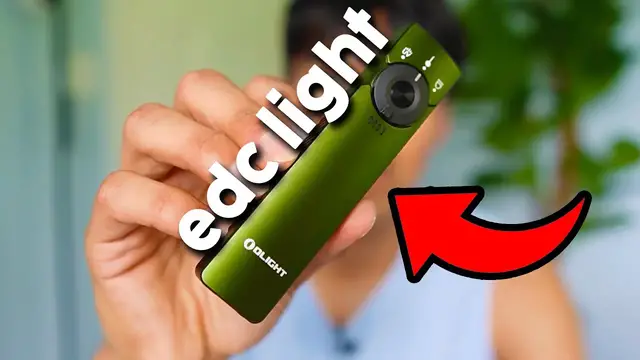
Olight sent me their Arkfeld Pro flashlight, so in this video I want to go ahead and test it out to see how well it works
0:05
So inside the box we're going to have the flashlight, the wireless charger, and the user manual
0:09
So I get a chance to mess around with this flashlight and this thing is really cool. For starters, this is going to be fully metallic and feels really high quality
0:15
We're going to have a belt clip on the back side and this is going to be doubled, so if we want we can use it from here or from here as well too
0:22
There's going to be three different lights we can set it to, UV, laser, and light
0:26
But before even turning on the light, I do have to go ahead and unlock this. Because if I just press the button in the center, there's going to be this red indicating light letting me know that this is locked
0:33
So to unlock it, I just have to hold it for a few seconds. And then we'll go ahead and turn green. And now it's unlocked
0:38
And this also lets us know what the battery is currently at, which is 100%. So the minute I press it, it goes ahead and turns on the laser
0:44
And so here you can see the green light. So this is going to be a green laser. You can kind of see it a little bit
0:48
And then also in the background, if I switch it over to the left, this is going to be UV
0:53
And here you can see a little bit more. And here's what it looks like on my shirt. And finally, there's gonna be flashlight
0:58
And the cool thing about this is there's gonna be more settings. So this is actually gonna be the dimmest setting
1:02
If we go ahead and hold it for a few seconds, it brighten up and I let go and I can hold it again It brighten up again hold it again brighten up again hold again and we go back to the dimmest setting So there going to be four different settings for this And if I go ahead and double click this brings up strobe light And the cool thing is I can actually go ahead and
1:18
turn on the light with the laser light on. So here you could see the laser is currently on
1:22
And if I go ahead and just double tap this, the light also shines through. And here you might be
1:26
able to see a little bit better, but the laser is also pointing in the center. And just like before
1:30
if I want to go ahead and change the intensity, I just hold this for a few seconds and it changes
1:33
And then if I want to shut off the light, all I have to do is just press it and I can press it again
1:38
And there now just the laser is on. And there's even going to be a brighter mode called turbo mode if we go ahead and triple press
1:44
So here's the dimmest setting, the second, and the third. And if we go ahead and triple press it, this is going to be turbo mode
1:53
So overall, I'm pretty impressed by the Arcfeld Pro. It's really simple to use. It's so small
1:58
It fits in my pocket easily and it feels really high quality. And my cat really likes playing with the laser
2:03
I've always had a red laser but this green laser is pretty nice too. I can also use it as a pointer or just to go ahead and play with my cat and yeah he just
2:10
runs around and chases it like usual. The flashlight gets really bright and for extra brightness there's also going to be
2:14
a turbo mode which is really handy. But yeah if you're looking for an everyday flashlight that's rechargeable and pocket
2:19
friendly definitely check this one out by Olight