0:00
So whenever I want to record myself, I use a tripod, kind of like the one I'm using right now
0:04
but it's kind of hard, especially when your monitor is right next to your wall
0:08
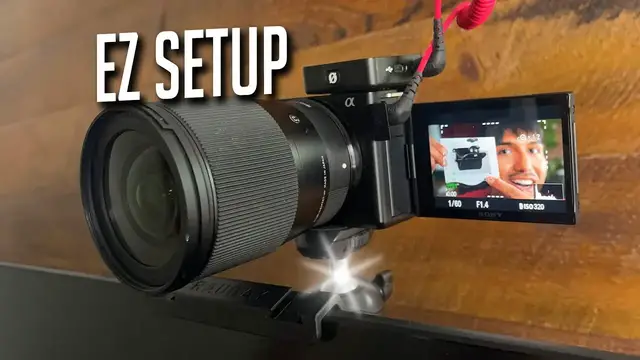
So today I'm taking a look at this monitor mount tripod that Rao Bay sent to me
0:12
So it's going to come with these two pieces. We're going to have this plate, which attaches to the back of the monitor. And then right here is where the head can screw in
0:21
And up top, this is where your camera or whatever you want to attach to the top can be screwed in
0:25
And of course, we also have an instruction booklet. Now, how easy is this actually to install? Well
0:29
should be pretty easy considering there's only two pieces. For starters I'm going to screw in this
0:33
to over here just like that and now before mounting it to the monitor this flap has to be
0:38
opened simply by unlocking this and this can be pulled out just like so. This is going to be the
0:44
little flap that supports it from the back of the monitor so when I let it loose it looks like this
0:50
so we can't really see it but if we want to bring it higher up I can simply turn this more like this
0:55
And there now this is raised up a little bit more so it actually stays in place
0:59
I do have to screw it in and lock it just like that
1:04
And there now the camera can be mounted on top now It's ready for use but of course my GoPro isn't gonna be the main camera I use
1:11
I'm gonna be using the camera that I'm currently using so let's change it from this tripod to this tripod
1:19
There just like that and now let see how secure this feels on top of the monitor so yeah it feels steady and now if i push it let me see if it falls over
1:30
so it's not falling over and i'm moving it quite a bit i will say there is going to be like a little
1:36
jiggle over here but that's because there's going to be a good gap here so if you do have a thicker
1:42
monitor it can still fit and in this case since this monitor is fairly thin there's still going
1:46
be some wiggle room. But now let's see if this can go on my laptop. Now this is going to be the
1:51
MacBook Pro 16 inch and let's see if it can hold the weight. Yeah this is definitely going to be
1:58
way too heavy so I definitely wouldn't recommend putting this on top of a laptop and definitely
2:03
stick this on a sturdy monitor instead. And on top of that it also does come with some hot shoe
2:10
mounts right over here and right over here so it's going to make attaching other things such
2:14
as a light or a microphone much easier. Now with this mount on top of the monitor here's what it
2:18
looks like while I'm by my chair and of course this is going to be way too high up so I do have
2:24
to move this a little bit lower so you can see my face more and that's about the perfect type
2:28
we're around eye level and this is going to make recording content a lot easier especially when I'm
2:32
doing screen recordings and I want to shoot a camera right in front of me I don't have to worry
2:36
about putting a tripod behind my desk because there's not a lot of space behind my desk and
2:41
this just looks a lot more clean a lot more convenient and easy to use but yeah that's a
2:45
quick look at the Ray Bay monitor top camera mount