Up next in 10


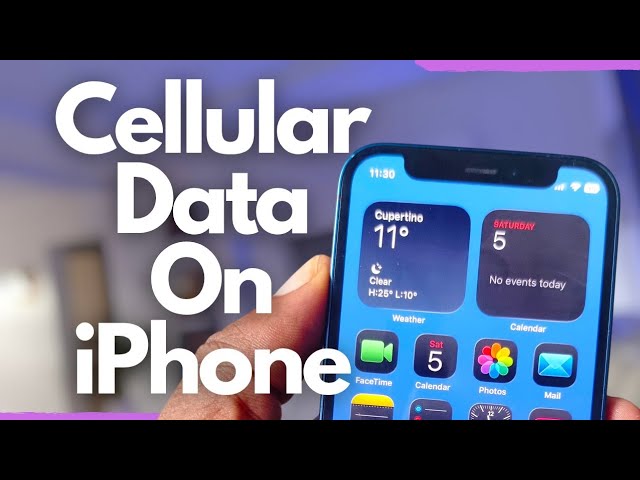
What is cellular data on iphone? How does cellular data work?
If your cellular data is not working, perhaps that is because it is turned off and you need to turn it on.
In this video, I show you the iPhone cellular data settings and how to turn on cellular data on iPhone.
#cellulardata
Show More Show Less View Video Transcript
0:00
Cellular data is internet service
0:03
provided by your carrier.
0:06
That's the internet service that you
0:09
subscribe to, activate and use directly
0:12
from your carrier. As against internet
0:15
access you get through a Wi-Fi router.
0:18
The advantage of cellular data is that
0:21
you can stay connected even when you're
0:23
out of your house, out of your office,
0:27
out and about where there is no Wi-Fi
0:29
connection. As long as your carrier or
0:33
mobile network operator has coverage,
0:36
you will be able to stay connected to
0:38
the internet when you use cellular data.
0:42
How does cellular data work? You have to
0:45
subscribe to a data plan from your
0:48
carrier or your mobile network operator.
0:50
So cellular data is not something
0:52
automatic that you just have access to.
0:56
It's either that the bundle you
0:58
purchased from your carrier or network
1:00
operator includes data, includes
1:04
internet or you have to buy a separate
1:08
data bundle in addition to your regular
1:12
air time on your device. In order to
1:14
turn on cellular data on your iPhone and
1:18
make sure it's working, you have to
1:21
first subscribe to a data plan from your
1:24
carrier or your mobile network operator.
1:28
So, reach out to them, access their
1:30
website, send a text message or
1:32
whatever. Some of them have apps where
1:34
you can purchase your mobile data from.
1:37
So download and install those apps, sign
1:40
into your account, purchase your
1:43
cellular data plan, and then you're
1:46
ready to turn it on on your phone and
1:48
start using it. There are two main
1:50
reasons why your cellular data may not
1:53
be working. One, you have not subscribed
1:55
to a data plan or you have exhausted
1:58
your data plan. The other is that you
2:02
had it on before and mistakenly turned
2:04
it off. There is a third. There could be
2:07
network issues from your carrier at the
2:09
moment and all you have to do is get in
2:12
touch with them to say you're having
2:14
problem accessing cellular data on your
2:17
line and they'll look into it once it's
2:19
fixed. You will be able to use it. Once
2:22
again, I said earlier too, but there are
2:24
really three main reasons why cellular
2:25
data may not be working on your iPhone.
2:28
One, you're not subscribed or you have
2:30
exhausted your subscription. Two, you
2:33
have turned it off. three network
2:36
issues. If you have subscribed, you have
2:39
checked and you have an active cellular
2:41
data plan right now, then you are ready
2:44
to have a look at your settings to see
2:46
whether you have turned it on or not.
2:49
Let's go. How do you turn on cellular
2:52
data on that device? From your home
2:55
screen, tap on the settings icon.
2:59
Scroll down. You will see cellular. It's
3:03
the fourth item, cellular.
3:06
And right here, cellular data, it's
3:09
grayed out. That means it's turned off.
3:12
Of course, you have to make sure that
3:14
your SIM card has already been
3:16
provisioned in your your device. If
3:18
there is no SIM card there, the option
3:20
to turn on cellular data will not show
3:23
up. There's a SIM in this as you can
3:25
see. And so, the option to turn it on is
3:28
here. And what do you do? Simple. just
3:32
and when it turns green, cellular data
3:36
has been turned on on this iPhone and
3:40
you can now browse, send internet
3:43
messages, access social media, access
3:46
your email, do everything that you need
3:50
to do on the internet on your iPhone.
3:52
It's that simple. Again, just your
3:55
settings and cellular and then you can
4:00
turn it on there. There is another
4:01
option from your control center. It's a
4:04
shortcut
4:06
here.
4:08
I hope I can capture this as nicely as
4:11
possible. You see this green icon?
4:13
[clears throat] You can see the cellular
4:15
signal there.
4:18
And here it is,
4:21
cellular data. I've tapped it to turn it
4:24
off and I can turn it back on right here
4:27
from the control center. It's that
4:29
simple. So, those are two ways you can
4:32
turn on cellular data on your iPhone and
4:34
you can also turn it off from the same
4:36
location.
4:38
Thank you for watching this video. It's
4:40
always nice to have you enjoy my videos.
4:43
Please do like it. Do follow my channel.
4:45
Turn on your notifications. I'd love to
4:47
see you again when I publish my next
4:49
video.
#Consumer Electronics
#Mobile Phones
#Science