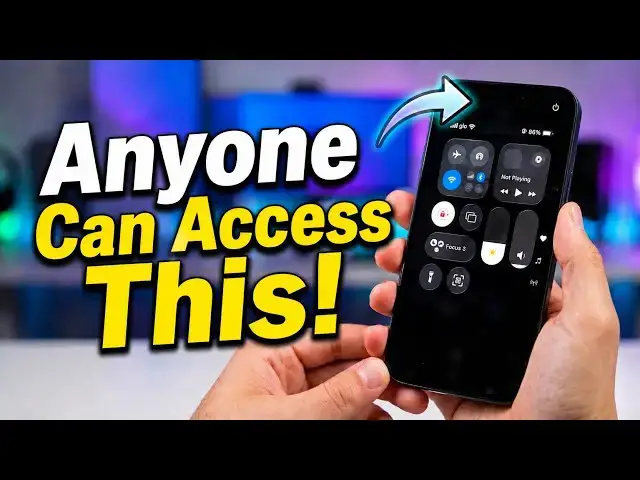

How to Turn or Switch Off Control Center on Your iPhone When Locked
May 12, 2026

How to turn or switch off Control Center on your iPhone when locked: Stop people from accessing your iPhone Control Center from the lock screen.
Learn how to turn off Control Center on your iPhone lock screen in seconds and protect your privacy.
Accidental swipes turning on your flashlight? Worried someone could access settings without unlocking your phone? This quick iPhone tutorial shows you exactly how to disable Control Center access and lock things down.
What You’ll Learn
- How to turn off Control Center on iPhone lock screen
- Where to find “Allow Access When Locked”
- How to improve iPhone privacy and security instantly.
If this helped, hit Like and Subscribe for more iPhone tips, hidden features, and privacy tricks.
:: Mister Mobility's Essentials
These are the gadgets and accessories I personally recommend and use regularly:
• UGREEN Wireless Charger, Qi2.2 Qi2 Certified 25W Fast MagSafe-Compatible Wireless Charging Pad, 5ft Magnetic Charger for iPhone/Samsung/Google phones: https://amzn.to/4gJUiAx
• 5000 mAh Slim Magsafe Wireless Power Bank with USB-C charging: https://amzn.to/4gEHtrc
• Anker USB-C to USB-C Braided Cable, 60W Fast Charging Cable (1FT, 2Pack): https://amzn.to/4aXbkYa
• Anker 140W 4-Port GaN Phone/Laptop/MacBook Charger, USB-C Charger Block with Display: https://amzn.to/3RhW4ym
• SANDISK 1TB Extreme Portable SSD (New Model): https://amzn.to/4hehE1d
As an Amazon Associate, I may earn from qualifying purchases at no extra cost to you.
Show More Show Less