Up next in 10



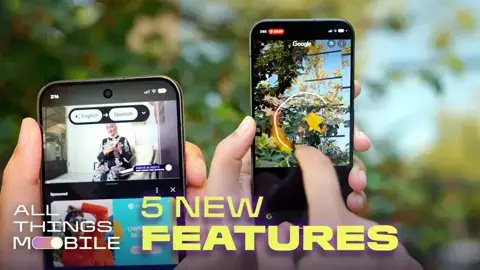
Google's next Pixel gets new Gemini features designed to make finding, translating and sharing information easier.
Show More Show Less View Video Transcript
0:00
I'm here at Google to check out some new Gemini intelligence features coming to Pixel 11 devices
0:04
These are designed to more easily bring up information, make it easier to share those details with your friends and family, so let's check it out. All right, so this is Rambler
0:11
So if I go into Messages and I tap this little mic here, I can kind of stumble my way through
0:15
a sentence and it'll clean it up so I sound a lot more eloquent. So, hey, let's get dinner today
0:21
Maybe we should get pizza. Actually, maybe we should get sushi. Should we meet up at 5 30
0:27
no never mind should we meet up at five okay hey let's get dinner today maybe we should get sushi
0:35
should we meet up at five look how eloquent I sound you'd never know that I stumbled my way through that sentence so here's another feature in messages these are detailed visual cards so
0:43
if somebody texts me asking am I free to grab dinner let's go to this restaurant if I tap on
0:47
that little option there I can learn more about this restaurant if I've never heard of it I can
0:51
reply with the location information or I can also see it in Google Maps. Another option is if somebody
0:58
texts me talking about a flight. So when is your flight coming in? What's your flight number? All
1:04
that information automatically pops up here. It's pulling that from Gmail. I can tap on that and I
1:08
can automatically go ahead and share that flight information. All right so this is live translate
1:13
for media. Let's see what I sound like in Spanish. Okay, let's go ahead and translate that audio
1:24
Oh. I sound fluent
1:36
Speaking very Do I speak this quickly in English guys I think I having a revelation right now All right so now we outside
1:46
We're going to test out magic capture. What this does is I hit this button once. I'm going to go ahead and launch the camera
1:51
I tap this, and I'm just going to hit this once. And me and Alex are going to pass the ball back and forth
1:56
He's a lot better than I am, so he's going to be the subject of the photo. We're just going to go ahead and kick that
2:00
I'm not really focused on the framing here. I'm just continuing to play
2:04
See now he's showing off. We're going to get some really good shots out of this. Later on, it'll go in and pick some of those best images
2:10
And again, I'm not tapping the shutter here. We're just going to keep kicking this back and forth
2:14
All right, so now I'm going to go ahead and stop it. And immediately, I'll only get a couple of photos
2:19
but it's going to keep processing those images. And then I'll get several photos that look
2:24
like they're professionally taken. Here are some other shots that we did
2:28
We've got Alex in action, all without me having to think about hitting the shutter button
2:34
And one last feature I'm gonna try out here is circle to search being built into the camera's viewfinder
2:39
So I open up the camera here, I'm gonna press down, and I'm gonna circle these bright white shiny new shoes
2:46
and I'm automatically gonna get some information about where I can get a pair for myself. I don't even have to tap the shutter button
2:51
just go ahead and circle within that viewfinder. All right, one more example. If I see this flower that just looks so pretty
2:56
I'll go ahead and push down, circle it, and get information about this
3:01
Apparently, this is a California glory flannel bush. Who knew? This and all the other Gemini Intelligence features I tested out are launching on the Pixel 11 devices
3:10
which are available for pre-order now and hit store shelves on August 20th
3:14
So is there a feature that you're most excited to try out? Let me know in the comments and be sure to hit like and subscribe for more on all things mobile
3:21
Thanks for watching
Celebrities & Entertainment News