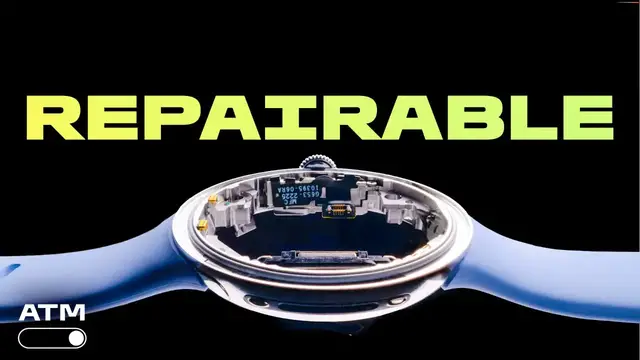
Up next in 10



Repairable wearables could help reduce unnecessary e-waste.
Show More Show Less View Video Transcript
0:00
When Google made the Pixel Watch 4, it re-engineered it from the ground up to make it repairable
0:06
But how easy is it for someone like me, an idiot with a screwdriver, to actually repair it
0:11
Well, I wanted to find out. Welcome to All Things Mobile. Unlike smartphones, TVs and laptops, smartwatches and other wearable devices are notoriously difficult to repair, if not impossible
0:22
But Google has proved that this doesn't need to be the case, and has made the Pixel Watch 4 the most repairable smartwatch on the market
0:27
Gone is the glue of the Pixel Watch 3, replaced by screws and seals, making it easy to take
0:33
apart without compromising what's great about this watch, including its waterproofing. Why is that important? Well, increasingly our right to repair our own tech is enshrined
0:42
in law. It allows us to make something that we've spent a lot of money on last a lot
0:45
longer. That drastically reduces the amount of minerals being dug up to create new devices
0:51
reduces the amount of devices being shipped all around the world, and means fewer perfectly
0:54
good devices ending up as e-waste. You don't need to spend big on replacing your tech if
0:59
your screen breaks, especially when the rest of it might be working perfectly well. So it's
1:03
better for the planet and it's better for your wallet. It's a win-win basically, but
1:07
it's one thing to make a device that's technically repairable. That doesn't mean it's actually
1:10
easy to do it See if it realistic for someone like me with basically no experience of repairing electronics I ordered a screen replacement kit from iFixit and I going to perform open heart surgery on this Google Pixel Watch 4 Hopefully it will still turn on in the end Let go The first
1:27
thing I needed to do was remove the two screws holding the body of the watch together. Google
1:31
has tucked these away under the wristband to limit their exposure to accidental damage. Next up
1:36
I took a spudger, which is a new term to me, and slid it gently under the rim to lever the back
1:41
of the watch off the body. It's here that I got my first glimpse of the watch's internal architecture
1:47
Google has tried to make it simple and intuitive and it's true that when I looked at it I wasn't
1:52
immediately overwhelmed by its complexity. I didn't feel like I was trying to dismantle a
1:56
nuclear power station or anything. To remove the haptic engine there were another two screws to
2:01
undo. It then lifted out using some dangerously sharp tweezers that came in the screen replacement
2:05
kit. Disconnecting the battery meant once again using the spudger to gently nudge the connector
2:10
apart. Using the screwdriver I took out two more screws and then the battery
2:14
lifted out of the watch's body. It's at this point, if I was doing a straight battery swap, that I'd simply reverse the process. I however had chosen a more
2:22
complicated repair and therefore had to press on with disassembling the watch
2:25
even further Two more screws were easy but then I had to tease this sticker free without damaging it As you can see I had some trouble making that happen It did eventually come off and then it was back to the spudger to separate the screen cable connectors
2:40
There were four more screws to undo here, and then all that was left was to flip it over
2:44
and pop the screen off. Removing the O-ring felt like the highest stakes part
2:48
of the process yet. It's really important to make sure this isn't damaged even slightly
2:53
as it guarantees the waterproofing of the entire watch. Although iFixit does provide a spare in the kit
2:58
And then the fun really began. I had to do the entire thing in reverse order
3:02
This was the trickier part of the process. From trying to hook the O-ring over the new screen
3:07
to getting the sticker back onto the screen cable connectors, I did find the fiddliness really tested my capabilities
3:14
and my patience. That said, I did eventually manage to put the Pixel Watch back together
3:19
And yes, to my great relief, it did turn on. The time estimate for carrying out this repair
3:24
is between half an hour and an hour, but it took me a full 90 minutes
3:29
That's not because it's overly complicated. I just lack the experience and dexterity
3:33
to do it at this speed. I purposefully didn't want to rush it, so I'd have the best chance of completing the repair
3:39
without making any life-altering mistakes. Life-altering for the watch, that is. My own life was never at risk
3:44
in spite of these pincer tweezers I should also add that I found it quite fun and satisfying If you like Lego or putting together those fiddly air fix kits you probably enjoy repairing your tech too There also a
3:56
certain amount of pride taking a gadget that's destined for e-waste and giving it a whole new
4:00
lease of life. Making a repairable smartwatch isn't an easy feat, which is why Google is basically the
4:06
only company that's done it. But it is important. We spend a lot of money on our tech and the wider
4:11
trend is that we're keeping hold of our devices for longer and longer periods of time. Wouldn't
4:15
Wouldn't it be great if you were able to repair your watch at home, making it last at least
4:19
five years, instead of having to replace it every two years? Tech firms need to work with us to make sure we have the right parts and manuals available
4:28
to make repairs possible, as well as designing products that can feasibly be fixed without
4:32
us breaking them. This isn't just true of smartwatches. Right to repair can also include devices like phones, tablets, laptops, TVs, and even larger
4:41
devices like refrigerators and dishwashers. My hope is that Google has set a new standard for smartwatch repairability with the Pixel Watch 4
4:49
I'd love to see other companies follow in its footsteps and make it so that whether it's replacing a tired battery or a scratched up screen
4:55
we can repair our own smartwatches at home in the future, just as I did for this one right here
5:00
And next time your tech flakes out on you, why not give it a go fixing it at home first rather than just throwing it out
Celebrities & Entertainment News