0:00
hey youtube how's it going i got a quick
0:01
one for the nikon d850 today
0:04
basically my first thing that i always
0:06
want to know with cameras is how do you
0:07
change the different shutter release
0:10
whether you want to shoot you know a
0:11
bunch of frames at once when you're
0:12
holding when you're holding the button
0:13
down or something like that
0:15
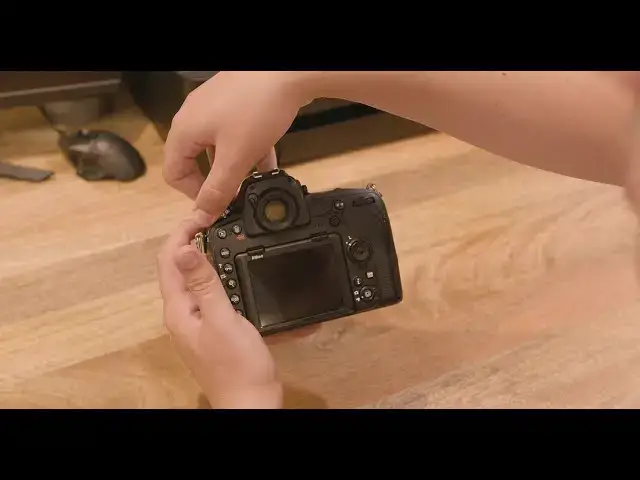
so i'm gonna just go through them all on
0:16
the d850 they're up here
0:18
on this wheel you have to press this
0:20
button down right here
0:21
and then turn the wheel and that's how
0:24
you can actually switch through them
0:25
the different ones are single continuous
0:29
low speed and you can change the frame
0:33
i was just doing that earlier so i'll
0:37
when you go under custom settings
0:41
and then cl mode shooting speed you can
0:44
and six fps i have mine at four and
0:48
you know depending on how fast you want
0:51
the next mode is continuous high
0:55
which is a lot faster q stands for quiet
0:59
qc is quiet continuous the clock is self
1:03
if you ever need that and then m up is
1:06
up and this is best for astrophotography
1:09
and other long exposures
1:13
so i'm just going to go through them all
1:14
so you can kind of see what it's like
1:17
so for single if you hold it down
1:22
it doesn't do anything you just can
1:25
when you're under continuous low it
1:32
when you're on continuous high it's
1:33
going to be a lot faster
1:37
and sometimes it'll stop if your sd card
1:40
can't read and write as fast
1:42
so you have to keep that in mind when
1:43
you're using continuous high speed
1:45
especially for events for quiet you'll
1:48
hear the difference it's a lot quieter
1:53
personally i don't like the sound but it
1:55
is quieter if you're at a wedding or
2:02
and then the timer doesn't really have
2:03
any special sounds i'm not going to show
2:06
same for mirror up if you're doing
2:08
astrophotography keep that in mind
2:10
most people are probably looking for
2:11
continuous so either continuous low or
2:15
and then change the fps based on what
2:17
you want i hope this was a helpful quick
2:18
tutorial leave a comment below and a
2:21
if you need any more help