0:00
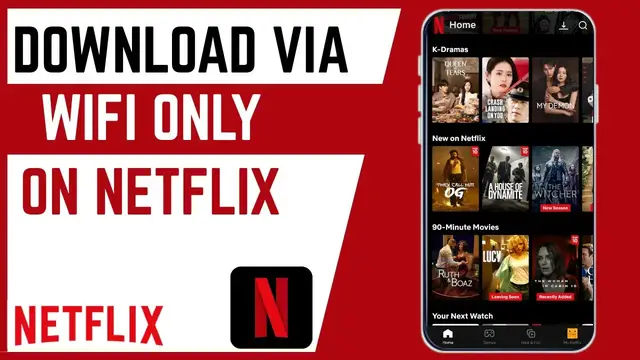
In this video, I'm going to show you how
0:02
In this video, I'm going to show you how
0:02
In this video, I'm going to show you how you can set automatic smart download of
0:05
you can set automatic smart download of
0:05
you can set automatic smart download of Netflix videos via Wi-Fi only. So, if
0:08
Netflix videos via Wi-Fi only. So, if
0:08
Netflix videos via Wi-Fi only. So, if you want automatic downloads of your
0:10
you want automatic downloads of your
0:10
you want automatic downloads of your videos to only happen via Wi-Fi, it's
0:12
videos to only happen via Wi-Fi, it's
0:12
videos to only happen via Wi-Fi, it's pretty simple. Just go ahead and set
0:14
pretty simple. Just go ahead and set
0:14
pretty simple. Just go ahead and set this. By enabling these settings, you'll
0:17
this. By enabling these settings, you'll
0:17
this. By enabling these settings, you'll prevent your mobile data to be used for
0:19
prevent your mobile data to be used for
0:19
prevent your mobile data to be used for automatic downloads or for smart
0:21
automatic downloads or for smart
0:21
automatic downloads or for smart downloads on Netflix. If you find this
0:23
downloads on Netflix. If you find this
0:23
downloads on Netflix. If you find this video helpful, I'll kindly request that
0:25
video helpful, I'll kindly request that
0:25
video helpful, I'll kindly request that you support me by liking the video and
0:27
you support me by liking the video and
0:27
you support me by liking the video and also by subscribing to this channel. All
0:29
also by subscribing to this channel. All
0:29
also by subscribing to this channel. All right, so the first thing you need to do
0:30
right, so the first thing you need to do
0:30
right, so the first thing you need to do is to go ahead and log into your Netflix
0:33
is to go ahead and log into your Netflix
0:33
is to go ahead and log into your Netflix account on your smartphone. And once you
0:35
account on your smartphone. And once you
0:35
account on your smartphone. And once you have logged in, head over to downloads
0:37
have logged in, head over to downloads
0:37
have logged in, head over to downloads here. And here you can see we have the
0:39
here. And here you can see we have the
0:39
here. And here you can see we have the smart download option, which means we
0:41
smart download option, which means we
0:41
smart download option, which means we have automatic downloads of episodes
0:44
have automatic downloads of episodes
0:44
have automatic downloads of episodes once an episode has been watched. So to
0:46
once an episode has been watched. So to
0:46
once an episode has been watched. So to manage your data well, we need to go
0:48
manage your data well, we need to go
0:48
manage your data well, we need to go ahead and turn on this feature for only
0:50
ahead and turn on this feature for only
0:50
ahead and turn on this feature for only to happen over Wi-Fi. So to do that,
0:53
to happen over Wi-Fi. So to do that,
0:53
to happen over Wi-Fi. So to do that, head over to more option on top here and
0:56
head over to more option on top here and
0:56
head over to more option on top here and click on app settings. Under app
0:59
click on app settings. Under app
0:59
click on app settings. Under app settings, go to downloads here. And as
1:01
settings, go to downloads here. And as
1:01
settings, go to downloads here. And as you can see, Wi-Fi only has been toggled
1:04
you can see, Wi-Fi only has been toggled
1:04
you can see, Wi-Fi only has been toggled off, which means automatic downloads
1:07
off, which means automatic downloads
1:07
off, which means automatic downloads happens both with Wi-Fi and with mobile
1:10
happens both with Wi-Fi and with mobile
1:10
happens both with Wi-Fi and with mobile data. So I like to go ahead and restrict
1:12
data. So I like to go ahead and restrict
1:12
data. So I like to go ahead and restrict this to Wi-Fi only. To do that, go ahead
1:15
this to Wi-Fi only. To do that, go ahead
1:15
this to Wi-Fi only. To do that, go ahead and toggle on this Wi-Fi only. Now,
1:18
and toggle on this Wi-Fi only. Now,
1:18
and toggle on this Wi-Fi only. Now, every time you have finished watching an
1:20
every time you have finished watching an
1:20
every time you have finished watching an episode, another episode will be
1:22
episode, another episode will be
1:22
episode, another episode will be downloaded automatically only when you
1:24
downloaded automatically only when you
1:24
downloaded automatically only when you are connected to Wi-Fi. So, that's how
1:26
are connected to Wi-Fi. So, that's how
1:26
are connected to Wi-Fi. So, that's how you can set automatic download via Wi-Fi
1:29
you can set automatic download via Wi-Fi
1:29
you can set automatic download via Wi-Fi on your Netflix account using your
1:31
on your Netflix account using your
1:31
on your Netflix account using your smartphone. If you have any other
1:33
smartphone. If you have any other
1:33
smartphone. If you have any other question, kindly let me know in the
1:34
question, kindly let me know in the
1:34
question, kindly let me know in the comment section. Otherwise, thanks for
1:36
comment section. Otherwise, thanks for
1:36
comment section. Otherwise, thanks for watching and let's meet in the next