0:00
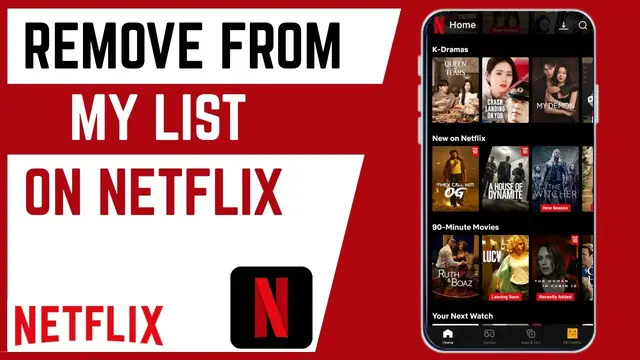
In this video, I'm going to show you how
0:02
In this video, I'm going to show you how
0:02
In this video, I'm going to show you how you can remove movies and TV shows that
0:04
you can remove movies and TV shows that
0:04
you can remove movies and TV shows that you added on my list. If you find this
0:07
you added on my list. If you find this
0:07
you added on my list. If you find this video helpful, I'll kindly request that
0:08
video helpful, I'll kindly request that
0:08
video helpful, I'll kindly request that you support me by liking the video and
0:10
you support me by liking the video and
0:10
you support me by liking the video and also by subscribing to this channel. All
0:13
also by subscribing to this channel. All
0:13
also by subscribing to this channel. All right. For us to be able to remove
0:15
right. For us to be able to remove
0:15
right. For us to be able to remove videos and TV shows from my list. It's
0:18
videos and TV shows from my list. It's
0:18
videos and TV shows from my list. It's pretty simple. There are two ways.
0:19
pretty simple. There are two ways.
0:19
pretty simple. There are two ways. First, you need to go ahead and scroll
0:21
First, you need to go ahead and scroll
0:21
First, you need to go ahead and scroll down until you see the category called
0:23
down until you see the category called
0:24
down until you see the category called my list. And it should be here. So, if
0:26
my list. And it should be here. So, if
0:26
my list. And it should be here. So, if you want to see all of them, go ahead
0:28
you want to see all of them, go ahead
0:28
you want to see all of them, go ahead and click on see all. And this will list
0:31
and click on see all. And this will list
0:31
and click on see all. And this will list all the TV shows and movies that you
0:33
all the TV shows and movies that you
0:33
all the TV shows and movies that you added on my list. Go ahead and find any
0:35
added on my list. Go ahead and find any
0:35
added on my list. Go ahead and find any of them that you wish to remove and tap
0:38
of them that you wish to remove and tap
0:38
of them that you wish to remove and tap on it. And then scroll down until you
0:40
on it. And then scroll down until you
0:40
on it. And then scroll down until you see we have this option called my list.
0:43
see we have this option called my list.
0:43
see we have this option called my list. You can see it is currently checked. If
0:45
You can see it is currently checked. If
0:45
You can see it is currently checked. If you want to remove it, just go ahead and
0:47
you want to remove it, just go ahead and
0:47
you want to remove it, just go ahead and tap on it again and it will remove it
0:50
tap on it again and it will remove it
0:50
tap on it again and it will remove it from my list. So, if I go back, you can
0:52
from my list. So, if I go back, you can
0:52
from my list. So, if I go back, you can see it has been removed. That is the
0:55
see it has been removed. That is the
0:55
see it has been removed. That is the first way to access my list. In the
0:57
first way to access my list. In the
0:57
first way to access my list. In the second method is just to go to homepage
0:59
second method is just to go to homepage
0:59
second method is just to go to homepage and once you are on homepage here, head
1:01
and once you are on homepage here, head
1:01
and once you are on homepage here, head over to this category. Look for
1:03
over to this category. Look for
1:03
over to this category. Look for category. If you tap on category, the
1:05
category. If you tap on category, the
1:05
category. If you tap on category, the first option is my list. This will again
1:08
first option is my list. This will again
1:08
first option is my list. This will again list all the movies and TV shows that
1:10
list all the movies and TV shows that
1:10
list all the movies and TV shows that are available on my list. Or if you want
1:13
are available on my list. Or if you want
1:13
are available on my list. Or if you want games, you can also choose and then
1:15
games, you can also choose and then
1:15
games, you can also choose and then scroll down until you find the movie or
1:18
scroll down until you find the movie or
1:18
scroll down until you find the movie or TV show that you want to remove. And
1:20
TV show that you want to remove. And
1:20
TV show that you want to remove. And again, go ahead and long press on it or
1:22
again, go ahead and long press on it or
1:22
again, go ahead and long press on it or tap on it. then uncheck my list here to
1:26
tap on it. then uncheck my list here to
1:26
tap on it. then uncheck my list here to remove it. So that's how you can remove
1:29
remove it. So that's how you can remove
1:29
remove it. So that's how you can remove movies and TV shows from my list on your
1:31
movies and TV shows from my list on your
1:32
movies and TV shows from my list on your smartphone. If you have any other
1:33
smartphone. If you have any other
1:33
smartphone. If you have any other question, kindly let me know in the
1:35
question, kindly let me know in the
1:35
question, kindly let me know in the comment section. Otherwise, thanks for
1:37
comment section. Otherwise, thanks for
1:37
comment section. Otherwise, thanks for watching and let's meet in the next