Up next in 10



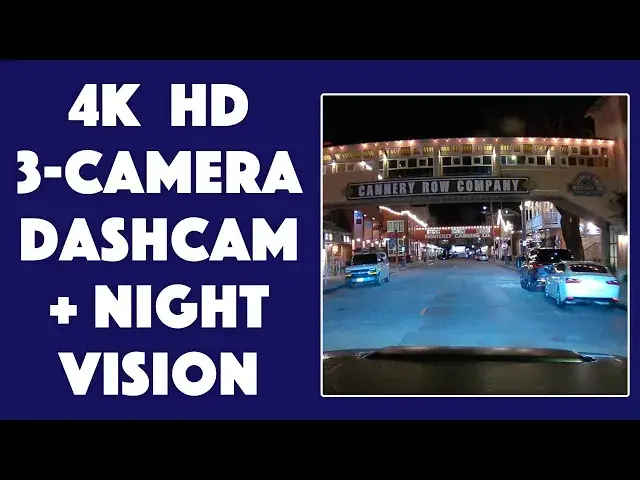
The AZDOME M550 Dashcam offers 4K across three cameras, built-in Wi-Fi for easy control, and everything you need for a full install. Gareth Taylor of GT Auto Media checks it out, including daytime and nighttime demo footage and tips on getting a clean install. Filmed in Monterey, California.
Check it out at Amazon: https://amzn.to/3wbiMxu
or on the AZDOME site: https://bit.ly/3Qgk4yc
Visit Dave's Q&A Web site at: https://www.AskDaveTaylor.com/
#azdome #dashcam #4k #4kdashcam #m550 #askdavetaylor
Show More Show Less View Video Transcript
0:00
Hi everybody, Gareth from GT Auto Media in collaboration with Ask Dave Taylor
0:05
Today I'm going to be talking about the As-Dome M550 dash camera
0:17
This camera has three primary features that I personally really like. The first one is that it shoots in 4K
0:25
But not only that, it comes with multiple cameras in this box, so you can configure it however you want
0:30
There's a camera that faces front throughout your windshield that records everything happening in front of you
0:36
There's a smaller attachment that connects to this that actually films inside of your vehicle
0:40
And lastly, there's a camera that you can hook up to your rear windshield so that it views behind you as well
0:45
And these can all simultaneously record, and they have a lot of features built in to protect you
0:50
if you do get into an accident or if there's footage that you need to use. So, there's three configurations that you can set up these cameras in
0:58
since there are three cameras. The first option is just this front-facing camera
1:04
and when you do just this, it shoots in 4K. This camera records the interior of your vehicle
1:10
If you plug them in, it shoots at 4K, but it's 4K combined across both cameras
1:17
Again, if you include the third rear camera, it's 4K, but it's divvied up among three cameras
1:24
So when you're using all three, you get about 2K resolution on the primary camera
1:29
you get about 1080 on this interior camera, and about 1080 on the rear-facing camera as well
1:35
So, arguably, yes, it does shoot in 4K, but it's not like each angle that you have is going to be in 4K
1:43
Personally, I think that ASDOM could have been more forthcoming about that information
1:48
To its credit, this primary camera films beautifully. The 4K image that you get from the ASDOM 550 out of the front of your car is great
1:58
I actually took a time-lapse that I'm going to show you guys right now. The second primary feature that I really love about this camera
2:05
is that it has a 24-hour parking monitor, and there's three pillars to that which make it successful
2:11
The first is that it has a collision detection, which actually measures the g-force of the camera at all times
2:17
and it can detect accidents and save the footage loops without you even needing to be in the car
2:23
So if you park your car on the street overnight, someone hits it, drives away
2:27
it will automatically save this data for you. That's a pretty standard feature when it comes to dash cams
2:32
but for the price point of this, including three cameras and 4K resolution
2:36
if you're just using the primary camera, I think that's a great feature
2:40
Additionally, the second pillar is that it has time-lapse parking mode, and that's up to 24 hours of continuous loop
2:47
And that's in case you just want to look back and see what was going on. It has a time-lapse, and it'll show you pretty quickly
2:53
but it'll show you what it's seen for the past 24 hours
2:57
Lastly, this has motion detection on it. So it keeps a very slow energy consumption on standby
3:05
but it does monitor for motion in the field of view of the camera
3:09
So if there's someone that's checking out your car, maybe they want to look at your windshield wipers
3:13
or they're trying to fiddle under your hood, then this will take care of that, and it'll give video of them
3:18
and you can review it yourself to see what was going on. The third primary thing that I really like about this dash cam
3:24
is that it has IR night vision with Sony Electronics. So despite not having any Sony branding anywhere on it
3:31
those are the internals of this camera, and Sony makes really great products
3:35
I'm actually filming on a Sony camera right now. [♪ music and sound of dash cam recording ��
4:00
Getting into the weeds a little bit, this does come with a 12-month warranty
4:04
and it has 24-7 support, which includes after-sales service. So why that's important is that oftentimes people will buy this
4:12
but they don't want to install it themselves. Maybe you don't want to install it yourself
4:16
So after-party sales includes install, it includes purchasing through a third party
4:21
and any other factor that isn't actually through Asdome, but it does have to do with their product
4:26
I think that's great. So one thing that I really don't like about this kit
4:31
is that this rear camera is designed to be permanently mounted to the outside of your vehicle
4:36
Now there's two reasons that I don't like that. The first one is that I live in a very humid place
4:41
I don't want to drill into my steel panels on my truck because it's going to rust
4:46
The second is that you have to then thread this cord into your vehicle
4:50
And not only is it going to be permanently attached, but then you're having to wire it into your vehicle
4:55
from outside of your vehicle and all the way around to the front primary camera, which seems like a headache
5:02
Additionally, it's not optimized for trucks. I drive a truck, and there's not a good way to install this
5:08
and have it connect to the camera. There is an aftermarket part that you can buy from them
5:13
and you can buy it on Amazon, and it allows you to mount it to the rear window of your car
5:18
but it's not included. So unfortunately, I don't have any footage of this rear camera
5:23
to show you guys because I don't have anywhere to put it. So if you drive a truck and you're looking at this bundle
5:29
I still think that it's fantastic. This primary dash camera is great
5:34
but if you're really wanting to get the rear as well and you want both sides of video
5:40
well, you're either going to need to think outside of the box or you might be considering looking into a different one
5:46
Some other great features about the M550 is that it has built-in Wi-Fi
5:50
which allows you to use an app with it, and it comes with a 64-gigabyte microSD card installed already
5:57
So you do have to format it before you use the camera, but you can use it immediately out of the box
6:02
and you don't have to buy any additional things for it. Like I mentioned before, this dash camera comes with three different cameras
6:09
This is the first camera that I'm going to talk about. This is the rear view camera
6:14
So this you put in the rear view vehicle facing behind you. It has this very long cord that would be great to tuck under trim or panels
6:21
and this records what's going on behind you, and then it plugs into this primary unit right here
6:27
and this is what processes everything that's going on. You can see on the side here that there's a little plug-in for it
6:34
Very easy. You might also notice that there's nothing on the front of here
6:39
That's because this has a magnetic connection. So you connect it just like that
6:44
there you go, this connects to your vehicle, and it's good. But if by any chance you need to take it off for any reason
6:50
it just pops off right like that. You can take it inside, you can plug it into your computer
6:55
you can look at the files, you can pull it down to adjust the settings with these nice buttons on the bottom here
7:00
There's a lot of options. You can see this is connected. This will go up in your car windshield window, connected with a sticky
7:08
and you can see out here it records the front, and right here it's going to record you in the car
7:14
Unfortunately, a lot of the time it's he said, she said. Sometimes having a dash camera can be the difference for your insurance
7:20
or for the police report. All this information is handily stored in this pamphlet right here
7:27
There's instructions. It shows you how to edit certain modes. It shows you how to connect it to your computer
7:33
how to get the app, how to set up Wi-Fi. It's very comprehensive
7:37
It's a very robust box. It comes with lots of information. It comes with lots of cords
7:41
Everything you need to get this up and running out of the box. The last thing is how this connects to your vehicle
7:46
and I'm going to show you in my vehicle how I set it up in just a minute
7:50
But basically, there's a little slide that you can click into place
7:54
You slide it into the mounting adapter, and you take the sticky tape off, put it on your car, and you're done
8:00
It's as simple as that. As you can see, I connect the cable, and it'll prompt you with a menu with a couple options to go through
8:06
Just do that quickly. I cut it out. And then you basically just want to clean off your windshield
8:10
make sure it's level. I already measured for mine. And just stick it on
8:14
Hold it for a little bit, and you should be good to go. Don't forget that you have to format the card
8:20
Overall, I would say this is a fantastic camera. I'm looking forward to using it
8:25
And if you get one and you have any questions or you have any thoughts, please feel free to leave it below
8:30
Thanks for watching
Science
Custom & Performance Vehicles
Vehicle Modification & Tuning