Up next in 10



Do you live or die by your selfies? Is the entire reason you're on social media so you can share your beauty, and travels with everyone else? Okay, we won't judge you. But is that selfie stick really working out? Yeah, probably not. So you'll want to learn all about the slick Pangshi combination selfie stick tripod. With remote control!
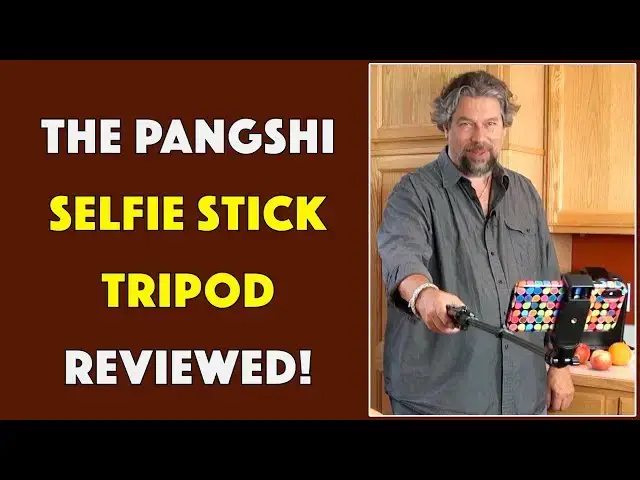
Tech expert and social media guy Dave Taylor of https://www.AskDaveTaylor.com/ checks out the selfie stick tripod and finds that it's a nice addition to your kit, whether you are enthused about taking photos of yourself or just want a super lightweight tripod.
Check it out: https://amzn.to/2J69dWa
Show More Show Less View Video Transcript
0:00
a selfie stick with some pretty cool
0:01
tricks up its sleeve let's check this
0:03
out
0:04
[Music]
0:11
and the perfect selfie oh hey Dave
0:17
Taylor here and I'm looking at the Peng
0:18
XI selfie stick tripod that's this now
0:22
this is pretty fun because it's a selfie
0:24
stick although maybe slightly heavier
0:27
than other selfie sticks but that's
0:28
because it has all sorts of other tricks
0:30
up its sleeve
0:31
so let's switch it to a tripod so first
0:34
thing I'm going to do is on the
0:35
adjustable head I'm gonna actually tilt
0:37
the camera back a little bit and then
0:39
I'm gonna pull the feet out yes it has
0:41
feet and even better it has a remote
0:44
control that's detachable so let me just
0:47
adjust this to get me in the picture and
0:50
let's see maybe one more click and now
0:56
with the handy remote control that is
0:59
rechargeable I'm gonna push the button
1:01
and got myself a selfie now turns out of
1:06
course there's so much more you can do
1:07
with this because it's a tripod it gives
1:09
you all of these features of a tripod
1:11
that's incredibly light it's really easy
1:14
to work with and not only that obviously
1:16
you can pop your phone out and not only
1:18
can you pop your phone out but you can
1:21
actually take the whole sort of phone
1:23
attachment off and then it becomes a
1:27
super lightweight tripod with a quarter
1:29
inch screw on the top which is a
1:33
standard tripod mount so you could use
1:34
this for other purposes too I wouldn't
1:37
be putting like a 25 pound professional
1:39
HD camera on there but for a DSLR or
1:43
your phone or some other device that you
1:46
want to have balance on there this is
1:48
great and like I said it's really light
1:51
it's very flexible you can adjust the
1:53
tripod at its maximum length let's see
1:56
how far that is so that's a lot of
2:00
length as you can see we got a lot going
2:02
on here and if I stand it up it's there
2:06
so turns out it's 51 inches when fully
2:08
extended and let me talk just a little
2:11
more about it
2:12
so the remote is a wireless Bluetooth
2:15
remote which takes a little bit of
2:18
figuring out how to pair it because I
2:20
did not have any instructions but turns
2:22
out is pretty easy
2:23
turn the device on turn your phone on
2:25
have your phone look for Bluetooth and
2:27
it will see this and you were ready to
2:29
rock and roll it has plus and minus and
2:32
an action button so at least on the
2:34
iPhone it basically just gives you take
2:37
a picture on Android apparently it gives
2:39
you zoom features so that's pretty nice
2:42
too but really pretty straightforward
2:44
there's a lot I like about it and the
2:47
remote weighs almost nothing and as I
2:49
said there is a part on the bottom that
2:52
you can put it in and now it's actually
2:54
in its little holder and if you don't
2:57
want the buttons exposed you can do
2:58
exactly the same thing facing the other
3:01
way and now it's a little bit more
3:03
discreet but more importantly the
3:04
buttons aren't going to be pushed
3:05
accidentally in total it's 11 ounces or
3:09
312 grams it really weighs almost
3:12
nothing this is super light and it comes
3:15
with a carrying case which will make you
3:17
look like you're on your way to the you
3:19
know local pool hall but that's cool and
3:22
let's see the clamps are nice it's not
3:25
screw tight they are actually a little
3:26
quick flip which I think are better
3:29
because it's a little more reliable and
3:30
it even comes with a micro USB wire so
3:34
you can charge the remote though I have
3:36
a feeling you don't really have to do
3:37
that very often because there's really
3:39
not a lot of power that it's using so
3:42
that's everything I can tell you about
3:44
the Peng XI selfie stick tripod I like
3:47
it it's really fun I'm not much of a
3:50
selfie person you could draw your own
3:52
conclusions about that but if I was this
3:55
would definitely be going in my bag but
3:57
even without that it's a really nice
4:00
flexible tripod and all too many tripods
4:03
out there designed for smartphones and
4:05
stuff tend to be so tiny that they're
4:07
really not very useful so I really like
4:09
that this is small and highly portable
4:11
and extremely light and yet I can
4:14
actually stand it up on the ground and
4:16
use it as part of a camera set up with a
4:19
smartphone so very nice only thing let's
4:22
talk about is the price and you'll be
4:24
surprised but be
4:24
we get there let me ask if you can click
4:26
on that subscribe button boom
4:29
thank you now the pang Chi selfie stick
4:33
tripod $24.99 at amazon.com this is Dave
4:37
Taylor and I think I need to go and edit
4:39
some of my selfies so I'll catch you in
4:43
my next video
4:45
[Music]
Science
Gadgets & Portable Electronics