Up next in 10



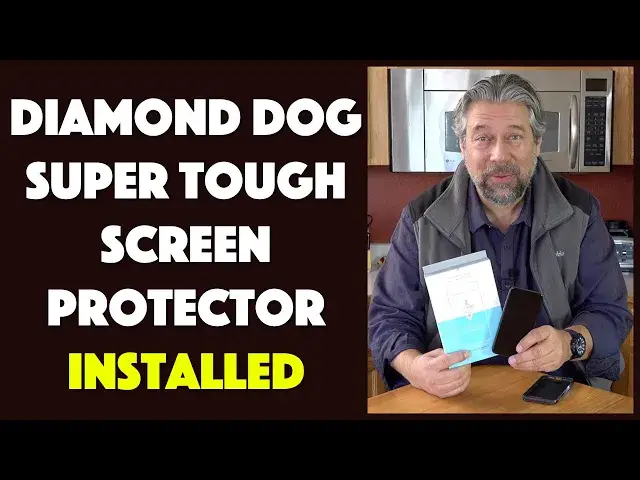
It's much tougher than those 9H tempered glass protectors on Amazon, and even tougher than alumino silicate screen protectors. Say Hi to the Diamond Dog smartphone screen protector based on a revolutionary new DiamondClad carbon coating. Sized for Apple, Samsung and Google smartphones, it's super easy to install and tough as, well, nails.
Tech expert Dave Taylor of https://www.AskDaveTaylor.com/ got his hands on one of the very first production units and shows how easy it is to install on an Apple iPhone 11 Pro with its install tray and clear, logical instructions.
Check them out at https://www.MyDiamondDog.com/
Show More Show Less View Video Transcript
0:00
A screen protector for your fancy new smartphone
0:03
Let's check this out. Dave Taylor here, and I'm looking at this today
0:15
This is the Diamond Dog, diamond-clad screen protector. Now, Diamond Dog, I think of David Bowie
0:21
I think of my latest dog. But meanwhile, it's just a company
0:26
But it's a company that's done a lot of research into trying to figure out what makes a great screen protector
0:33
And their diamond-clad carbon coating makes this thing tougher than anything else on the market, as far as I can tell
0:40
So let's open it up, and I'm going to do an actual install of the unit
0:47
If I can get it out of the box, looks like it comes in quite a fancy piece of packaging
0:51
Let's see, look at that. Very nice. Open it up. This is a lot of packaging
0:57
And it comes with a frame to make sure you put your screen protector on properly, the actual screen protector
1:06
and a kit of cleaning devices and elements that help you make sure your phone is perfectly clean
1:13
Now, the one thing they never say in these instructions, but that I know from experience is really important
1:19
is before you start, go wash your hands. Get all those oils off your fingers as best you can, because otherwise
1:27
they're going to get in the way. Now, while I'm doing the install, and we're going to follow their
1:32
steps, right? So their steps say clean, put the frame or installation tray on, put the screen
1:40
protector on itself, push from the center, and then you can even scan the code and watch a video
1:46
but hey, we don't need to watch a video about how to do this. That's what we're doing right here
1:50
So, good. Now, I have an iPhone 11 Pro in pristine condition
1:58
and I have the glaring cat, so we know that it's in good shape
2:03
And once we're done, I'm going to try putting a case on to make sure that works
2:06
because that's pretty important. But we're going to start by opening up our little envelope
2:11
to see what's in here. Let's see. So we have, oh, it's actually a nice size lint-free cloth
2:19
Usually these are tiny, but this one is considerably bigger. As you can see, that's a nice size
2:25
You might even want to keep this. So they have their little mission statement on the little rag
2:31
That's handy. But we have the number one wet wipe and dry wipe and then dust and lint removal stickers And then we have this
2:44
That's basically the order we're going to do things in. So what I'm going to do is I'm going to move this a little bit out of the way so you can see what I'm doing
2:51
So here is the iPhone. So we're going to start by opening up the wet wipe
2:57
That seems like, let's see, ripe. That's their first step. all right clean your phone screen with wet wipe so these are usually pretty tiny and they are
3:09
consistent with that this i don't even know if it opens any further but that's good enough right so
3:15
put a couple fingers on it give your phone an enthusiastic cleaning because i can promise you
3:22
having installed a ton of these that any dust any hair any molecules of anything that you leave
3:29
will actually end up being under the screen protector and looking at you forever and it will drive you bonkers
3:35
So take the time to do a very nice clean, especially at the top, where if you've used a previous screen protector
3:43
that's where it tends to cause trouble. So we did that. Now we will use the dry wipe
3:49
So let's see. Next thing we have to open. So this is basically the same thing, minus the liquid
3:57
So if the first one is like what you would get at a barbecue restaurant so that you can clean yourself up after a delicious back of ribs, well, this is what you use after that, I guess, so you don't get a liquid all over everything
4:12
So everything's clean. And you'll notice, you can probably see even from that angle, I leave my phone on during this process
4:19
And there's a reason for that. The reason is when I go to actually put the protector on, having the screen on helps me make sure it's perfectly centered
4:27
Now, some people say you should turn your phone off. Well, maybe not a huge big deal
4:32
especially in this case when we have the install frame, but that's just how I roll
4:37
So I'm going to use the dust lint removal sticker, and this is just fun
4:44
This is just to make sure that if you are in an environment where there is dust in the air
4:49
it's just sort of a last hurrah. So that looks good. So now, step two on the instructions
4:55
is carefully snout. the installation tray onto the front of the phone let's see there is an
5:02
orientation let try doing it so that the writing is on the top let see they don actually tell you how to do that but we just going to assume that the right way to do it And now I am again going to use that lint sticker just for good luck
5:25
We just don't want anything to get under that darn screen protector
5:31
So that's all looking good. Now, the actual screen protector itself. We pull it out of its case and it looks like nothing
5:42
Nothing, man. It just looks empty. But we know that it is actually a screen protector and has a tiny little cut out on the top that looks like it's almost exactly the size of what I assume is the speaker for when you're on the phone. So we take this off. And now we want to align it within all the edges. And that should give us a perfect fit. Let's see. That looks well nigh perfect. I don't know
6:12
You probably can't see, but it is perfectly done. And in fact, even as I'm holding it, I can see the adhesive pulling onto the screen
6:21
So it's now fully adhered. I didn't have to do anything, which is great
6:25
So what I'm going to do is I'm going to take that dry cloth and just very gently give it a little bit all the way around the edges
6:34
Looks like the top left has a little bit I need to push the air out
6:39
And I'm done. That's easy. Take the frame off. have this on and I gotta say this is a perfect fit and it's perfectly centered and there's a lot to
6:50
like about this you know maybe it is like a fraction of a millimeter too low but certainly no big deal
6:59
you can see in this close up it's hard to catch this with a camera but you can see it's not quite
7:05
perfectly squared but I'll take it this is great now the other question with the diamond
7:11
diamond-clad carbon-coding screen protector is, will it work when I put it in my phone case
7:17
And the answer is yes, it's actually perfect, and it fits in just fine, and there are no issues at all
7:25
And Angry Cat Returns, so you know that it's good. So having done that and having done the full install
7:31
and honestly, wasn't that pretty darn easy? I mean, it's done. I'm ready to roll, right
7:36
So let me tell you about the diamond-clad carbon coding and everything. So the company and I encountered them at the Consumer Electronics Show but basically they looked at the carbon technology the optical diamond carbon that are used on hard drive platters for all the hard drives that we have that make sure that they actually can run for millions and millions of accesses without any problems and they use that as a basis for their
8:02
diamond-clad carbon coating. So the end result is as shown in this chart, their screen protectors
8:09
are three times harder than aluminum silicate and they're six times harder than the nine-h hardness
8:16
tempered glass that you can pick up for like five bucks on Amazon.com
8:21
So, you know, if you want the cheapest possible screen protector, but you just got a $1,000 smartphone, do you really want to save $10 at this point
8:31
Probably not, right? So it is five times anti-abrasion, so it's more anti-abrasive than the screen without a protector on it
8:40
It is three times better defense against breakage. And what I like is it's also oleophobic, which means that it doesn't pick up fingerprints
8:48
Now, the iPhone in particular has an oleophobic screen already, so there's no worries there
8:55
but still having it be more oleophobic means that when your fingers get oily, as mine tend to do
9:02
then you don't end up leaving fingerprints all over because that's super annoying, right
9:06
So comes in various sizes for Apple, Google, and Samsung smartphones. They say they're going to expand out to other devices like tablets and such
9:15
but for now, that's their lineup. So all we have to talk about left is the price
9:21
But before we get to the price, go ahead and click on that subscribe button
9:25
Really appreciate when you subscribe to my channel. Otherwise, let me just say, let's get all this put to a side
9:32
And I just want to again say, I'm impressed. This is a solid screen protector, easy to go on, really tough
9:40
a good coverage for the iPhone 11 Pro. Definitely worth checking out
9:45
This is the Diamond Dog. diamond-clad carbon-coding screen protector for your smartphone and this particular one for the iPhone 11
9:54
pro is 2999 and you can check out their full lineup at my diamond dog.com so check it out I feel like
10:03
my phone has just gotten a significant upgrade in its toughness and that's a good thing because this is an
10:09
expensive phone so with that I'll catch you in my next video
Science
Electronic Accessories
Gadgets & Portable Electronics
Other