Up next in 10



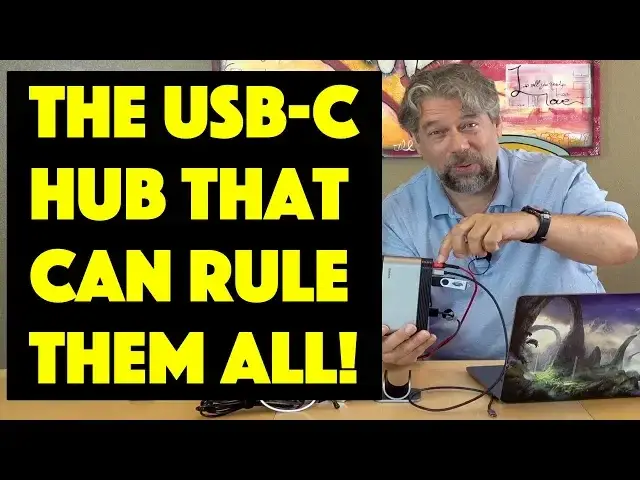
Power, external monitors, drives, speakers, SDCards, Ethernet for faster networking, the list of what you want to plug into your USB-C laptop can seem endless. And suffering through all those adapters and dongles? That's for the birds! Instead, the TitanHub USB-C Laptop Docking Station offers up 13 ports and great performance in a small and affordable package.
Tech expert Dave Taylor of https://www.AskDaveTaylor.com/ checks out the TitanHub USB-C Laptop Docking Station with his brand new 2019 Apple MacBook Pro and finds it works really well with quite a few things plugged in.
Search for "titanhub" on https://www.Kickstarter.com/ to find it, or use this helpful shortcut: http://bit.ly/2Z2tjVQ
Show More Show Less View Video Transcript
0:00
One hub to rule them all let's check it out
0:10
Dave Taylor here and you can see my desk right now is a bit of a mess
0:14
But that's because I'm testing out this device this thing in the middle. This is the Titan hub
0:20
USB-C laptop docking station and it's very useful. So let me just give you a quick tour of what's going on here
0:27
So this is power USB C. So this is powering everything here and then I have another USB C cable
0:35
This is the one that's included with the unit and that one I'm going to be plugging into my handy MacBook Pro
0:40
Then I have two USB. What are these? These are USB 2.0
0:45
so one of them I have a little flash drive in then there's VGA unused and
0:50
HDMI which supports 4k and that one I have hooked up to this little LG monitor and you'll see it'll
0:56
Magically turn on and then below that I have DC power I'm not exactly sure what that one's for because this is enough to power everything
1:05
I guess if you don't want to do that, you can get a 12 volt DC power and then there's
1:11
Ethernet on the bottom here and that's gig gigabit ethernet. So pretty good and let me back up
1:16
This is 100 watt in maximum 70 watt out. So this powers it doesn't isn't just connection
1:22
But this is actually power going to the laptop to super helpful and then on the other side we have an SD card reader
1:30
We have a let's see. The other one is a micro SD card reader then we have
1:37
three USB 3.0 ports to USB C ports and then a 3.5 millimeter audio jack
1:45
So what I have plugged in is in one of the USB 3 I have my handy
1:51
Wireless Qi charging stand in the other one I have this microphone and then on one of the USB C's I have this external drive
1:59
So there's a lot going on, but it all works So now I'm gonna put it in the stand and it does come with this handy stand
2:07
Put it in the stand plug it all into my computer with a single wire a single plug will give me everything
2:15
So now what will happen is assuming everything's working and the monitor is still happy. Let's see
2:23
Come on monitor turn on. There we go. So now you're seeing a
2:28
Mirror image of what's on my laptop screen. So now I have two screens working and then you'll notice over here
2:34
that's the hard drive and that's the flash drive or a little thumb drive and I can open them up and
2:40
You can see they're nice and speedy. They work fine I can grab something off of here and put it onto my desktop and it's copying it and let's see that's
2:51
97 megabytes so not blindingly fast, but that's also in the USB 2 side
2:56
So this one is a little bit faster. So we have a 1.4 gig file
3:00
Let's copy that onto my desktop and see how fast that goes. That's the USB C and that's already done
3:07
So that's not too bad for 1.4 gig. So everything's working I can see the light in the microphone tells me the microphones available. We just access this hard drive
3:17
We just access the flash drive The wireless charging is working as you might or might not be able to see
3:26
But that's frankly just a power issue But notice here that my computer is getting power from the cable, too
3:35
So this is also powering my computer now This is a big mess
3:40
But you can imagine you could also set up your desk where all of this is happening underneath your desk, right
3:46
And maybe this is a little bit longer wire the USB C to USB C
3:50
But how nice would it be for you to get into your office or your home office or whatever
3:55
And you just plug this one thing in and boom everything just turns on everything's working, right
4:01
You have access to your external drives. You have the second monitor
4:05
You could even have three monitors if you want to use that VGA plug So crazy useful really really useful really good price and it weighs almost nothing. I'm not gonna actually
4:15
Unplug everything right now, but let me give you a couple of quick close-ups. So here's all the ports on the one side
4:21
This is the side that features the SD card and micro SD card and then on the other side
4:27
Here's the one that has the USB C power in and power out and you can see the VGA and HDMI and Ethernet and everything so
4:36
Really simple very effective. It doesn't heat up. No. I mean it really it's very cool actually in multiple ways
4:43
It's very cool But it just does exactly what you'd want it to do and I couldn't actually live with my desk being this messy
4:51
But as a demo this works great and everything's just perfectly functional at least I can turn my phone towards me. So that's good
4:59
But let me just tell you a tiny bit more about it So we have all the audio we have the video we have tons of USB ports
5:07
It has 13 ports and all which is good to know and the VGA supports 1080p
5:13
So it's not like 4k or anything and the HDMI is 4k, but only at 30 Hertz
5:18
So it's not full-blown 4k, but honestly, it's clearly driving this monitor and working just fine
5:26
So that's good enough for me. It is gigabit Ethernet and size-wise
5:31
this thing's about six and a half inches tall and three and a half inches wide and
5:37
Then it's I don't know two inches deep and then the little stand it comes for free. It has a
5:45
Nonstick surface on it and on the inside So it really is perfect for all this stuff again
5:51
super easy to work with and you don't even have to do that if you don't want the stand you can just do it like
5:55
This and that'll work just fine and then you can fling the stand off to your adoring fans
6:01
Or fan or your dog, whatever So it is available on Kickstarter right now and as I'm let's see
6:11
Put this back here But before we get to the price, I'm gonna ask if you can subscribe to my channel
6:17
I get access to tons of gear and I review all of it and I'm very honest in my reviews
6:23
Subscribe and you'll keep up to Super great. Now. This is the Titan hub
6:30
USB-C laptop docking station and on Kickstarter right now It is $89 early bird if you miss that it's gonna be a hundred and twenty nine retail
6:39
Which is still a pretty darn good deal for something that works this smoothly and is so easy to work with
6:44
But here's the thing their Kickstarter campaign is rocking. They had a five thousand dollar fundraising goal
6:50
And at last I checked they had raised $79,000 worth of orders
6:54
So there's no way this thing's not going to be built and not going to be built and just be out there in the wild
7:00
So check it out you know if you go to their Kickstarter campaign just search for Titan hub and
7:06
You'll find it and worst case the Kickstarter campaigns over and then it'll give you a link to go to their website to pre-order or
7:12
Order the actual commercial product, but however you slice it This is a great solution to a definite problem that a lot of us have when we have a laptop for portability
7:23
But then we want to have things like additional screens or external hard drives or other such things
7:28
So great solution definitely worth checking out. And with that, this is Dave Taylor and I will catch you in my next video
7:46
You
#Desktop Computers
#Laptops & Notebooks
#Consumer Electronics
#Electronic Accessories