Up next in 10



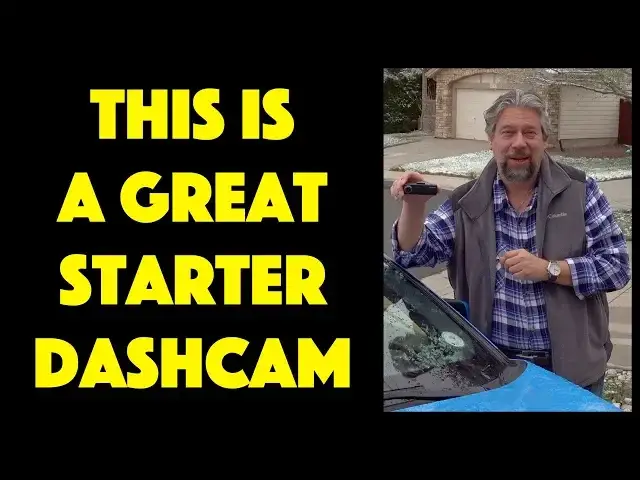
Ever wish you could record your drives, whether for insurance purposes, to capture those road rage incidents or just because the road's so darn beautiful? Dash cams are the solution, but good ones can be quite expensive. Except for the Thinkware F200 budget dashcam, which offers 1080p high def video, 140-degree viewing, wide dynamic range and night quality.
Tech expert and car reviewer Dave Taylor of https://www.AskDaveTaylor.com/ affixed the Thinkware F200 Dashcam to his windshield for a drive through Breckenridge, CO. Demo footage, including night mode and the Thinkware PC Viewer are all highlighted in this review.
Learn more at https://www.thinkware.com/
Show More Show Less View Video Transcript
0:00
Is this all you need for a great dash cam? Let's find out
0:10
Dave Taylor here, and I just got back from a road trip up in Breckenridge, Colorado
0:14
We'll get back to that in a little bit. But it was the perfect opportunity to try out this
0:19
This is the Thinkware Dashcam F200, and it's a little tiny guy, as you can see
0:26
but boy, it has some nice features, especially at its price point. Let's talk about this
0:30
So, built-in Wi-Fi, advanced parking mode, but you need to have that hardwired for that to work
0:36
Two-channel recording, if you get the optional F-100R rear camera, which you can use to actually use in the cabin of your vehicle, if you're like an Uber driver
0:47
or you can put it in your back window and you can actually have a view behind you
0:51
It will do two-channel recording, so you'll get both of them synchronized
0:56
Super cool. There's also an external GPS option because no. sadly, this does not have a built-in GPS. But on the other hand, given its price point
1:05
you'll find that it's actually a good trade-off. Now, the unit itself shoots at full
1:09
1080p with 140-degree viewing angle, so that's a really wide angle, wide dynamic range
1:16
and great night quality. I'm going to show you examples of all of that. But first, I just want
1:21
to show you this is where I have it mounted. It's just a little thing you stick on
1:26
You put this in whenever you want It plugs in via a very long cord into your lighter or I guess they call them the AC power accessory plug now But let go in and have a quick look at some examples
1:39
So first off, this is me just driving through downtown Breckenridge, and you can see it's very good video quality
1:46
And it's very smooth, nothing at all to complain about here. Let's speed it up a bit, though, because it's actually kind of a long drive
1:57
Okay. And then to demonstrate night quality, I just drove around my neighborhood a little bit, and you can see it's pretty clean, though it is a little ghostly that you only see what your headlights illuminate or what's otherwise illuminated, otherwise it's black. But this is good. It's not doing all sorts of artificial processing, which ends up making the video look pretty crummy. And it also comes with what they call their PC viewer software. I'm not a huge fan of this. If you have it with GPS and you have multiple channels, then it's
2:27
it's really cool but you can see here just watching the video it's just as easy to get the
2:32
micro sd card out of the unit put it into your computer and just watch the video directly
2:37
now it is a continuous recording device so the bigger card you put in the more actual content
2:43
you'll be able to record there's other modes and settings you can get to in the app that's
2:48
really the primary way to do that it's also a smartphone app and that's how you want to
2:52
adjust it so you put it on your dashboard or you put it against your window and then you would
2:57
it by looking on your phone to see to get it all lined up just so it pretty easy actually and the app also gives you the ability to preview video and all sorts of stuff But again I find that I just do it on my computer directly
3:11
and it works just fine. Now, let me show you real quick here in a couple of close-ups that there's a
3:17
Wi-Fi button and a record button if it's not in automatic recording mode. And then on the left
3:23
there's the GPS and second video input plugs and then on the front is the camera
3:30
and then on the other side is I don't know a speaker on the bottom is a slot for
3:36
a micro SD it includes a 16 gig micro SD I think if I was using this fairly
3:42
hardcore if I was using this because I was a commercial driver or something then I'd probably up that to a bigger number it can support up to a hundred and
3:49
twenty eight gig and that's gonna give you like days of recording time
3:53
So that would be really nice. And then finally, let's see. On the top is the DC in plug and then the actual mount for putting it on the windshield
4:03
So pretty easy. And it's also interesting because the F200 has what they call anti-file corruption
4:09
So the way it writes to the card actually ensures that you won't end up with it being corrupted
4:14
if it's halfway through a right and you turn off your car or something, right? Because otherwise that could be an issue and you don't want to lose that
4:20
because indeed it's probably the very beginning and very ends of your drive. that you're most likely to have any issues that you'll want to go back and review
4:27
Works with minus 4 to 140 degrees Fahrenheit temperatures. So on a day like today when I have this white stuff on my car then this will still be just fine and I can even leave it out in the car overnight No problem right If it below minus 4
4:42
then I don't want to come out anyway, so that's going to be fine. And like I said
4:46
it has 8 gig to 128 gig capacity microSD card. It's really all I can tell you about it. It's a really
4:53
nice, super tiny little unit. Very easy. You can pop it off, put it in your pocket. You won't even
4:58
notice you have it until you get back in your car. Super easy. Now, before I get to the price
5:02
let me ask if you can subscribe to my channel. I appreciate that. And then other than that
5:08
let's just talk the price. This is the thinkware dash cam F200, and it is a remarkably inexpensive
5:14
13999 at thinkware.com. And if you want to dabble with dash cams, there are some pretty fancy
5:22
high-end units from thinkware, among other companies. But this is a great entry point. This is a really
5:26
fun way to record your drives and just sort of get a sense of what did I do. And, you know, if you bump into a
5:32
accident or you are the cause of an accident then you have all this data that you
5:36
can then go back and review you could also ostensibly use it to see how your kids are driving but I'm pretty sure that they're gonna turn it off before they
5:43
go any further so with that I will catch you in my next video
#Autos & Vehicles
#Motor Vehicles (By Type)
#Camera & Photo Equipment