Up next in 10



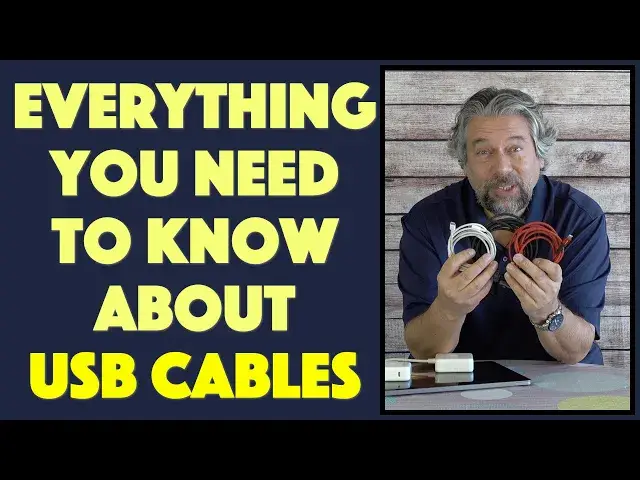
Think you can buy the cheapest charging cables at Target, WalMart or BestBuy and do fine keeping all your devices powered up? Well, maybe, maybe not. Tech expert Dave Taylor of https://www.AskDaveTaylor.com/ explains and demonstrates how for best results you really want to match the power capacity of your charging cables to the wall charger you'll be using, so you don't waste power or get stuck charging at a far lower rate than expected! It's not complicated, but you really do want to pay attention!
Cables tested:
JSAUX 2m USB-C cable - 2 pack for $9.99: https://amzn.to/3qviWYa
UNI 3m fast charge USB-C cable - $13.99: https://amzn.to/39K6YmI
Apple 1m USB-C cable - $19.00: https://amzn.to/3bYyRdA
or https://www.apple.com/shop/mac/accessories/power-cables
Show More Show Less View Video Transcript
0:00
Think all charging cables are the same. We need to talk
0:11
Dave Taylor here, and I want to talk about charging cables and chargers
0:15
Now, this is probably not something you spend a lot of time thinking about
0:19
but if you're like me, you end up buying lots of charging cables because they vanish, they break
0:25
people take them, you forget them or lose them, so you end up
0:29
keeping like new ones coming into your system. And the thing is, they're not all the same
0:36
So here's what I want to demonstrate is I want to show you that the rating of the power
0:42
cable makes a big difference to ensure that you're getting the maximum amount of your charger
0:47
that you possibly can. And for this test, I'm going to use two Apple chargers. This is the Apple 61 watt
0:55
charger. It's USBC coming out. And then this is the Apple. 87 watt charger also USBC. I have a MacBook Pro and on your Mac, this is something worth
1:07
knowing, go into about this Mac, then click on System Report and then find power on the left
1:16
and it will show you the actual power coming into the computer for a charge. Now it can be a mismatch
1:24
and that's the issue here. Now I have three cables. I have, I'm pretty darn sure this is my
1:29
Apple cable. It is a very modest and old and dirty white cable, USBC on both ends. This is a USBC to
1:40
USBC 2 meter charging cable from JSAUX, and I get these because we use a lot of them, and my kids use
1:49
them. So these are 60-watt charging cables, so they don't tell you that, and it's two of them for
1:55
10 bucks so that pretty hard to beat And then I thought about it and I said hmm I have an 87 watt charger and if I have a cable that only rated for 60 watts I don think I getting a full charge out of it So I bought this This is the Uni 100 watt 3 meter fast charge cable
2:15
And it's definitely more expensive. It's 1399 again USBC on both ends. So it's 1399 instead of five bucks
2:24
But what's the difference? Well, let's find out. So here's how. how I tested. I tried each charger and each cable plugging them into the computer and then
2:35
restarting the system report because it's stuck on whatever it's set to and whatever your
2:41
computer's doing when you launch the program. There's no refresh option, so you have to quit
2:46
and start again. So not a big deal. Here's what I found out is that if I'm using the 61 watt
2:53
charger, this is the smaller charger, I get 60 watts of power whether I'm using a fancy
2:59
expensive cable or whether I'm using the original cable that came with the Apple or whether I'm
3:06
using this low budget cable. So, okay, if you have a 60 watt charger or something around there
3:12
this like I said is 61 watts, and by the way, you can see it's written on the edge. Here's a
3:18
close up. It tells you the wattage of the charger. Not all of them do that. Sometimes they give
3:24
you voltage and amperage, but you want to look at your charger's maximum wattage because
3:29
that is the optimal amount of power being, you know, delivered to your laptop or tablet or whatever
3:35
it is you're trying to charge. So if you have a 61 watt charger, buy the cheapest cable you can. It's
3:42
going to work fine. You're going to get all the power you need. If, however, you have a larger or more
3:47
powerful charger like this 87 one, and again, here's the close-up 87 watt charger from Apple
3:55
then here what happened is that this 60 watt inexpensive budget USBC charging cable gave me surprise 60 watts As you can see right here But both of these gave me 86 watts when I used them with the 87 watt charger
4:14
Now, I can sacrifice one watt, whatever. But think of that difference. So if I'm using this cable instead of this cable, I'm getting, what, about 35% more power. So that's significant. That means that everything's going to power faster. It's going to come to a full
4:33
charge faster, it's just better for your system. And frankly, you're using your charger to
4:39
full capacity, which is a good thing. And here's what's really worth noting is that the latest
4:46
generation of MacBook Pros from Apple come with, yes, I'm not kidding, a 96 watt charger. So everything's
4:54
bumping up to that 100 watt level. So that's when it's going to be really important to have a fast
5:00
charge rated 100 watt cable. I assume the cable that will come with the 96 watt charger will support 96 watts
5:09
But, you know, if you need to buy extra cables, get your budget cables if you're just using a lower power charger
5:16
That's totally fine. Just get them based on color and I like the braided design
5:20
I really like this cable. We have a lot of these in my house. But if I'm using a bigger charger, then that is actually not my best friend
5:29
That is getting in the way of me charging effectively. and that's where something like this comes into play
5:34
So spend your effort, make sure you understand the chargers that you're using
5:40
and then make sure you have the best possible cables for those chargers
5:44
so you get the best possible experience. Seems really basic and easy, right
5:49
But I'll bet you buy cables based on color and convenience, not based on their rated power capacity
5:56
So that might not be your optimal strategy. So again, let me give you the rundown on the price of these things
6:04
But before I do that, can I ask if you can subscribe to my channel? It the little red button on the lower right a click or a tap and boom we connected Great Okay let go from the least expensive to the most The least expensive is this 60 watt and by the way if you look at a
6:21
cable and it doesn't give you a power rating, it's probably a 60 watt cable. I think that's just
6:26
the basic design. So this is the JS-A-U-X 60-watt. It's two of these two-meter cables. They're really
6:34
nice. They have really nice connectors on the end, and they're 999 at Amazon
6:38
And I'm going to put all the links in the description if you want to check these out
6:43
And then let's see. Next up is this. This is the Uni 100 watt fast-charged 3-meter USBC cable
6:51
And this one definitely feels thicker and heavier, right? This is a more heavy-duty cable
6:56
It is 1399. It's a really nice cable. And I really like, again, that braided design
7:03
And then finally, the most expensive, but those of you that are Apple fans
7:08
no, Apple's always the most expensive. This very modest looking little Apple, two meter white
7:15
USBC charge cable is $19 at the Apple store. So, you know, you can get this if you're really
7:24
a diehard, but honestly, I think this is a better cable and it's longer and it's rated for the same
7:30
amount of power and it's, I don't know, two-thirds of the price instead of that full $19 or $20
7:35
So those are your choices. Check out my description for links if you want to get better cables because you have a big charger. And remember, as you move into the future, pay attention to the power capacity of your chargers and make sure you have matching cables. That's all I got. I hope to catch you in my next video
#Consumer Electronics
#Electronics & Electrical
#Electronic Accessories