Up next in 10



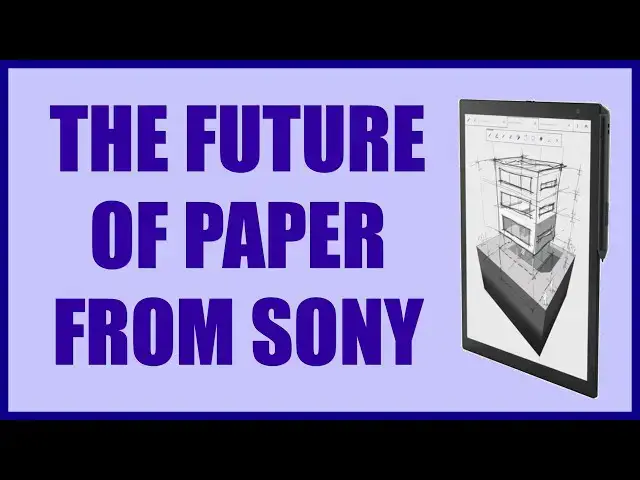
It's like the world's biggest Kindle but with Sony smarts buried in the device. In fact, the Sony Digital Paper DPT-RP1 is the evolution of paper and a remarkably cool device. With the included stylus you can write on the screen, sketch notes, doodle, even solve equations and then simply transfer that to your smartphone or computer. Documents can be encrypted and there's 11GB of space for your precious PDFs, enough for thousands of scholarly articles or dozens of books.
Tech expert Dave Taylor of https://www.AskDaveTaylor.com/ explores the 13-inch Sony Digital Paper device and finds that it feels like a piece of the future, but there are some things to know about before you get too excited, not the least of which is the price tag.
Intrigued? You can check it out at Amazon:
10" Sony Digital Paper: https://amzn.to/37oncjz
13" Sony Digital Paper: https://amzn.to/345VBRY
Show More Show Less View Video Transcript
0:00
Is this the coolest thing since paper? Let's check it out
0:03
Oh, Dave Taylor here and I'm having so much fun with this. This is really cool
0:16
This is the Sony digital paper DPT-RP1. It's the second generation of digital
0:23
paper from Sony and as you can see you can write directly on the image so you
0:28
can take notes and sketches. If you are actually an artist you can do artwork
0:33
but this is really great for like in an office or a legal or medical or
0:38
something. You can have a form because you can download and store forms and
0:42
documents and PDFs and then you can actually annotate it, highlight it, do
0:47
whatever you want. Now I can also use the included styluses erase feature and make
0:53
sure I push the right button. The stylus has two buttons and let's see if I touch
0:58
here so you can see it remembers by segment so I can go ahead and clean up
1:05
my digital paper here and I'm using this on a blank graph page. I can certainly do
1:11
something else. Now on the top I can push the home button, brings down a menu and
1:17
then I can pull up all documents. I can create a new document. I can create a new
1:21
sketch page. There's a lot you can do. Now it comes in two models. This is the 13
1:27
inch screen. It's a glorious size. This is so nice. This is almost as big as my
1:32
computer screen. It's so pleasant after working with like Kindles or iPad minis
1:37
or something and it's ridiculously light. I mean it's crazy light. You can see it's
1:42
really thin. This is the 13 inch and it's the heavier unit and it's 12 ounces. It
1:48
also features a screen that is 1650 by 2200. It's an electrophoretic display. I
1:55
have no idea what that means but it's a cool word right and when you charge it
1:59
and you charge it via micro USB on the very top, when you charge it, it lasts
2:04
somewhere between one and three weeks of use and of course if you use it
2:08
sporadically then it's gonna last a whole lot longer. The stylus also needs a
2:13
charge so you pop the top off and there's also micro USB and the stylus
2:18
you need to charge probably once a month. That's easy enough and it has a little
2:22
tab that sticks out which fits into the side of the actual digital paper so you
2:29
can see that stylus just stays on there nice and handy. Pop it off. It has two
2:34
different tips you can change. It actually includes not only the two
2:38
different tips but it also includes a tip removal tool which is important. This
2:43
is the pen style tip. They also have a pencil style tip so it's just about how
2:48
hard it is and its interaction on the screen so that's actually super cool
2:53
Also two buttons so the lower button is the erase button I think. Let me pull up
3:02
my illustration and we'll see. So here's a circle and I'm gonna use that. Let's
3:08
see. Yeah that was the erase button. So the second one is actually then the
3:13
highlight button. So if I go into a PDF document and I just happen to have a JK
3:19
Rowling book that I've been looking at so you can see isn't this a great way to
3:23
read an e-book. I mean we're so used to these tiny screens but that should mean
3:28
that I can also highlight segments. Let's try it with the forward button. Okay well
3:35
I guess the PDFs need to have different formats for that to work but I have
3:39
definitely done it in the document that comes with the device itself. So if I go
3:46
into the basic operation guide let me just confirm this works and honestly
3:51
it's just super fun. Let's see that's the erase so there's the highlight. Okay good
3:56
So now I got it. So the back button on the stylus is the highlight. So if I
4:01
push that I can then highlight a section and then it will stay highlighted and
4:06
I'll get to see it later. Now obviously this is not a color screen. Is that a
4:12
problem? I don't think so. I mean for so many of the documents we work with we
4:16
just need ink on paper or pencil graphite on paper right. So it works
4:21
really well and as again as I said the top button is the home button and that
4:27
gives you this set. Here's a close-up so you can see this strip of tools or icons
4:32
and then if I choose all documents then I can see everything I have on here but
4:38
let's go back and I'm gonna instead create a new note and then look at this
4:43
close-up you can see all the different styles of note you can create. Now the
4:49
one thing I didn't see that it had which is a little disappointing is I don't see
4:52
an OCR feature but that might be something that's available in the
4:57
software that's something to experiment with. I'll clarify in the description if
5:01
there's an OCR feature that I just haven't found but even without that this
5:05
is so dang cool honestly to be able to read PDFs and documents and such in this
5:12
size screen is really lovely and it gives you easy sharing you can do it via
5:18
Wi-Fi via Bluetooth or you can physically plug the device in and then
5:23
like I said there's this digital paper app for Mac or Windows and there's also
5:27
a copy that you can get for your smartphone you can see here DPA mobile
5:32
gives an easy way for me to push documents to or pull documents from the
5:37
digital paper device. Personally I found that using it on the Mac was way easier
5:42
because you have the file system and you probably have a folder full of PDFs on a
5:46
smartphone it's a little harder to work with the file system your mileage may
5:50
vary but it really makes all of this super easy and you can store a lot of
5:56
documents in fact it has 11 gigabytes of on-device storage which should be
6:02
thousands of PDFs you can have an entire reference library I mean wouldn't this
6:07
be amazing for kids at school to have their entire textbook on something like
6:11
this and then they could actually annotate it and then submit it by you
6:15
know saving that one page and submitting it to the teacher or
6:19
something really revolutionary maybe for grad school or PhD programs the cost
6:24
could be justified for something like that really really nice like this and it
6:29
also gives you the ability to do searchable documents of course which is a great boon and you can do encryption so you can keep the documents encrypted
6:38
so if someone finds this device or grabs it off your desk or something then
6:42
they're out in the cold even if they hook up a device and pull data right off of the memory or something so not much else to talk about we've already
6:49
talked about the stylus we've talked about this we've talked about the power and charging when you get it in the box it comes with a charging cable woo and
6:58
some starting instructions but they really kind of assume you know what
7:02
you're doing and it's not a rich feature set this is on on the net you know if
7:08
you wanted to be critical this is a one-trick pony on the other hand it does that trick phenomenally well this is so cool and we'll also add however that it
7:18
does feel a little bit flimsy even as I do this I can feel it torquing so if I
7:24
was to use this on a daily basis I would definitely acquire a rigid case for it
7:29
which of course meant that it wasn't quite so skinny which is one of the
7:33
amazing characteristics of this but having it not break would be really
7:37
really nice and that of course would be the fundamental problem if you like gave this to every high schooler at your local school it would take about a week
7:44
for half of them to be snapped in half so you know if you're in an environment
7:48
you're a professional and you can manage more delicate or fragile devices this
7:53
definitely falls into that category but again that's Sony making conscious choices to not for example put a sheet of aluminum on the back to make it
8:01
tougher and more rigid but then add a lot of weight so it's really it's it's a
8:06
really interesting device it's really a stepping stone you can imagine that
8:11
down the road you know maybe another generation or two more generations the
8:16
price will be down the speed will be up though it's acceptable speed as is and
8:20
it'll be tougher and more rigid and it might have better connectivity who knows
8:24
maybe 5g or something so you won't even need anything other than the device and
8:29
the universe around you and then you can pull documents you can save documents you
8:34
can read news stories this would be so great for like a magazine subscription
8:39
holy cow this would be so cool really really impressed with this it's a very
8:44
narrow usage case but boy if this is something you need this is a very cool
8:48
device now before we get to the price and then it comes with kind of a big
8:52
price tag but before we get there let me ask if you can subscribe to my channel
8:56
to catch all my reviews really appreciate that and it's seriously just
9:00
one click away awesome now this is let me just go ahead and there's on the top
9:07
by the way there's a power button and there is the charging port and that's
9:12
about it there is no audio there's nothing it's really not designed for
9:16
that oh and you can put the stylus on either side so if you're left-handed it
9:20
is perfectly acceptable to store it on the left side so no worries this is the
9:26
Sony digital paper DPT RP one and it will cost you in the 10-inch size that
9:35
is not this unit the 10-inch size will cost you $499.99 the 13 inch size that
9:43
is this one and I absolutely think it's super cool the 13 inch size will set you
9:48
back $699.99 both of them available at Amazon but this is basically the price of a laptop so you know do you want a laptop to look like
10:00
everyone else in that meeting or do you want to have something different in the courtroom or in that high-powered executive boardroom where you can really
10:08
do something different and really just like say oh well let me sketch an idea
10:12
and then it's saved and it's on this and you can share it with everyone all at
10:16
the tap or two of a stylus very interesting very cool so with that I'm
10:21
gonna get back to my artwork which means I'll catch you in my next video
#E-Books
#Gadgets & Portable Electronics