Up next in 10



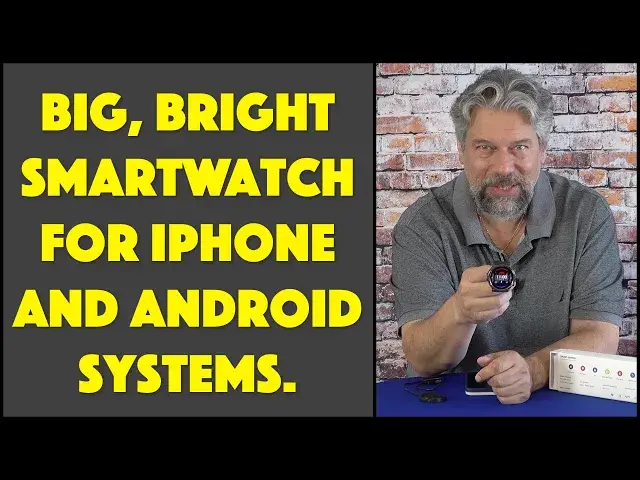
Want a smartwatch so you can keep track of your digital life, but don't have hundreds of dollars to pick up an Apple Watch or Samsung Galaxy unit? Then you'll want to learn more about the MorePro HM03 Smartwatch with Apple iPhone and Android compatibility. With its big, bright circular screen and striking design, your friends will envy the fun and whimsical watch faces you can set too. But there are a few things to know about this too before you decide to purchase one, as tech expert Dave Taylor explains in this detailed demo and review.
It's also worth noting that the latest MorePro HM03 smartwatch costs less than $100 and has a beautiful 360*360 ultra-high definition 10-level adjustable brightness OLED screen. It can measure your blood oxygen level automatically every ten minutes, so you can focus on your exercise without having to worry about your watch. Curious owners will also find many additional features and tricks.
Check it out at: https://www.more-pro.com/products/morepro-hm03-smartwatch
or try this 15% OFF link https://www.more-pro.com/discount/KA9CYHHZP8MY?redirect=%2Fproducts%2Fmorepro-hm03-smartwatch
Then visit Dave's Q&A Web site at: https://www.AskDaveTaylor.com/
#smartwatch #morepro #applewatch #galaxywatch #iphone #android #ios #askdavetaylor
Show More Show Less View Video Transcript
0:00
An affordable world ready smartwatch
0:02
Let's check it out. Dave Taylor here and I'm checking out this
0:13
This is the Moore Pro H.M.03 smartwatch. It is pretty slick, actually
0:19
As you can see here, it has a big, bright screen. In fact, it's a 1.3-inch 360-by-360 AM-O-L-ED screen
0:29
So it is bright. It is a cheery screen with lots of stuff going on
0:35
It's behaving a little weird because it's not on my wrist. But suffice to say that especially when it's dark out, this thing just pops
0:42
It's big and bright and colorful. And what's most notable about it is it works with all three of the major GPS satellite systems around the world
0:52
So if you're in the United States, then you're using GPS. If you're in Asia, you're using Bidu
0:59
And if you're in the Soviet Union, you're using Glona satellite systems or Glona SS, right
1:05
It works with all three. In fact, it can actually pick up the correct time off the satellite signal
1:12
So not only can it track you, not only can it help you figure out how to get back
1:17
If you're on a long hike, it'll track where you've been and help you reverse the route
1:23
But it also can show all that on a map. Now, of course, like all these other devices, a small
1:29
smart watch pairs with your phone. And this one works with both iPhones and with Android phones
1:37
He uses an app called InfoWare. I'm going to demonstrate that in just a moment
1:42
But I want to tell you that battery life is ridiculous on this. It's at least a week
1:46
if not two weeks, on a charge. And when you're ready to charge it, it does have this little cradle
1:51
Not a massive fan of these, but easy enough, you just put the watch on the cradle and then you plug it into your computer
1:59
you plug it into a wall charger, whatever you want, and when it's done charging, it will actually show you 100%
2:06
and you're good for a couple of weeks. Not a couple hours, not 24 hours, like an Apple Watch or something
2:12
but a couple of weeks. Now, again, I will say if you lose this, you've got a bit of a problem
2:18
So it might be worth acquiring a second one and storing it somewhere just in case, because that would be a drag
2:26
But otherwise, 300-m-amp-hour battery, definitely gives it a long life cycle. Bluetooth 5.1
2:33
It has oxygen sensor tracking. It has a heart rate monitor. You can turn those on to run for 24 hours at a time
2:41
So you can collect data across a workout, across a hike. It has sleep monitoring and it can differentiate between deep sleep light sleep and when you awake So you can let it collect data for a couple of weeks and then go into the app it a little easier to read and just see you know how have I been sleeping
3:00
How's that all working for me? In terms of rugged durability, it is completely waterproof with IP68 rating
3:09
and they've tested it from minus four degrees Fahrenheit to 140 degrees Fahrenheit
3:15
If you're in either of those temperature extremes, you have, other issues, like your own personal health. But this thing definitely can handle, you know
3:22
having you fall into ice water because you're doing the polar bear plunge in the middle of
3:27
winter. Or if you're out and you're at Death Valley in the mid afternoon in the middle of the
3:32
summer, again, in both situations, careful about your own health, but has all of that. And it also
3:39
has all sorts of activities you can monitor, including the standard ones like running, walking
3:44
cycling, basketball and such. But it also has some unusual sports, which are kind of fun too
3:50
including table tennis, cricket, and badminton. Now, I don't play cricket very often
3:56
but it's good to know if I do. I can track my activity with this watch
4:01
So I'm going to go ahead and put it on, and the watch strap is super easy to work with
4:07
It's sort of a rubberized material with a lot of holes, so you just go ahead and line up
4:14
to make it comfortable. You don't want it too tight, but you also don't want it too loose
4:18
And then there's two little bands you can use to make sure that the strap isn't then sticking out
4:25
It can be a little tricky to get it adjusted just so. But let's see. There we go
4:32
And let's see. It has notifications. It has an alarm clock. It has timers in terms of dimensions
4:39
It's 51 millimeters across. So it's going to look good even on a big wrist
4:44
and it's 13 millimeters thick, so it's fairly thick as smart watches go
4:49
but not horrible. If you have a very petite wrist, this might not be the watch for you
4:54
unless you like that fashion of really big watches. But I don't know if you've been able to tell
4:59
but I've gotten all these notifications keep lighting up the watch as I'm sitting here talking to you about it
5:05
So let's go ahead and I'm going to switch the camera around, and I'm going to give you a demo where you'll be able to see the app running
5:11
and you'll also be able to see what's having. happening on the watch. And I'll also be able to show you how to change watch faces
5:18
So let's get that all set up. So here's the app and here's the watch. So let's start by
5:24
going to the dial center and you can see I can switch faces that easily. And now if we go
5:33
back to the watch, it has the new dial. So let's do it again, this time with the watch
5:39
awake and you can see it stores and remembers these four faces which makes it super easy to work with And then there this huge directory of all these different faces
5:51
So you can go and look into a category and pick a watch face that you like as soon as it loads
6:05
So you can see all these different options. Let's try this one
6:09
horrifying time and let's do that in this color and then we're gonna synchronize it and you'll see
6:15
the watch face will show its side of the transfer and it takes a couple of seconds because there's actually all this information being
6:25
sent and then once it's transferred then what'll happen is that the
6:29
watch will actually reconfigure itself and in a moment or two we will get the new watch face
6:37
There we go and there it is and that is pretty fun actually as watch faces go
6:44
Now let me go back and we can go and you can see things like some of the settings
6:51
so you can change like raise to wake behavior and there's more settings
6:56
It's a lot of things you can do and go into notification settings and this is kind of
7:03
interesting because a lot of these are apps I don't have but you can turn
7:07
on and off if you decide that the last thing you need or all these notifications
7:11
from Twitter turn them off easy enough let's see what else weather settings you
7:18
can go into the health area and you can see I've taken a thousand and eighty nine
7:23
steps so far this morning and I haven't done any blood oxygen stuff I can check
7:29
you set up your own profile with all your goals for how many steps you
7:33
want to take and such really pretty easy so So let me now just get a little closer on just the watch itself and I'll show you some of how the watch itself works
7:44
As with so many of these, different swipes do different things. These are my notifications and I can scroll through them or I can push this to go home
7:55
If I swipe from the bottom, then I get these various functions
7:59
I can even go to more settings and I can change watch faces directly from the watch
8:05
So I might say, you know what, let's do that one. So now I've just switched it
8:09
It's that easy. From the right, you then get into this sort of sequence of different information
8:16
So this includes the ability to control music on your device. Here's my data so far
8:23
So I've burned 47 calories with that 1,089 steps. And I've had three of 12 hours standing
8:31
And here's the time again. So pretty straightforward on menu I get a different way to look at the different things And I can decide that I want to go ahead and try my heart rate or something
8:44
I can also go to activity or workout, but I can also do that with the shortcut of sport
8:50
Let's go home, let's go to sport. And now I can pick an activity
8:56
So maybe I'm poised to play some soccer. And it immediately says, well, there's an issue because you don't actually have it on your wrist
9:05
So it knows that. And that's why it gave me that error. But you can see there's a lot of options
9:11
And again, if I go to the menu, I can do activity and see there's some GPS features as I talked about
9:20
There's a lot to like about this watch. And most importantly, it's just a big, bright, cheery screen
9:26
Now, let me jump back on camera. Pretty slick, actually. You know, I think the trade-off here is that on the Apple watch, the entire watch experience is a little smoother in terms of secondary screen formatting and such
9:39
But this honestly has more enjoyable watch faces. I love the big, bright, bold watch faces of this sort of category of smart watch
9:49
And I really would challenge Apple. Let's see more watch faces. Let's see a third-party watch face library or something, right
9:57
It's not what they're going to do, probably. But these guys have a lot of faces, and it's really fun to play with them
10:04
and to pick different ones for different times, right? So there's the full demo
10:09
I really like this. I love this big, bright screen. It's really a standout
10:14
And so the only thing left to talk about is the price. But before we get to the price, I'm going to ask if you could subscribe to my channel
10:21
a click or a tap on that subscribe button, and turn on notifications
10:25
And we're connected. Awesome. Cool. This, go ahead and turn that on again, is the Moore Pro HM-03 smartwatch comes in black or off-white or blue
10:38
They're really cool colors, actually, and it's 8999 at more dashpro.com. And I would say if you're looking for a smartwatch and you don't want to go spend $3,000, $500 on a super fancy one
10:52
this is a really interesting middle ground and one that's definitely worth checking out
10:57
that's all I got I'm gonna go ahead and put it back on my wrist so I will have to catch
11:02
you I will have to catch you in my next video
#Fitness
#Fitness Equipment & Accessories
#Gadgets & Portable Electronics