Up next in 10



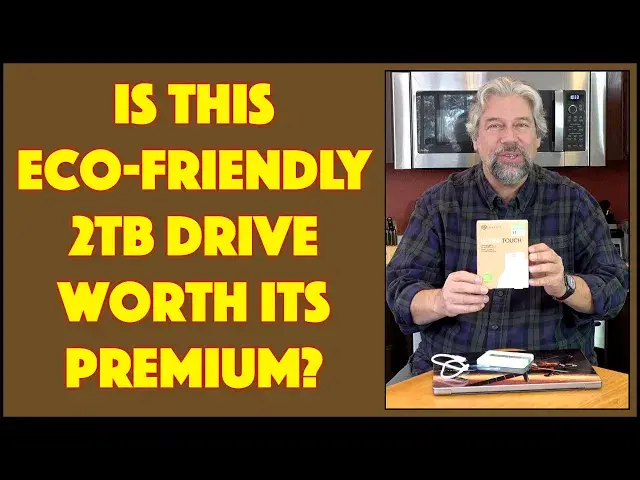
Modern external hard drives offer enormous capacity at surprisingly low prices. Variation comes in color, style, performance, and even packaging. Tech expert checks out the Seagate Ultra Touch Eco-Friendly External Drive in its 2TB drive size and finds some great features but a significant surcharge for the "eco" friendly design and packaging. This leads to the question: Is it worth the additional cost? This is considered in detail in the latter portion of the video, after some benchmarks are shared.
Check it out at:
Seagate Eco-Friendly 2TB: https://amzn.to/47zQpph
Seagate UltraTouch 2TB: https://amzn.to/47z9W9E
Seagate Game Drive 2TB: https://amzn.to/3HmeAgt
Visit Dave's Q&A Web site at: https://www.AskDaveTaylor.com/
#seagate #ultratouch #ecofriendly #hdd #2tb #askdavetaylor #affiliate #sponsored
Show More Show Less View Video Transcript
0:00
An eco-friendly hard drive with capacities up to 5 terabytes
0:04
Let's check this out. Dave Taylor here, and I'm checking out this
0:15
This is the Seagate Ultra-Touch, eco-friendly external hard drive. They make them in 1 terabyte, 2-terabyte, 4 terabytes, and 5 terabytes
0:25
This is the 2-terabyte unit. That is a lot of space. 5-terabytes is a huge
0:29
ton of space. I don't care what you collect on your computer. You're going to have a hard time
0:35
filling it up. But Seagate has been making hard drives since the dawn of the computing era. So what
0:41
makes this interesting isn't the hard drive necessarily, but the exterior and the packaging
0:47
So people, we consumers, have been saying, can we have something a little more environmentally friendly
0:53
instead of those plastic clamshell cases and stuff that all just goes in the trash bin and then
0:59
into landfill and Seagate has heard. So what makes this eco-friendly? Well, the unit itself is made
1:07
of greater than 30% post-consumer recycled materials. And then the box itself is even better
1:14
It's a fully recycled packaging. And it's worth noting when I open it up that the actual carrier
1:22
the part that the disc travels in, is basically like an egg cart. And this is a fully recycled
1:29
piece of cardboard. And it does a really good job of keeping your drive protected in transit
1:36
And then when you get it, you can just recycle the whole thing. And please do because that's the
1:41
whole point of this, right? So the question then is, is it worth the premium? Because yes, there's a
1:48
premium to get the eco-friendly version. And the question then is, is it worth it? Now, they call this
1:55
their nature forward design. And while the front of it is a pure white
2:01
the back has this very attractive speckled plastic pattern. And I'm not sure why they didn't repeat that on the top of it too
2:09
because I think people are naturally going to have it like this, where the small Seagate logo is on the top
2:15
in which case you don't get to see that pattern. So it goes. This also comes in a gray that's a very similar sort of thing
2:22
It's just a little less white, obviously. Yes, I like to stay really obvious things sometimes
2:29
Now, also comes with a USBC cable, and it's worth noting it's USBC to USBC
2:35
The drive itself, as you would expect, is compatible with Mac and Windows and Chromebooks
2:41
and really anything else you want to plug it into. Now, it comes by default formatted in XFAT, which is the file allocation table
2:50
It's nothing to do with how slim it might be. But that's a sort of universal format for all computer systems
2:58
You really want to start by reformatting it for just your operating system
3:03
So if you're just using it on a Mac, then use a Mac file system format
3:08
If you're using it on a PC, pick a more modern PC format, and so on
3:13
Why do you want to do this? Because it will actually speed it up a little bit. Not a lot
3:19
You're not going to get like a 50% boost in performance. But it'll give you just a tiny bit faster read and write performance
3:25
And I will note that it is fully encryption capable, and it does come with some software from third parties
3:32
which is mostly demoware which you might or might not want to use For me I just plug it in and go And so plug it in Some people have complained that this connector at the top is a little bit wobbly So I think this is true of every hard
3:48
drive. Once you have it plugged in and you're using it, don't touch the darn thing. If you move
3:54
it around or if the cable comes loose while you're actually writing to it or something, you can
3:59
corrupt the entire drive. That's nothing different from any other hard drive out there
4:03
including solid state drives. So your best move is to put it in a place
4:09
where you won't have to touch it while it's in use, and you're good to go
4:13
It does support USB 3.0 for the best possible performance, but you know, it's still not great
4:21
because it's still a physical hard drive versus a solid state drive
4:25
So what I want to do is I want to switch onto my Mac
4:28
and we'll run some performance tests. The C-Gate Ultra Touch is on my desktop
4:33
with a generic Mac OS icon, but that's okay. Let's open it up
4:37
We can also double check that it has the capacity we expect. And you can see here that it's 1.99 terabytes
4:45
which is pretty typical. There's always a tiny bit of space being utilized
4:49
by the file system. So you never quite get 100% of what's advertised
4:54
but that's okay. So what I want to do is I want to start with writing to the disk
4:59
And I'm using a MacBook Pro, an M1, running the latest version of macOS and it is theoretically a USB 3 port
5:07
So let's start with a 217 megabyte file and that wrote pretty darn fast
5:14
Now let's try a 461 megabyte file. So that's about half a gig
5:20
And that took about five seconds. And then let's try the big one
5:25
So this is a 1.1 gig file and I'm going to slide this update over
5:30
So you can see that it writes pretty darn fast. That's a pretty acceptable performance for a one gig file
5:38
Now let's rename these 1.15 gig to copy. And I'll do the same with this, to copy
5:51
And the reason I'm renaming these is because if I go and copy them back
5:56
it will actually use the file cache, and that will affect performance
6:00
So now I'm going to copy 217 Meg back onto my desktop with a new file name
6:06
And you can see, let's see, well I see it's copying things way over to the right
6:12
So that's not helpful. So let's try this one back over here
6:17
And you can see that progress bar. And then I'll move these down and we'll do the one gig
6:27
And so reading should be faster than writing. than writing. So let's see how fast this one gig copies and go. And so it's taking about
6:40
10 seconds. So interestingly it's actually a little slower on reading than it is on writing
6:47
Now another factor here could be my hard drive on my Mac, but that is a solid state drive
6:53
so that shouldn't be impacting things. So there's your sense of the sort of read and write speed
6:58
Now, the other thing I wanted to demonstrate is I wanted to use a test called the Blackmagic
7:03
Disc Speed Test. Then you can see here, this is a pretty classic sort of performance test for hard drives
7:13
and it evaluating if it fast enough to work with really big data files in programs that are going to be reading and writing very aggressively like video editors So I need to start by making sure we pick the correct drive
7:28
And here's our drive. And now I'm going to just start. And it just sort of runs forever
7:35
But eventually the lower portion will give us green check marks for software and configurations that it believes it can work for
7:43
and red X is for those that it feels the drive is probably a little too slow and it's not actually going to be meeting all your needs
7:54
Now, to be fair, most of these are done using solid state drives
7:59
So testing this with a hard drive that's a physical external drive is kind of a tricky one
8:07
So I'm not expecting it to be able to do everything, but in a moment or two, we should get some results
8:13
There we go. So it will continue to do that and it's looking at read speeds and everything
8:20
But what you can see is that for their ysis of video editing, that here's some performance
8:28
numbers and it's at 127 megabytes per second on right speed and you can see the read speeds
8:36
just a smidge faster, which is interesting because we didn't find that in actual testing
8:41
But most importantly, when we get down here that you can see, if we're working with like HD or 2K video, we're fine
8:50
But once we get into 4K or 8K, if you're going to use this while you're working in something like Adobe Premiere and doing live editing of 4K video
9:00
this might not be the drive you want to use as the primary unit for that editing process
9:07
And that's not a big surprise. I would say these drives are more typically for backups and for archival purposes than they are for actually using them live while you're running an app
9:20
So let me switch back to being on camera and I'll talk a little more about what we just found
9:25
Pretty interesting test results. I think as an archival device, this does just fine
9:30
That one gig read and write was pretty zippy. And, you know, you might be archiving 100 gig or 250 gig or something
9:38
but 30 to 60 minutes to write 250 gig to an external drive you can slip in your pocket
9:45
I'd say that's pretty acceptable speed. But when we ran the app that was testing performance
9:50
you can see that you can't really run a high-demand piece of software
9:55
like Premiere or Final Cut Pro or one of those sort of hard, you know
10:01
really aggressive video editing programs, and you can't use this as the primary drive
10:06
Now, that's not a surprise, because in any app that you're using that's really going to be reading and writing a lot of data
10:12
you always want that on a solid state drive. So I don't see those test results as a particularly concerning issue
10:19
The real question is, is it worth the premium for the eco-friendly here
10:25
So I looked at other Seagate drives. And here's the thing is that Seagate sells a two-terabyte drive that's a very similar one to this for $67.99
10:37
That is 30% less, even more actually. It's a lot less than the price of this unit
10:44
They also sell one that's called their Seagate Game Drive and a 2 terabyte version of that with a really cool light-up green bar
10:53
that is perfectly matched with like your Xbox and stuff. That only This is over for that same capacity And I would imagine probably the same performance So there your parameter there
11:10
is that the premium you're going to pay is about $30 to have it be eco-friendly
11:17
Now, eco-friendly packaging is great. Honestly, I think they should just do that
11:21
with all of their drives and get it over with, and that's easy. But then is it important enough for you
11:28
to spend that much more to have an external device where the casing is actually more eco-friendly
11:37
Now, for some people, the answer will be, yes, I don't mind paying that fairly small premium
11:42
and then getting something that looks really cool and is environmentally friendly
11:46
And honestly, Dave, I really love their nature forward design. Great. But you really do need to ask the question of how much do you want to spend and what do you want to get
11:58
for that. Now, also keep in mind from an economic perspective, if none of us buy eco-friendly devices
12:04
then the companies will be able to say, oh, see, no one cares. So we're just going to do whatever we
12:09
want because people just care about price. So that's another factor to consider. But here's the thing
12:15
This, as I said at the beginning, comes in one terabyte, two terabyte, four terabyte, and five
12:21
terabytes. And if you want to get the five-terabyte version instead of the two-terabyte version
12:27
it's only a premium of about $60. So, in fact, let's talk about the price
12:33
But before we get to the price, I'm going to invite you to subscribe to my channel. Click on that subscribe button
12:39
Click on that little bell icon to get notifications when I post new content
12:43
And why not give me some feedback with a thumbs up and a comment? Tell me what else you wish I would have done or what you really enjoyed about this review
12:50
Really appreciated. Great. Now, this is the Seagate UltraTouch, E. eco-friendly external hard drive, two-terabyte capacity
13:01
And it comes in gray or white, and the two-terabyte is $101.36 at Amazon.com
13:08
I will tell you that price does seem to vary a tiny bit, because last week when I was looking at the price, it was actually a dollar lower
13:16
So keep your eye on that to make sure you get the best possible price
13:19
But here's the thing. 2 terabytes for $101. In the non-eco-friendly version of this, you can get that same capacity for 6799
13:32
If you want to get this format in a bigger capacity, you can get the Ultra Touch eco-friendly
13:38
in 5 terabytes for 164.97. So you have a lot of choices here, and this is honestly a commodity item
13:48
You want external space. You want a reliable company. You want a great-looking drive that's going to run forever, and these really will
13:57
Well, this is one of many options. I think this is a good choice
14:01
Two terabytes is a good size, in my opinion. But is this the sweet spot for you in terms of functionality versus price versus capacity
14:10
I'm going to leave that up to you. But I will say, do your homework. And this is definitely one of the drives that you should have on your shortlist
14:17
That's all I got. I think I'm going to do a full backup of my computer. So I'll catch you in my next video
#Computer Hardware
#Computer Drives & Storage
#Consumer Electronics
#Green & Eco-Friendly Shopping