Up next in 10



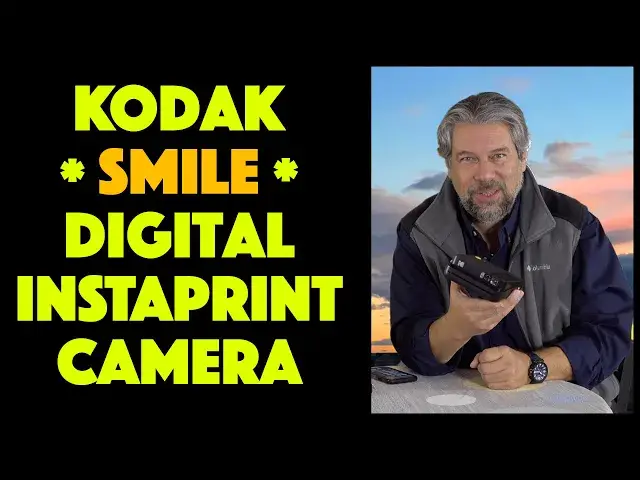
Kodak has been a mover and shaker in the photography world forever. The latest generation of Kodak cameras show a company trying to figure out how to offer the best of both worlds, traditional instant print color photography and digital imagery. Tech expert Dave Taylor of https://www.AskDaveTaylor.com/ reviews the Kodak Smile Classic Digital Instant Camera, the latest from Kodak, and finds some quirks in its behavior.
The centerpiece of the Kodak Smile Classic Digital Instant Camera, however, are the beautiful 3.5 x 4.25" color photos it prints on demand. A bit lackluster in color and contrast, the sticky-backed ZINK paper still makes this a great addition to any scrapbooker, teen or party. But Kodak's approach to storing images on the MicroSD card (not included) and accessing it via the smartphone app (not yet!) are baffling too.
Check the camera out on Amazon: https://amzn.to/2KIZ4hx
Show More Show Less View Video Transcript
0:00
An instant print camera for the digital age? Let's check this out
0:11
Dave Taylor here and I'm looking at this. This is the Kodak Smile
0:15
classic digital instant camera. Basically it's a point and print camera but for the digital age
0:22
So, what makes it digital? Well, for one thing you can put in a micro SD card
0:27
up to 256 gig and you will capture 16 megapixel photos. But it's a little confusing if you have paper
0:37
in the camera when you push the button it prints. Period. It also stores it onto the card but it's not super easy to get data from
0:45
the card. So, Kodak started trying to figure out exactly how to get this to
0:50
work and even in the time I've had this to test they had a major update to the firmware that added new functionality
0:57
It's entirely possible that by the time you can pick one of these up it's
1:01
going to have even more features and function than it does now. But 16 megapixel pictures
1:07
connects via Bluetooth and you get 35 prints per charge. It's of course rechargeable
1:13
And how do you charge it? That's a good question. There is a micro USB connector
1:18
on the side and yes, it comes with a cable because you probably don't have enough micro USB cables
1:23
Be that as it may, micro USB cable, you charge it, you get 35 pictures
1:28
and that's 35 prints. So if you don't have paper in you can use this or give this to a child or a teenager or something
1:36
to just as a way to capture digital images that they can then look at later
1:40
But of course the printing is really the glorious part. So let's start with just doing a first print and I will actually just take a photo
1:48
And has a nice big button here. It's pretty hard to miss
1:52
There's also the ability to do time photos but I'm not gonna do that
1:56
So I am going to take a picture of what I am seeing as I'm recording this video. So..
2:07
Alright, that should be captured and let's see, it should be starting to print
2:12
So this will give you a chance to see how long it takes to do a print
2:15
Now it prints to zinc, sticky back paper. Here's a package of zinc photo
2:22
paper and it's pretty neat actually. So I can hear it is starting to do the print process
2:29
and it'll take a little while. It comes out the front but we'll see, did it do a good job? Did it print well
2:35
Now, you know, if you take these pictures you obviously need to wait for one to
2:40
print before you can take the next one. At least as far as I can tell. Here we go, it's starting to come out
2:46
So that's nice and I will show it to you and give you a nice close-up once it's
2:52
fully out. But the prints are big so I hope this is something you can tell. Here's an iPhone
2:57
as a sort of size comparison and these are 3.5 by 4.25 inch prints
3:03
Now a lot of these devices, even earlier Kodak devices, do these
3:07
teeny tiny little prints which I guess are fun for like kids scrapbooks or something but as an adult I look at those and I'm like
3:14
can I get the bigger version please? But okay, we're done. So here is what I am seeing and here's a close-up so you can sort of get some of
3:22
the detail. It is not the richest and fullest color but you can take these images, go into the app
3:30
on your smartphone and you can up the saturation or something and then you can
3:34
push it back out and print it. In fact, let's do just that but with a different image. So I'm gonna launch the
3:42
Kodak Smile app but what I'm gonna do is I'm actually gonna record the whole process
3:46
so you can follow along on the side of my screen while I do this
3:49
So I'm gonna launch Kodak Smile and then since the camera is already powered on
3:55
all I have to do is choose Connect from the top and it'll take a second or two to scan. This is Bluetooth
4:02
and it should find it momentarily. A little bit of excitement here. Here we go, Kodak Classic. So I choose that
4:10
and it will show up and now I can connect to it and so now you can see here's all my different photo albums
4:17
Now again what's a little confusing here is that there's no way for me to pull images
4:24
off of this actual device which leads to the question alright so if you use that as a digital camera how do you get the photos? And the
4:31
answer is pop out the micro SD card and put it in a reader. It's
4:35
not that hard. They do not include one. They probably should but who knows that
4:39
would just be something that makes it even more expensive. But you probably can pick up one of those for under $10 at somewhere like
4:46
Target or Walmart. So not a huge big challenge but what I'm gonna do is I'm gonna pick
4:51
an image. Let's see. I'll go into favorites. I will get rid of my son's
4:55
text. See this is absolutely live. You get to see everything. And let's see. I will pick
5:02
this picture of my daughter and now in this app you can see there's all sorts of different filters and styles
5:11
I can do some AR. They have some neat stuff with augmented reality on the
5:15
image that if you look at the image then or the print with the app then you actually see those augmented reality
5:22
elements come up. Not really my cup of tea but it is certainly an interesting feature
5:27
So I'm gonna just take this and I think we're just gonna print it. So I'm gonna tap on print
5:32
and confusingly it says that it's already ready. It's not. So I'm gonna print one
5:36
more copy and now it should be sending that data to the camera
5:41
and printing. So one of the things you get with this camera is you actually get
5:46
a color photo printer that is this small and this portable. Now this is all black. The good news is that the Smile Classic comes in a
5:56
variety of different colors and let me give you some dimensions while it is chugging away
6:01
So this is 7.5 inches by 6.5 inches by 3 inches tall
6:08
when it's all fully extended. You can see the image is starting to come out again
6:12
and it weighs a pound so it's super easy to work with. You can hook up a lanyard if you want so you can have it around your wrist so you
6:19
don't drop it. That would be bad to drop it. And so let's just talk about the paper too
6:26
When you buy the camera it comes with a little starter kit. I think it's 10 sheets of paper
6:30
But then you can buy them and you get them generally at like 20 per package
6:35
and the paper is approximately a dollar a print. It is $39.99 for 40 sheets so two of these packages
6:44
And that's kind of expensive so you don't want to just give this to your
6:49
four-year-old and have them go boom boom boom boom boom boom boom boom boom boom boom boom boom boom boom boom boom boom boom boom boom boom boom boom boom boom boom boom boom boom boom boom boom boom boom boom boom boom boom boom boom boom boom boom boom boom boom boom boom boom boom boom boom boom boom boom boom boom boom boom boom boom boom boom boom boom boom boom boom boom boom boom boom boom boom boom boom boom boom boom boom boom boom boom boom boom boom boom boom boom boom boom boom boom boom boom boom boom boom boom boom boom boom boom boom boom boom boom boom boom boom boom boom boom boom boom boom boom boom boom boom boom boom boom boom boom boom boom boom boom boom boom boom boom boom boom boom boom boom boom boom boom boom boom boom boom boom boom boom boom boom boom boom boom boom boom boom boom boom boom boom boom boom boom boom boom boom boom boom boom boom boom boom boom boom boom boom boom boom boom boom boom boom boom boom boom boom boom boom boom boom boom boom boom boom boom boom boom boom boom boom boom boom boom boom boom boom boom boom boom boom
7:19
boom boom boom boom boom boom boom boom boom boom boom boom boom boom boom boom boom boom boom boom boom boom boom boom boom boom boom boom boom boom boom boom boom boom boom boom boom boom boom boom boom boom boom boom boom boom boom boom boom boom boom boom boom boom boom boom boom boom boom boom boom boom boom boom boom boom boom boom boom boom boom boom boom boom boom boom boom boom boom boom boom boom boom boom boom boom boom boom boom boom boom boom boom boom boom boom boom boom boom boom boom boom boom boom boom boom boom boom boom boom boom boom boom boom boom boom boom boom boom boom boom boom boom boom boom boom boom boom boom boom boom boom boom boom boom boom boom boom boom boom boom boom boom boom boom boom boom boom boom boom boom boom boom boom boom boom boom boom boom boom boom boom boom boom boom boom boom boom boom boom boom boom boom boom boom boom boom boom boom boom boom boom boom boom boom boom boom boom boom boom boom boom boom boom boom boom boom boom boom boom boom boom boom boom boom boom boom boom boom boom boom boom boom boom boom boom boom boom boom boom
7:49
Like I said, there is the app, the Kodak app that you work with called Kodak Smile
7:56
and it's free. It works very closely with the camera. They communicate back and forth
8:02
Just added is the ability to do remote photos from the app
8:07
So you can ostensibly point this or maybe point this at a group and then jump into the
8:11
group and then push the button and then boom, you're in the photo, right? You can also do that with the timer, but having it through the app will be better
8:21
Does it have every single feature that you want? Not really. And the whole capturing digital and printing but not printing but not being able to access
8:29
the photos, I find super confusing. Kodak is just, this is the way they designed it
8:35
So if you have paper in the camera, and I'll show you, the paper is pretty interesting
8:44
You can just pull it out and so now if I take a picture, it works perfectly fine
8:50
In fact, it's funny because it will actually make all the sounds you can hear that it's trying
8:58
It will try to actually print. So it doesn't even know that there's no paper in there, but I can pop out the paper and
9:04
use this just to capture images, but then I can't go into the app and grab all the images yet
9:11
So again, I'm hoping that's something that Kodak adds as a feature. It would be an entirely logical one
9:17
But if you want to just use this to take pictures and immediately print them just like you would
9:22
with an old Kodak instant camera or something, then this could be a really fun alternative
9:28
And I got to say, the pictures that it takes are impressive and they are a decent size
9:34
They actually look good and they are something that you will be happy to share with your
9:39
friends or your business colleagues or in whatever context you're using them
9:43
So there's lots to like about this. It's just, know what you're getting into in terms of how it works and whether it wants
9:51
paper or not and whether you can use this and capture images
9:56
So I have a sort of mixed recommendation for this because I really like the functionality
10:04
I love the design. It's super fun. But I really wish there was a little smarter connection between the camera and my smart
10:10
device and that very well might be coming. I know there's a firmware update to the camera and I know that the software keeps getting updated
10:19
So who knows? It's probably worth checking back to see if Kodak's changed all of this
10:23
Having said all of that, the only thing left to talk about is the price and I'll talk about
10:27
the price of the paper, which we've already mentioned once, and the price of the camera
10:31
But before I do, I'm going to ask if you can subscribe to my channel. Fantastic
10:35
Thank you. Now, this is the Kodak Smile Classic Digital Instant Camera
10:41
This is in black. It also comes in blue, green, and red
10:45
And the top part is a single white or light color and then the bottom part is the actual
10:51
different color, the blue or the green or the red. It's pretty striking looking actually
10:55
Very cool. And the camera will cost you $149.99 at Amazon.com. Like I said, that comes with charging cable, comes with starter paper, and then you will
11:06
unquestionably need to buy more zinc paper. And this paper is $39.99 for 40 sheets, this two of these boxes
11:15
So definitely worth checking out if you're in a situation like maybe a bar where you
11:20
want to be able to take photos of clientele or something, then this is really fun
11:26
This works really well. Frankly, you probably use these as a passport photo
11:30
I'm not necessarily guaranteeing that will work, but that's a perfect example of where
11:35
you can do this photo, cut it out, take off the peel, you know, the sticky back, and then
11:41
boom, put it right on an application or something. So definitely worth checking out
11:45
And know what you're getting into, know its strengths, know its weaknesses, and check
11:50
it out. And with that, I'm going to take one more picture, which means that, hold on, I got
11:55
to turn it on. I will catch you. Hold on. In my next video
#Arts & Entertainment
#Camera & Photo Equipment
#Photo & Image Sharing
#Photo & Video Services
#Photo Printing Services