Up next in 10



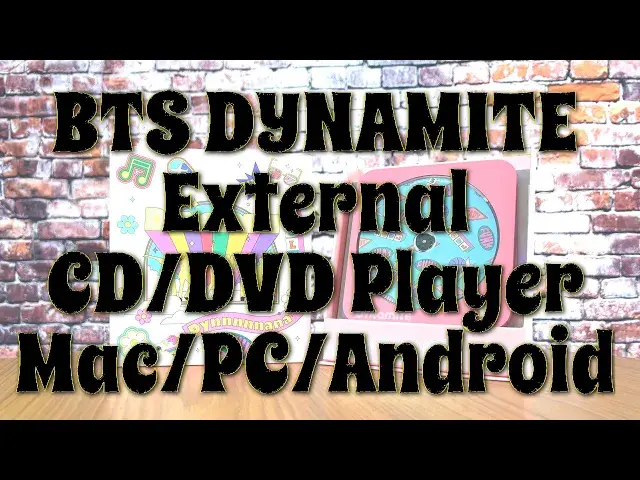
You don't have to be part of BTS ARMY to appreciate this BTS themed CD/DV player from Hitachi LG Data Storage, but it'll help! The unit works with Mac, WIndows PC, Android, and even Amazon Fire Sticks, and will let you read AND WRITE your own Audio CDs and DVDs. More importantly, you can finally watch all those old DVDs stuck in the attic on your Android phone or tablet, shiny new iMac, or 2-in-1 PC. New BTS fan and tech expert Dave Taylor demos and reviews the Hitachi LG BTS DYNAMITE DVD Player with a Google Pixel 6 Pro Android phone so you can see how easy it is to use too.
Demo DVD: "The Adventures of Buckaroo Banzai Across the Eighth Dimension".
Check it out at Amazon: https://amzn.to/3p5VEsT
Check out Dave's Q&A Web site at: https://www.AskDaveTaylor.com/
#bts #btsarmy #dvd #audiocd #androiddvd #hitachi #lg #askdavetaylor
Show More Show Less View Video Transcript
0:00
You don't have to be part of BTS Army to love this new DVD drive
0:04
Let's check it out. Dave Taylor here, and I'm checking out this
0:14
So fun. This is the Hitachi LG, BTS Dynamite DVD Drive. And it's an external drive that can play music CDs or DVDs
0:26
And it's also a DVD writer, but you'll probably be using it to read
0:30
and you can plug it into your Mac or your PC or your Android device or your fire stick
0:37
So really, really lots of flexibility. I'm going to demo it on an Android phone
0:42
But first, a slight aside, if you don't know who BTS is, it's this huge South Korean boy band
0:49
Started out doing hip-hop. Now it's like sort of generic K-pop. They have a pretty wide variety of music founded in 2013
0:57
And to give you an idea of how well they're doing, they've had four U.S. number one albums in a two-year period, which makes them one of like three or four
1:05
bands in history to do that. BTS, what does it stand for
1:09
Well, pardon my Korean, but it is Panktan Son Yon Tan, which translates to Bulletproof Boy Scouts
1:17
And there are seven members of the band, generally known as Pongtan Boys
1:22
And they are, ready? R.M. Chin, Shuga, Jehope, Chimin, V, and, and
1:29
Chung Koo and the fan community, which is huge, is called the Army. So that was my reference at the
1:36
beginning. All right. Now we got the BTS part out of the way. Let's look at this device. First off
1:43
weigh some of the most fun and entertaining packaging I've ever seen. And what's really particularly
1:48
notable is that they actually designed this so that you can actually use it as a display
1:55
Let me get all these out of the way. And you can actually just have your
1:59
DVD player in a little display case and then it includes stickers so you put stickers on the outside of the case
2:07
You don't really want to boot it on this, but you can put it on the outside of the box and you are all set up
2:12
Super fun. I'm pretty confident that my daughter was going to snag these stickers when she sees them
2:18
And then the way they package the whole thing is that the instructions are in a DVD case
2:24
and then there are three blank DVD discs or maybe audio discs, whatever, and you can just leave one in the player
2:35
So that gives you something where it's a little bit more interesting than this
2:39
That's ready. This is funk. I'm guessing they have names. And then the third one that they include is, what is this
2:48
Whoa. So this is all ridiculously fun. It also includes this media suite of actual software for your actual computer, if you care
3:00
Cyberlink Media Suite, but honestly, on your Android phone, all you got to do is you have to download a couple of apps and you're ready to roll on your Mac or PC
3:11
Plug it in and it ready to go without any further fuss or ado which is pretty nice So that what I going to do is I going to do I going to adieu give you a demo So let put all this back in here because it just keeps it neat
3:27
And it comes with two cables. So it has micro USB, not my favorite connector, but you can survive
3:35
So it has micro USB to USBC, which is what we'll be using with my phone
3:39
But it also includes micro USB to USBA, which is that rectangular
3:45
which a lot of computers have. So it's super easy to work with
3:49
It doesn't need any external power source. You plug the USBC, orienting it correctly like that into the drive
3:58
And then you plug the drive into whatever device you're going to use. And this is a Google Pixel 6 Pro, which is a very, very nice new device
4:08
And I'm going to go ahead and just launch a app called True DVD Plus
4:14
It's a free download. It is from Hitachi LG and with the drive plugged in, we're more or less ready to go
4:22
But let me just tell you a tiny bit about it, is that it supports audio CDs, CD-Roms, DVD-Roms, DVD-R-D-R-D-D-D-D-D plus R-W
4:33
If you want to use it to burn content, you can't do that from Android as far as I can tell
4:38
But from your Mac or PC, you can burn your own DVDs or burn your own audio CDs if you're
4:44
so inclined. Getting that to all work is part of what that software is and there's lots of stuff
4:50
online on how to do that. Now, what I'm going to do is I'm going to use a demo of an actual
4:56
commercial DVD just to show you. It's really fun to be able to play commercial DVDs on an
5:02
Android device. A little bit mind-blowing, but it is a legit demo. So what am I choosing? Do I have
5:08
a BTS concert DVD? No. But instead, I have one of my favorite movies
5:14
is the adventures of Bukaru Banzai across the seventh dimension. Oh my gosh, no, across the eighth dimension
5:21
Sorry, Buckaroo. This is a great, great cult film, and honestly, it just happens to be one of my favorites
5:28
So, here's how you work with this. First off, push the little button on the front, and it opens the drive
5:36
put the disc in, and you generally tilt it towards the player, put the disc in
5:41
push it in and now it spins up, so I'll just hold it like this so you can see what's going on
5:47
And now on my phone, nothing's happening, right? But as soon as I launch that true DVD app, let's see what happens
5:56
Should give us the movie. So it gives it a couple of seconds to spin up
6:01
And then it's kind of an interesting experience because you get the full DVD experience
6:06
including the menus and all the extra stuff. once it finished loading
6:12
Okay, I had to actually get the app to start before I put in the drive
6:17
So plugging in the drive first was a mistake. But now you can see we have the movie starting up
6:25
And this is all the intro video. It's not very exciting in the first couple of seconds
6:30
There we go. And you can hear we're getting all the sound
6:35
And it really a remarkably clean image I have to say this is eminently watchable And of course I don know that I would necessarily be watching it on my phone
6:45
but you can definitely do the same with an Android tablet if you get the app
6:49
So really fun to do. I'm going to go ahead and play movie and..
6:55
Let's see. We're going to play the theatrical version. There's an extended version that basically just adds some more footage at the very beginning
7:04
I'm not sure it adds much. much to the movie, but who cares? This is such a great movie anyway. But the important thing is
7:10
as you can see, that we are chugging along, the disc is spinning away, and this is completely
7:18
portable. I can have this on my lap and be watching this while I'm on a plane or on a bus
7:24
There are a ton of DVDs that are not available in digital format. So having it in this og
7:31
format and being able to play it is just fantastic. And we're going to turn the volume down a little bit here
7:38
on Buckaroo. But I'll let you continue to watch because it is really, really clean. And what's
7:45
interesting is as it goes through chapters, once it's read enough of the current chapter on the DVD
7:51
it buffers in the app. So then the DVD will stop playing, which will cause you anxiety. But then when
7:58
it gets to the next chapter, it spins up, reads as much of it. it as it needs and then turns it off again. I think that's just a power saving strategy
8:06
But as you can see, let's just sort of move forward a little bit here. Bacaroo
8:11
Let's move forward. So now I'm skipping chapters and takes a couple of seconds, but there we go
8:19
And again, there is nothing to complain about here. And I will remind you, as I said earlier
8:26
that I'm going to go ahead and stop that. You can't copy. This is not
8:31
not, you know, it could, I mean, theoretically copy, but in the Android apps that are included
8:38
from Hitachi LG, there is no copying app. So if you want to do something like that, which would
8:45
be entirely logical, right, so I can just digitize this and save it on my phone to watch without
8:50
the external device, that's something you'll have to get a different app to do. And that's exactly
8:55
the same on a Macintosh or on a Windows PC, is that there are technological solutions
9:01
that will let you read the drive and read the contents and save it, but that's not what you're
9:07
getting here. This is just a really fun, BTS themed DVD slash CD or sorry, let's do it in the other order
9:15
CD slash DVD drive and all the fun packaging and really props to Hitachi LG. This is the best
9:23
packaging I've ever seen in terms of just sheer fun and entertainment. There is no question if you
9:29
have like an old school nerdy, BTS Army member in your family, that this is going to be the
9:35
kind of gift that they'll probably scream over. And it's really functional and useful. And if you have an
9:43
old library of DVDs and you've just been bemoaning that you can't
9:47
watch them on your new Macintosh or your new PC or on your
9:51
Android tablet, now you have a solution that's entirely viable. And here the thing to be totally honest this cable works really well but they have you can buy longer micro USB to USBC or USBA cables so you could even have this sitting like on
10:09
your desk and then have your tablet on your lap and just be reclining and enjoying it
10:14
So it doesn't have to be such a short cable. But really, I have no criticism
10:19
I have no complaints about this device. This is just a great little device
10:23
It's a great solution from a company. that might be the last company standing making DVD drives
10:29
but you know, they're handy to have around now and then. And this is, let me give you some quick dimensions
10:36
144 millimeters by 137 millimeters by 14 millimeters thick. It is a remarkably slim little device
10:44
I'm going to go ahead and unplug it and I'll just hope my phone doesn't get too upset
10:50
So much to like. Really simple. There is a button on the front that you've
10:55
It can eject. I probably have made a mistake here because you can't eject it if it doesn't have power
11:01
So I'll have to plug it back in to eject it, which is easy to do
11:06
But it has that. There's a tiny hole that you can push a little like paperclip or it includes a little tiny gizmo
11:14
And that's a force eject if you did like I did, you know, try to unplug it and then try to get the disc out
11:21
And that's it. There are literally no other controls. There's nothing else going on
11:25
It is easy, it is simple, it is a mechanical part for your computer
11:30
Yay, old school. And it's themed for BTS, yay new school. So it's just cool
11:38
I mean, it's totally just worth checking this thing out. They also have it in purple
11:42
That is not then the dynamite theme. It is a different theme, but it's the same idea, same packaging
11:48
And this was done licensed and in cooperation with BTS. So it's not just some company that is using all of it
11:55
of this identity or corporate branding without actually getting permission. And I think that's
12:01
pretty important. So all this let to do is talk about the price, but hold on before we get to the
12:07
price. I'm going to ask if you could subscribe to my channel. Click, tap on that subscribe button. Done
12:12
Boom. Easy. Cool. Now, this fantastic pink device is the Hitachi LG, BTS dynamite DVD drive for your Mac
12:24
PC or Android device or fire stick, and it is 749 at Amazon.com
12:31
Check out the description. I have a link directly to the right page, and it is definitely
12:35
one worth checking out if you have any old DVDs, and I have hundreds of them
12:40
This just gives you a whole new world of access, and who knows, maybe you have some old
12:44
software you want to grab off of a DVD or a CD-ROM. Man, that was a big deal
12:50
A long time ago, way before the BTS band members were even bored
12:54
That's all I got. I'll hope to catch you in my next video
#Movies
#Computer Hardware
#Computer Drives & Storage
#Consumer Electronics
#DVD & Video Shopping
#Media Streaming Devices