Up next in 10


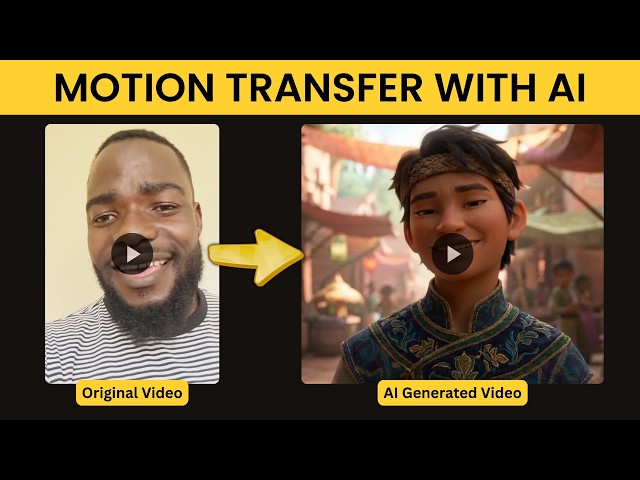
You can use Kling Motion Control, Wan 2.2 S2V, Steady Dancer for motion transfer.
Try Motion Transfer here - https://lanhive.com
Show More Show Less View Video Transcript
0:00
And by when the morning comes, when the saints of good are gathered home, we will tell the story
0:14
This AI feature will help you transfer the motion of one act to another
0:19
It's suitable for music videos, animations, and anytime you want to transfer one act to a different environment and a different actor
0:27
So let me show you how I did this. So when you go to learnhive.com and log in, you'll be directed to this page
0:34
Here on the video section, you can just choose motion control here
0:38
This will take you to this page. Here on the settings panel, there are different models that you can use
0:43
In this case, I used Creen 2.6 standard. It's faster than the rest and it doesn't use a lot of credits
0:50
Then for character orientation, just leave it at video. Then here you can upload the video that has the motion that you want your character to use
0:58
In my case I uploaded the video where I was singing Then here I going to upload your character that is going to do everything that is in the video in my case i uploaded this image so this image is going
1:10
to do everything that is in this video so that's what i did but for the sake of the difference
1:16
let's upload another image and see what happens so i'm going to use this image of an old man but
1:21
you'll still do what i did in here then in the prompt section if you want you can leave it empty
1:26
or you can just use a simple prompt since we already have everything here
1:30
You can just say, he is singing. Then when you are happy with everything, just click unmade video
1:36
This will take a little bit of some time. Once everything was done, here is what I got
1:40
And by when the morning comes, when the saints of God are gathered home
1:52
we will tell the story. So this is a very useful tool if you want to transfer your motion it can be dancing or any other thing
2:02
You can use this motion transfer feature. I'll leave the link in the description if you want to try it
#Music & Audio
#Music Videos
#Performing Arts