Up next in 10


Try motion transfer to make high-quality videos - https://lanhive.com
Show More Show Less View Video Transcript
0:00
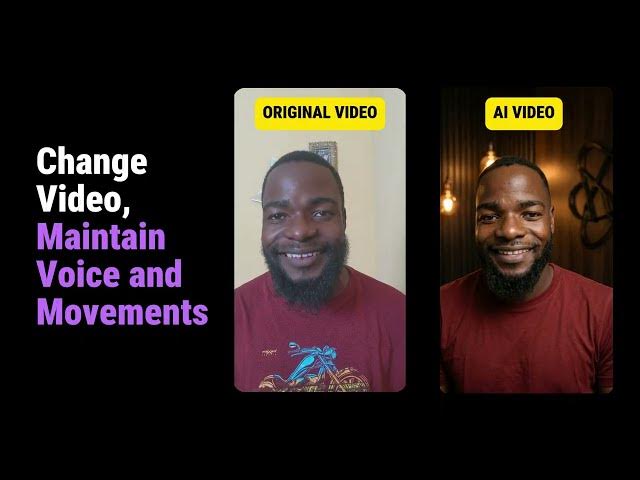
In this video, I will show you how you
0:02
can change the background of any video
0:03
to any background that you want using
0:05
AI. Let's see how it can be done. The
0:08
first thing you're going to do is to
0:09
make the image that you're going to use
0:11
in place of the original one. So to do
0:13
this, go to runhive.com. Then once
0:16
you're here, scroll down to the image
0:18
section here. Click on edit photos. Then
0:21
for the model, we're going to use nano
0:22
banana 2. You can choose the resolution
0:25
that you want. I'll use 2K for this one.
0:27
Then for the aspect ratio, I'm going
0:29
with 9 by6. Then here you're going to
0:32
upload your image. In my case, I use
0:34
this image. Then I use this symbol
0:36
prompt to edit this image. Once
0:39
everything is done, just click edit
0:41
image. And this is the result that I
0:43
got. So I'm going to use this image in
0:45
the next step and it will become my
0:47
driving image for the entire video. Now
0:49
for the next step, go to the video
0:52
section here. Then click on motion
0:54
control here. So for the model you can
0:56
leave it on 3 standard. Leave the
0:59
orientation as it is. Then here you're
1:01
going to upload your original video.
1:03
Then the image that we made. So here is
1:06
my original video and here is the image
1:08
that we just made. So everything that is
1:11
happening in this video including the
1:13
voice will be transferred to this image.
1:15
You can leave the prompt empty here and
1:18
just click unmet video. Once it is done
1:21
this is the result that you're going to
1:22
get. In this video, I will show you how
1:25
you can change the background of any
1:26
video to any background that you want
1:28
using AI. Let's see how it can be done.
1:31
If you want to try it, I'll leave the
1:32
link in the description below. And if
1:34
you want to see how you can clone your
1:36
own voice and use it for text to speech,
1:39
that video is up here. I'll see you over
1:41
there.