Up next in 10


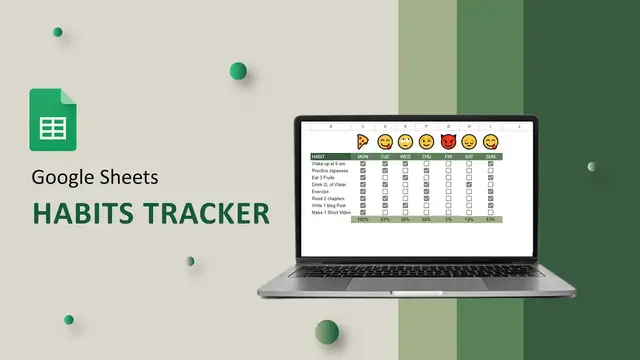
Get motivated to your habits with this Habit Tracker made in Google Sheets.
Get the Habit Tracker Template - https://arkiana.com/habit-tracker-in-google-sheets/
Join my weekly Newsletter THE SNIPPETS - https://arkim.substack.com/
In THE SNIPPETS, I share more about Data Analytics, Programming, and Opportunities surrounding these industries.
Show More Show Less View Video Transcript
0:00
I've made this habit tracker in Google Sheets. It helps you to track your habits
0:04
So you have emojis here and you also have your progress here. So for example, on a Monday
0:09
if I manage to do one habit, then this emoji changes. If it goes to two like that
0:15
so it changes based on the percentage here. The more habits you complete, the more this
0:19
emoji gets better. So if you complete another one, you have that one, you have that one
0:24
And finally when you complete more than 80% of your habits or all of them, you get a pizza
0:30
So this is true for all of these. So let's see how we can make this habit tracker
0:35
So first of all, I have the habits here. Then I have the days of the week
0:39
Here I'll put the percentages and so on. The first step is to add the check boxes here
0:44
So just highlight this area here and go to insert, then insert check boxes
0:49
Once you have the checkboxes, we can write the formula in here to calculate the percentages
0:54
once these checkboxes have been marked. So say equals count if. For the range, we get all the checkboxes for a certain day
1:02
Then the criteria will say true. Then we'll divide whatsoever we have marked here with the total number of checkmarks on
1:08
a certain day. So this will be the formula count here like so And for the values we going to select everything Enter so you have zero you can see when I mark you have those values Now we can just format this as a percentage by going to this tab here
1:24
and pressing percent. You can just reduce the decimals and there we go. Just drag this for all
1:30
of them. So now when we mark, we have those percentages. Now to show the emojis here
1:35
depending on the percentage, is something very simple we're going to do. So we're just going to
1:40
to use the formula. I'm going to paste the formula here and explain it. It's something very easy to do
1:46
This is the formula here. It is simply saying if c11, meaning this one, is equal to 0, we show this
1:53
emoji. If it's between 0 and 20, we show this emoji. And this continues all the way up to this one
2:01
So if it's beyond 80, we show this emoji. So that's the function. Press enter and you have your emoji
2:08
there you can just take this all the way to the end there you have it now when you mark each one
2:14
of these you can see the changes that are happening and the same will be true for all these other
2:19
sales if you'd love to get this habit tracker i'll read the instructions so now you can get it in
2:24
the description below there are also other trackers on the channel that you can check out otherwise
2:29
thank you so much for watching i'll see you in the next one