Up next in 10

This Claude Sonnet & Opus AI Model is INSANE Builds & Deploys Full Stack Apps From Prompt For FREE
Apr 7, 2026

Watch My Visual Studio Code IDE Setup Video For Fonts,Themes & Extensions
https://youtu.be/Bon8Pm1gbX8
Hi Join the official discord server to resolve doubts here:
https://discord.gg/cRnjhk6nzW
Visit my Online Free Media Tool Website
https://freemediatools.com/
Buy Premium Scripts and Apps Here:
https://procodestore.com/
Show More Show Less View Video Transcript
0:01
Uh, hello guys. In this live stream, I
0:03
will show you a AI model which is really
0:06
powerful, very
0:09
impressive for coding and development.
0:11
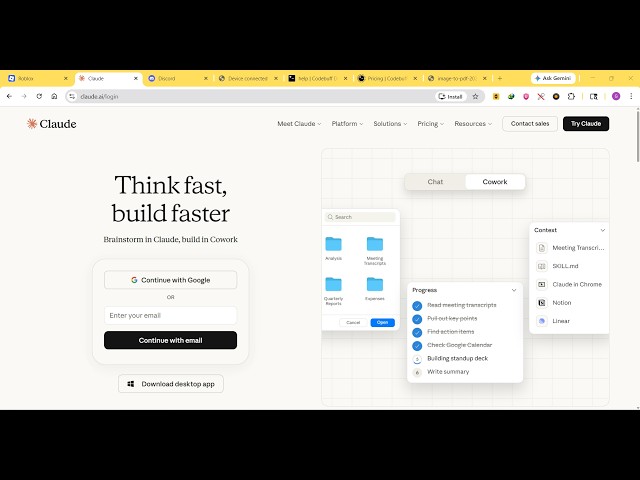
So, if you go to Google, simply type
0:13
Claude,
0:14
c l a u d e.
0:17
If you type this on Google, the very
0:18
first result which comes, this is the
0:21
company Claude. It's really famous. It's
0:23
the number one company for programming
0:26
and coding. It actually beats OpenAI
0:29
ChatGPT Gemini.
0:31
Personally, in my opinion, it's the
0:33
number one model for programming. So,
0:35
once you land on this web web page, you
0:37
can try out both the models, Claude Opus
0:40
Claude,
0:42
Sonnet. So, by default, it uses this
0:46
Opus 4.6, which is the best model for
0:49
programming if you're looking forward
0:51
for building a full stack coding
0:52
application. Unfortunately, it's not
0:55
available as or for the free users.
0:58
For that, you need to click the upgrade
1:00
button to actually upgrade to their paid
1:02
plan.
1:03
So, their paid plan starts with $17 per
1:07
month. From it, you'll get Claude code
1:09
directly in your code base,
1:11
higher use limit. But, you can try this
1:14
for completely free as well. It uses
1:16
this Sonnet 4.6 model, which is very
1:19
much efficient. So, let's suppose you
1:21
want to create an applic-
1:28
So, once it completes, you will actually
1:30
see the result.
1:33
So, it's You can even click the notify
1:36
button. So, once it completes, you will
1:37
get a notification. So, it's actually
1:40
writing the full stack coding
1:42
application for PDF editor with polished
1:45
professional-looking user interface. So,
1:48
I have tried many AI providers, but
1:51
Claude is the number one AI specifically
1:53
for programming and development if
1:55
you're looking forward for.
1:57
So, now as you can see, it actually
2:01
generates this UI
2:03
in real time. So, it actually provides
2:06
you with this pages.
2:08
So, it's actually professional-looking
2:10
UI. It's creating it
2:12
directly.
2:15
So, in the background, it is writing all
2:17
the code for you. So, in this easy way,
2:19
you can try this
2:21
for free at claude.ai.
2:24
So, it's actually generating this user
2:27
interface in real time as it's writing
2:30
the code.
2:31
So, the user interface is changing in
2:33
real time.
2:34
So, it's having this
2:36
professional-looking PDF editor. It has
2:38
all the options for opening a PDF.
2:46
So, in real time,
2:48
the AI is
2:50
creating and designing the user
2:51
interface.
2:53
So, just need to wait. Once it fully
2:55
completes, you will be able to run and
2:57
deploy the application.
3:16
So, from here, you can click the notify
3:18
button as well.
3:20
So, it will You need to click allow. As
3:23
soon as it completes, you will see a
3:25
notification.
3:27
So,
3:38
So, it's the [snorts] number one model
3:39
for coding and development.
3:42
So, it has two models which are very
3:45
much popular, Opus 4.6 and Sonnet 4.5.
3:50
These are the two models which are
3:52
really much powerful.
4:17
So, the thing about this model,
4:19
if you see,
4:21
you can perform multiple chats as well.
4:23
So,
4:29
So, now once it completes, it will
4:31
generate a description for you.
4:33
And
4:34
you can see that now the application is
4:37
complete.
4:40
So, from here, you can actually see the
4:42
actual code here. If you simply click
4:44
it,
4:45
you will see this code right here.
4:53
So, you can download this file
4:55
as well, the code file,
4:58
by clicking download file. So,
5:00
click on download.
5:02
So, once it completes, this is a
5:03
professional-looking PDF editor it has
5:06
built out. So, from here, you select
5:08
your PDF file, which
5:15
So, the PDF file will render out as you
5:18
see. We have various operators.
5:20
So, you can use a text operator for
5:23
actually adding the text.
5:25
This is your pencil icon. You can change
5:27
the color of the pencil.
5:30
So, in a matter of seconds, as you see,
5:32
it actually built out a complete PDF
5:35
editor. You can move to the second page.
5:38
You can insert any sort of shape.
5:43
As you see, you can highlight, annotate
5:45
anything. You can even add images.
5:51
So, from here, you can add images.
5:55
You can even sign your digital
5:57
signature. And
6:00
you can see that. This is a select
6:01
operator.
6:05
So, you can control opacity. Then, you
6:08
can export the edited PDF. You can see
6:10
all the changes have been reflected
6:12
back. So, it's the ultimate PDF editor,
6:15
guys, as you can see. You can add
6:16
multiple pages as well. You can add a
6:18
empty page.
6:20
You can delete pages as well. If you
6:23
don't want this page, you can delete
6:24
them.
6:26
So, in a matter of seconds, guys, you
6:29
can see that this Claude AI has built a
6:32
professional-looking PDF editor for us.
6:35
So, entirely all the source code
6:41
So, if you see the source code of this,
6:43
it's entirely built.
6:45
You can see that.
6:46
So, it's built inside HTML, CSS, and
6:49
JavaScript. So,
6:51
you can edit the source code in VS Code.
6:53
So, everything is built it from scratch.
6:55
You simply type the prompt, and it built
6:57
out a professional-looking
6:59
Definitely try out this model, Claude.
7:02
It's really pow- powerful.