Up next in 10

Angular 14 FullCalendar Library Example to Show Calendar in Browser Using TypeScript
Dec 22, 2025

Get the full source code of application here:
https://codingshiksha.com/angular/angular-ngx-calendar-example-to-integrate-calendar-date-time-picker-in-browser-using-typescript/
Show More Show Less View Video Transcript
0:08
Uh hello friends, today in this tutorial
0:10
I will be showing you that how to embed
0:14
calendar inside your angular
0:16
application.
0:18
So using uh the full calendar library.
0:21
So basically this is the demo of the
0:24
application we will be building in this
0:25
tutorial. So basically you will be able
0:27
to embed uh the calendar that you have
0:30
inside your homes inside the browser. So
0:33
it's a fully featured calendar. It's a
0:35
full width calendar that you are seeing
0:38
on the browser. So there are many sites
0:41
out there on the internet. Uh you can
0:44
see the calendars, you can see the
0:48
uh month, year, dates. [snorts] If you
0:52
click on the individual date, you will
0:54
get this nice little alert box that you
0:56
clicked on 2020 to 12th July. You can
1:00
see the full date you will see and
1:03
basically there is a straight button out
1:05
there. If you today button if you click
1:07
on this button you will be redirected
1:11
to the today's date. So if I click this
1:13
today date you this today date will be
1:15
highlighted which is 18th of August. You
1:18
will see today is 18th. So this date is
1:22
highlighted with a different color
1:23
yellow color. So basically we are using
1:26
the fully featured library called as
1:28
full calendar inside your angular
1:30
application to embed this uh calendar
1:33
inside the browser. You can also
1:36
go to the future dates as well. You can
1:39
see 2023.
1:41
You can see that 2024.
1:44
So any year, any month you can go to any
1:47
individual day to go to and simply click
1:49
on find out the date on that particular
1:54
date. So I'm using this library if you
1:57
don't know uh full calendar. This is a
2:00
fully featured library. Full calendar if
2:03
you just search here. So basically it's
2:05
a JavaScript event calendar library and
2:09
uh it is available for PHP, Angular,
2:12
ReactJS, Vue.js. JS. So specifically we
2:15
are looking at angular example here. So
2:18
it has got a great documentation and uh
2:21
you can see that over 1 million
2:23
downloads per month. So it's a very
2:25
popular library.
2:27
So
2:28
now I will be showing you step by step
2:30
on how to integrate it inside your
2:32
angular 14 library. For this specific
2:35
purpose I have written a complete blog
2:36
post on my tutorial website
2:38
codingsure.com. So you will see this is
2:41
the three commands that you will need in
2:43
order to install all these packages
2:45
inside your angular applications. So
2:47
just go to the description of this live
2:49
stream. Just make your angular
2:51
application and first of all you need to
2:53
install this uh package which is add the
2:56
rate full calendar
3:00
/angular.
3:02
So just install this package. I have
3:04
already done that. Then you need to
3:07
install add the rate full calendar
3:11
day grid. Day grid is a plug-in of this
3:13
library. So install also this. And
3:17
lastly you need to install at the rate
3:19
full calendar/
3:23
interaction. This is also a plug-in. So
3:25
just install this and then just start
3:28
your application and gserve. So now I
3:30
will just delete all this source code
3:32
and start from scratch. So also delete
3:35
from here.
3:37
So first of all guys what you need to do
3:39
is that just move your inside your app
3:42
domodule.ts file which is there inside
3:45
your angular project inside the app
3:48
folder. Go to app.module.ts file. So
3:51
here you need to include your module. So
3:53
for including this module you will need
3:55
to write these three import statements
3:57
which is you need to import full
3:59
calendar component live uh full calendar
4:03
module sorry full calendar module.
4:07
So this will be imported from add the
4:09
rate full calendar angular and then you
4:12
need to import this uh two plugins that
4:15
we have installed here which is
4:16
interaction
4:18
interaction plug-in and this will be
4:21
imported from add the rate full calendar
4:28
interaction
4:29
and then you need to import the second
4:32
plug-in which is day grid plug-in and
4:35
this will be imported from at the rate
4:38
full calendar day grid. So now we need
4:41
to register these plugins. So we will
4:43
simply say full calendar module dot
4:46
register plugins and here we will be
4:50
registering our plugins which is first
4:52
is interaction plug-in and the second
4:53
one is day grid plug-in. So just
4:56
register this and now we also need to
4:59
add this full calendar module inside the
5:01
imports array. So put a comma here and
5:04
uh add this full calendar module. So now
5:07
you need to close this file. So we don't
5:10
need to edit this file anymore. So close
5:12
this. So now move on to the
5:14
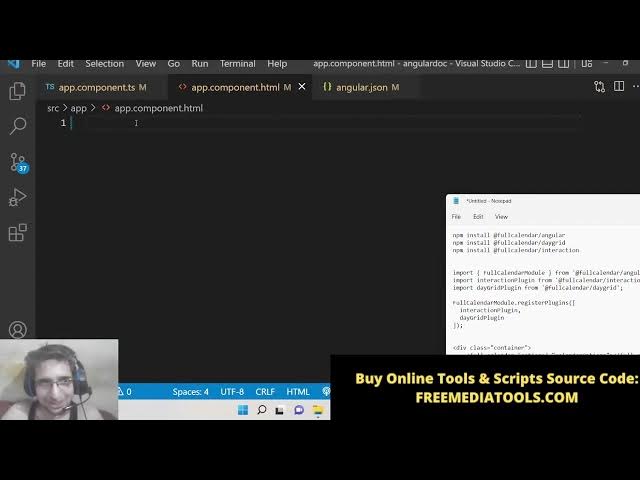
app.component html file. So here you
5:17
will just need a simple div which will
5:19
have the class container
5:21
and inside this we will embed this full
5:23
calendar such that we can see it inside
5:26
the browser. So here we need to pass a
5:29
attribute to it of options which we will
5:32
initialize in the tab type script file.
5:35
So calendar options. So just initialize
5:38
this. So now close this. Now we need to
5:41
write this code here. So first of all we
5:44
need to import the calendar
5:50
options from the add the rate full
5:52
calendar/ angular. So import these
5:55
options here. And after that what we
5:57
need to do is that we need to simply
6:00
create a declare a events
6:05
array and then we need to declare this
6:08
calendar options variable which will be
6:11
of the type calendar options
6:15
which we have imported. So also we will
6:17
need a constructor. So just this is
6:19
empty constructor and basically guys
6:22
what we need to do is that we need to
6:24
have a ng on init.
6:27
So basically this is a life cycle method
6:30
of angular application. So whenever your
6:32
components render for the very first
6:34
time this function automatically occurs.
6:36
So here we will be invoking set timeout
6:38
method. So here set timeout simply runs
6:43
the function at a particular time
6:45
period. So after this 35 millisecond
6:48
this function will automatically execute
6:50
every time after this time interval. So
6:54
this will only occur for a single
6:56
period. So here we will initialize
6:58
calendar options. So here the initial
7:00
view of the calendar will be initial
7:03
view.
7:04
This will be called as day grid month.
7:10
So monthly wise we will display the
7:12
calendar and then whenever you click on
7:14
the individual date we will this dot on
7:17
date click we will execute this method
7:21
we will bind this this like this and
7:25
lastly we need to have events events
7:27
will be equal to this doevents dot set.
7:31
So now we need to initialize this
7:32
function guys. It is creating this
7:34
error. So we need to write this function
7:36
on date click
7:38
and here we will have this response and
7:41
this is date string.
7:44
This will be of the tribe string. So the
7:47
date which the user has clicked. So
7:49
simply we will alert the user that you
7:53
clicked on this particular date such
7:56
that the user will see which date they
7:58
have clicked on. So like this. So now
8:01
the application is complete guys. Now we
8:03
can test it inside the browser. So now
8:05
if you check the command line, it is
8:07
compiled successfully. So if you see
8:08
here, go to localhost 4200. You will see
8:13
this is your calendar being rendered on
8:14
the screen. So basically if you see the
8:17
today's date is highlighted which is
8:19
18th August. And if I go to another
8:22
date, click on it. You will see you
8:24
clicked on this particular date 202246.
8:28
So you can navigate to any future date,
8:29
you can navigate to any month, any year
8:32
accordingly. And if you click on the
8:35
today date, it will be highlighted to
8:37
today's date. So this is a fine little
8:39
library guys which is full calendar
8:41
which is available for angular
8:44
and uh to embed the calendar inside your
8:46
applications. So hopefully you will like
8:48
this video. If you want to get all the
8:50
source code, you can go to the
8:51
description of this live stream and uh
8:54
also get the source code. Please hit the
8:55
like button, subscribe the channel and I
8:57
will be seeing you in the next live
8:59
stream.