Up next in 10

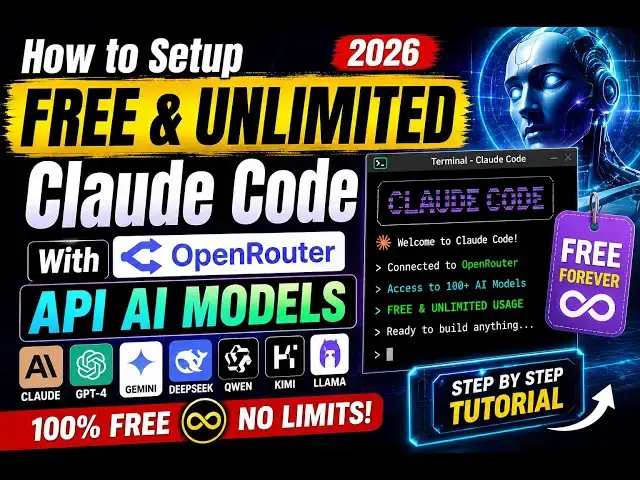
How to Setup FREE & UNLIMITED Claude Code With OpenRouter API AI Models in Terminal Tutorial in 2026
Aug 10, 2026

{
"env": {
"ANTHROPIC_BASE_URL": ";https://openrouter.ai/api",
"ANTHROPIC_API_KEY": "",
"ANTHROPIC_DEFAULT_SONNET_MODEL": "nvidia/nemotron-3-ultra-550b-a55b:free",
"ANTHROPIC_DEFAULT_OPUS_MODEL": "poolside/laguna-s-2.1:free",
"ANTHROPIC_DEFAULT_FABLE_MODEL": "google/gemma-4-26b-a4b-it:free",
"ANTHROPIC_DEFAULT_HAIKU_MODEL": "openai/gpt-oss-20b:free"
}
}
Watch My Visual Studio Code IDE Setup Video For Fonts,Themes & Extensions
https://youtu.be/Bon8Pm1gbX8
Hi Join the official discord server to resolve doubts here:
https://discord.gg/cRnjhk6nzW
Show More Show Less View Video Transcript
0:00
Hello, guys. In this video, I'll show
0:02
you how to set up your Claude code to
0:05
actually use OpenRouter
0:07
models, free models.
0:09
So, in a free and unlimited way. So,
0:11
this is a complete setup video. I will
0:13
show you how to use OpenRouter.
0:15
OpenRouter, if you don't know, it's a
0:17
website where it provides you free API
0:19
keys
0:20
to use unlimited AI models.
0:23
So, the very first thing you need to do,
0:25
you need to have Claude code installed.
0:27
So, I'm assuming that you have already
0:29
have installed Claude code. So, go into
0:31
the project directory
0:33
wherever you will be developing this.
0:35
So, you need to create a folder.
0:37
So, this folder name will be dot Claude.
0:41
So, simply create a brand new folder.
0:44
Dot will be there. Dot Claude.
0:48
So, after creating this folder, we need
0:49
to create a file here, which will be
0:51
settings
0:53
dot local dot JSON.
0:57
So, we'll be creating some settings for
0:59
our Claude code settings. dot local dot
1:02
JSON. So, first of all, create this
1:04
folder and then create this file.
1:07
And this code I will paste it. I've
1:09
given this code in the description of
1:10
the video. So, this code does just
1:13
contains the base URL, Anthropic base
1:16
URL. So, we have pasted the
1:18
openrouter.ai/api.
1:20
This will be the base URL. Then, we have
1:23
the API key.
1:24
This API key you need to get from the
1:26
dashboard. So,
1:28
once you log in with your Google
1:30
account, a free account on OpenRouter,
1:33
go to the API key section and create a
1:35
new API key
1:39
and click on create. So, this will give
1:41
you this API key for you.
1:43
So, simply paste this API key. I've
1:45
already pasted it. Then, we have these
1:48
four models.
1:49
Default, Sonnet model,
1:52
Opus,
1:53
yeah, Sable and Haiku.
1:56
So, I pasted these free models which are
1:59
available in open router, if you don't
2:01
know.
2:03
So, if you go to the open router
2:05
website,
2:07
just go inside the menu.
2:09
We have called as models.
2:11
So, here are all the models which are
2:14
there in open router website.
2:16
So, right here in in the search bar, you
2:18
can search for these models which are
2:19
completely free.
2:21
So, if you search in the free,
2:23
the this will give you all the free
2:25
models. So, you just need to copy the
2:28
model ID. So, just hit this copy button.
2:33
And simply paste these four models. You
2:35
can choose from any four models right
2:37
here.
2:38
These are all the free models which are
2:40
there. Simply choose any four models and
2:43
paste the model IDs right here. I've
2:46
already pasted it.
2:48
As you see, Nvidia pool side, Google
2:50
Gemma 4,
2:51
OpenAI GPT.
2:53
So, now I will open the Claude code in
2:55
the terminal. Let me just
2:57
simply open terminal
2:59
and simply type Claude.
3:01
So, this will open Claude code as you
3:03
see that uh let me
3:06
fix some mistakes if
3:09
just remove this comma right here.
3:18
So, just type here Claude
3:20
after you created this settings file.
3:23
And now you will be redirected to this
3:25
interface. So, you simply type {slash}
3:28
models.
3:30
And here you will see all the free
3:32
models which will be appearing right
3:33
here. So, this is our free model, free
3:35
model, free model.
3:40
So, select any model here
3:42
and type a message, "Hi."
3:45
So, now you will see that will respond
3:47
to you, "Hello, what can I do?"
3:50
Let me ask a question, top Node.js
3:52
frameworks in 2026.
3:55
So, you can ask any kind of question, so
3:58
it will respond to you.
4:00
As you see, it is consuming these
4:02
tokens, but these are completely free
4:04
models, so it doesn't cost you.
4:09
So, in this easy way, you can see it
4:11
gives you the top Node.js models in
4:13
2026. It is really fast. And now, let me
4:17
create an application, so I simply tell
4:19
Claude build a image to PDF
4:22
web app in browser and create a
4:26
index.html file with all the features.
4:31
So, I simply type this prompt here, and
4:33
now as you see, Claude code will start
4:35
preparing this application for us.
4:38
So, this is a ultimate setup, guys, by
4:41
which you can use Open Router.
4:44
This is a free website where you can
4:46
create an account right here for
4:48
completely free. So, as you can see, we
4:50
have created a free account using my
4:52
Google account. So, go to the search
4:54
bar, simply type free, and these are all
4:57
the free models you can directly use.
5:00
And the setup is really simple that I
5:02
showed you.
5:04
Simply create a folder claude.claude
5:07
settings.local.json,
5:09
so I've given the code in the
5:11
description of the video. Simply paste
5:14
your own API key, and rest of the things
5:16
will be constant.
5:18
So, just copy the code from the
5:20
description, and paste your API key and
5:22
start developing the projects.
5:25
So, I'm using this setup for past 6
5:27
months, and I haven't encountered any
5:30
subscription notice. So, these are all
5:32
the free models which are there on Open
5:34
Router website.
5:37
So, once it completes, you will see the
5:39
file will be created. So, it's still
5:41
creating it. So, as you can see, the
5:43
tokens are being consumed.
5:47
So, it's really fast in creating full
5:50
stack coding applications. You can do
5:52
anything with this cloud code setup.
5:57
So, this is a free unlimited setup with
6:00
open router.
6:02
Very simple.
6:03
You will not be
6:05
spending any kind of money.
6:12
And it is really effective. It will save
6:14
you a lot of time. I have used it.
6:20
It is little bit slow because it's using
6:22
the free models, but at the end of the
6:24
day you are not spending any kind of
6:26
money. So, it's completely free and
6:28
unlimited.
6:29
And it
6:31
does the job for you.
6:34
The application created will be very
6:36
awesome.
6:37
So, as you can see it's still creating
6:39
the application.
6:41
2 minutes have been gone. It's still
6:44
consuming the tokens.
6:54
So, once it is completed, you will see
6:56
the syntax.html file will be created.
6:59
So, this is a setup, guys. Definitely
7:01
use it. Please hit that like button.
7:03
Subscribe the channel as well.
7:06
And comment on this video whether you
7:07
like the setup or not.
7:12
I really like the setup. Personally, I
7:14
use open router a lot because it
7:17
contains free models.
7:20
So, these are all free models which are
7:22
there.
7:35
So, as you see it's still consuming the
7:37
tokens. 8,600 tokens have been consumed.
7:43
So, once it finishes, guys, you will see
7:45
the application created. So, thank you
7:47
very much for watching this video.
#Jobs & Education