Up next in 10


Get the full source code of application here:
Show More Show Less View Video Transcript
0:00
Uh hello guys, welcome to this video. So
0:02
in this video I'll show you a VS code
0:04
extension for NestJS framework. So you
0:08
can generate NestJS files directly from
0:10
your command pallet in VS code. You
0:13
don't need to remember those command. So
0:15
this is the extension here NestJS file
0:17
generator and you first of all click the
0:20
install button. just activate this
0:22
extension and after activating this
0:25
extension it will actually add this
0:27
option right in the context menu.
0:31
So once it is enabled you simply
0:36
create a new folder here in which
0:40
you need to create those files. So
0:42
simply right click and you will see this
0:44
option appearing which is
0:48
nest file generator. If you see
0:58
if you drag down you will see this
1:00
option appearing nest JS
1:08
or you can even go to command pallet. If
1:10
this option is not appearing simply
1:12
search nest
1:15
and you will see this appearing option.
1:17
You can generate a controller class
1:19
everything simply select and just give
1:22
it a folder name. So I will say files
1:26
and just name your controller and then
1:29
it will create this all all the boiler
1:32
plate code will be generated for you.
1:34
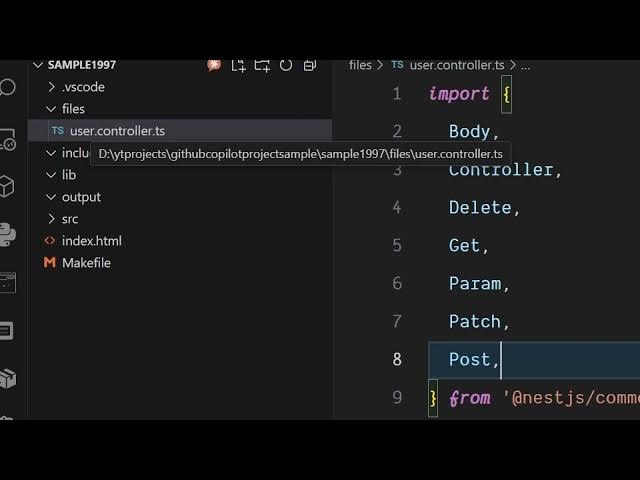
This file is successfully created here
1:36
inside your files directory user
1:39
controller.typescript
1:41
and this is your nest controller.
1:44
Similarly, if you now right click, it
1:45
will now add this option directly inside
1:47
your context menu. So here from this,
1:50
you can actually generate all sort of
1:52
files here. Class, controller,
1:53
decorator, exception, filter.
1:56
You can generate a service as well. So
1:59
just create
2:01
another folder here services. Name your
2:04
service.
2:05
And now it will create this user
2:08
service.ts file. And all the boilerplate
2:11
code will be generated. So you don't
2:13
need to manually create these files.
2:15
Instead you can simply install this
2:17
extension and just it will add this
2:19
option right here.
2:21
A series of files you can generate here.
2:26
Let's suppose you want to create a
2:27
class.
2:34
Enter the type.
2:39
So it will create a user class file as
2:41
well. So definitely install this
2:44
extension. It's all in one NestJS CLI
2:47
integrated inside VS code. So definitely
2:50
it generates all sort of components
2:52
classes of NestJS directly inside VS
2:55
Code.