Up next in 10

VSCode Codeium & Windsurf AI Code Assistant & Autocompletion OpenSourceAlternative to Github Copilot
Mar 2, 2025

Get the full source code of application here:
Watch My Visual Studio Code IDE Setup Video For Fonts,Themes & Extensions
https://youtu.be/Bon8Pm1gbX8
Hi Join the official discord server to resolve doubts here:
https://discord.gg/cRnjhk6nzW
Visit my Online Free Media Tool Website
https://freemediatools.com/
Buy Premium Scripts and Apps Here:
https://procodestore.com/
Show More Show Less View Video Transcript
0:00
uh hello guys welcome to this video so
0:02
in this video I will show you a GitHub
0:04
co-pilot alternative free open source in
0:08
vs code so there is an extension here
0:10
codium which is called as simply go to
0:12
the extensions tab just write codium and
0:15
this is actually the first extension
0:17
which comes here they have their own
0:20
website as well so this is their
0:22
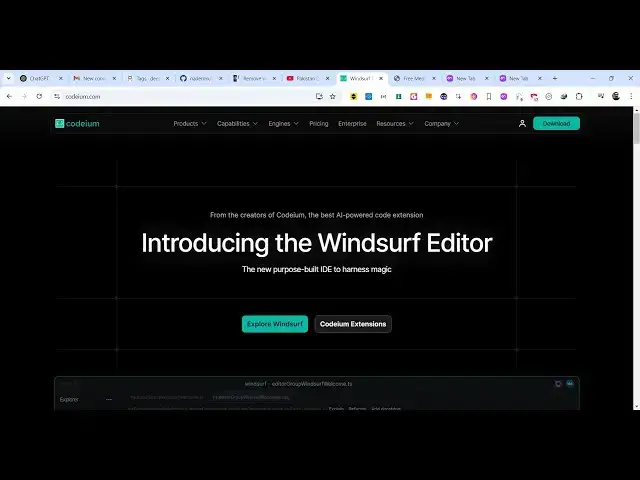
official website coding.com
0:25
and the pricing it does offer paid plans
0:29
as well but you you can use it
0:30
completely for free forever you will see
0:33
that they do offer a complete IDE has
0:38
wind wind Sur editor if you want to
0:40
download that you can easily download
0:43
this which is around
0:45
122 megabytes
0:47
so or you can install this extension as
0:50
well for vs
0:52
code for which provides all the features
0:56
as soon as you activate this extension
0:58
you will see the EXT
1:00
mention wants to login so you just click
1:03
allow and just open the website and
1:07
login with your Google account here so
1:10
just grant the
1:16
permission so after you grant the
1:18
permission right here you will see it
1:20
will redirect you back to vs
1:27
code so here you just you see welcome
1:31
back to codium coding s and
1:44
then you open your file
1:50
here you will see uh all these options
1:52
would appear as you type a file
1:56
here or you can sub just type control
1:59
shift p and just search here
2:04
codium you can see open
2:08
chat so it will open the chat in side by
2:11
side you will see that so here you
2:16
can ask any question so let's suppose I
2:20
say build a
2:22
react
2:27
calculator so it will now gener the
2:30
response for you and you can see it's
2:32
completely free and it's better than
2:35
GitHub co-pilot without any restrictions
2:37
you can use this extension for
2:39
completely free they do offer the free
2:42
plan as or paid plans as well but I
2:45
think the free plan is more than enough
2:48
and now what you can
2:50
do you can insert this so clicking this
2:54
these two buttons are there if you see
2:56
copy or insert so if you try to open
2:59
this with live server so this
3:12
is I think what kind
3:17
of I think some kind of syntax
3:32
you can say correct the
3:40
error I think it's come very fast as
3:43
compared to GitHub co-pilot as well I
3:46
use both the extensions but I prefer
3:48
this one codium it's really fast in
3:52
generating the responses
4:09
can see build a simple
4:16
calculator you can have also have this
4:22
inline if you just say
4:28
codium popup chat as well you can also
4:32
open this in a different window as well
4:36
so it will look something like this in a
4:39
separate window you can open this window
4:42
so it creates some more space so now you
4:47
can see that
4:57
so control shift p is the short key that
5:00
I'm writing right here codium and all
5:02
these options are available open chat
5:06
in
5:09
editor so right here you can open the
5:12
chat right here
5:20
also you can even let's suppose you want
5:25
to generate
5:32
so there will be this button available
5:34
control I can press this
5:40
keyboard let's suppose I say
5:45
design build a image converter and
5:51
browser so it is now writing this code
5:53
here if you see
5:57
that so shortcut key is contr contr I
6:00
which
6:06
will now you can either accept or reject
6:09
it so if you click
6:12
accept can
6:13
[Music]
6:18
see you can see it has converted this
6:24
image very
6:26
simply so you can basically generate or
6:30
make any sort of web app using this codm
6:32
extension control I is the shortcut key
6:35
you can just say modify this to make a
6:40
video
6:41
converter so now it will analyze the
6:44
code and now it will
6:45
replace instead of image converter it
6:48
will do
7:00
control I just say make
7:04
a
7:06
video or image to video
7:14
app you can see that again it is writing
7:16
the code here you can just see the speed
7:19
speed of generating the code so if you
7:22
are interested click on accept
7:35
and if you are getting some kind of
7:37
problem here in this code if you see
7:39
fail to execute you can just copy this
7:42
error message and just
7:45
uh again type
7:49
uh control I and just paste this
8:02
or you can paste this error message here
8:04
also I'm getting
8:09
this so now it will give you potential
8:12
Solutions so that you can modify your
8:16
code you can see it is giving you some
8:18
solutions use images from the same
8:21
origin all this
8:25
stuff so you can basically generate any
8:29
code here guys you can even gen generate
8:32
PHP code python code as well so it is
8:35
not restricted to only one
8:37
language python script to add two
8:48
numbers so you can see that you can even
8:51
say generate comment as well can see it
8:55
also generate comments as
8:57
well format Ed comments so you'll see
9:01
that it tells you exactly what the code
9:04
is doing
9:06
and let's suppose PHP
9:09
code PHP
9:13
script to make a image
9:19
converter just write the prompt here and
9:22
then it will generate the code for you
9:39
and see that now this is actually a PHP
9:47
project so just make sure that you
9:49
create uploads directory
9:59
and now once again run
10:14
this can see that
10:23
so so you can see the files are
10:26
successfully uploading so in this way
10:29
guys you can generate any code it's a
10:32
very good extension it's completely free
10:35
and it's a very good alternative so go
10:37
to you can even install their
10:41
IDE
10:42
so if I show you I install their ID
10:48
is wind surve is called as so you can
10:51
run the
10:53
setup accept the agreement
11:01
so it is just installing their own ID
11:04
which will be more
11:05
productive if you don't want to use the
11:07
extension you can install their own IDE
11:36
so just
11:38
click you can start fresh or you can
11:41
import from vs code as well so I just
11:44
need to
11:45
click whatever is your can select the
11:49
theme as
11:50
well can
11:52
login it will just need to Grant the
11:55
permission so
12:00
so you can see that
12:07
so so it basically gives you 15 days of
12:12
free trial here you can
12:26
actually it's similar to vs code but uh
12:28
it's slightly different in the
12:31
functionality interface exactly look
12:33
like vs code you will see click on
12:37
accept it will generate the command here
12:40
and
12:46
uh so it is actually running this
12:49
terminal command here so this is the
12:52
location where it will store all your
12:55
projects so create react app is
12:58
depreciated as
13:00
so by default it is located on the C
13:04
users so whatever is your username
13:07
so so whatever is your username and it
13:11
will create a new directory Cascade
13:16
projects so it has created this
13:18
directory calculator
13:38
so in this way you can actually install
13:41
codium I showed you step by step if you
13:44
are interested you can enroll in their
13:47
Pro Plan but uh the free plan is more
13:50
than enough you can install their own
13:53
editor as well so thank you very much
13:55
for watching this video and also visit
13:57
my website as well freem mediat
13:59
tools.com uh which contains thousands of
14:02
tools regarding audio video and image
14:05
and I will be seeing you in the next
14:06
video
#Programming
#Development Tools