Up next in 10


Get the full source code of application here:
Show More Show Less View Video Transcript
0:00
Uh hello guys, welcome to this video. So
0:02
in this video, I'll show you how to
0:04
preview and render Excel files and CSV
0:08
files right in the VS code itself. So by
0:11
default, if you select a Excel file, if
0:13
you want to open it inside VS Code, the
0:16
file cannot be displayed. You will get
0:18
this warning. And for this, you need to
0:22
install one extension. For this, which
0:24
is Excel viewer. If you go to the
0:27
extensions tab, just type Excel view.
0:29
This is the extension. It lets you edit
0:32
or view your Excel files and CSV files
0:35
directly inside VS Code. And simply
0:38
click the install button. And after you
0:40
install it, now you will be able to open
0:43
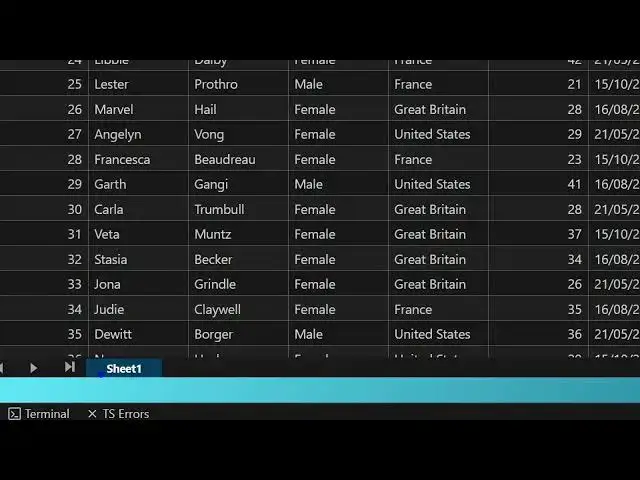
this Excel file directly with a nice
0:45
little editor. So here you can make any
0:48
sort of changes to the Excel file
0:50
directly inside VS Code. As you can see,
0:52
it will save you a lot of time as well.
0:56
You can even change the column name as
0:58
well like this.
1:02
This is your sheet one. So you can
1:04
easily see the content of this Excel
1:06
file and easily edit the file as well.
1:09
So it is automatically been saved. And
1:13
then we also have the CSV file as well
1:15
which also
1:19
displays very easily.
1:22
So you can see this is the actual
1:31
uh extension which allows you to edit
1:33
your Excel's file directly inside your
1:36
VS code. This is the extension
1:38
Excel spreadsheets. So once you open
1:41
this, you will be granted with this nice
1:43
little editor where you can edit your
1:45
Excel files directly.
1:48
So typically VS Code doesn't have any
1:51
built-in editor for Excel files, but
1:52
this extension solves the problem. So
1:55
simply install this extension and start
1:57
using it and editing your Excel files
2:00
directly.
2:06
So, thank you very much for watching
2:07
this video and also check out my website
2:10
freemediatools.com
2:11
uh which contains thousands of tools.
#Programming