0:01
Hello guys, in this video I'll show you
0:03
an all-in-one AI assistant
0:07
for coding, for generating images,
0:10
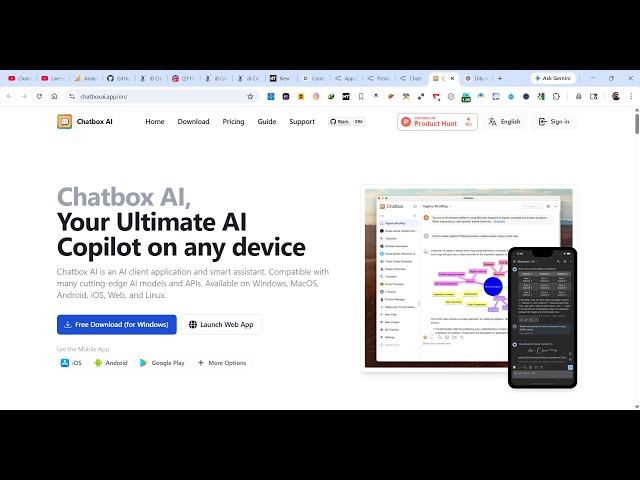
videos. So, this is called as Chat Box
0:13
If you simply search on Google, the very
0:16
first result which comes, Chat Box
0:20
So, it's actually kind of a co-pilot for
0:25
It's available for Windows, or you can
0:27
use their web app as well.
0:30
It's available at web.chatboxai.app.
0:34
So, it's an all-in-one AI assistant for
0:37
building full-stack coding applications,
0:39
or you can even build out
0:41
images as well. So, you will see that it
0:44
will look something like this in the
0:47
You will exactly tell what sort of
0:49
application you want to
1:00
Chat Box AI. So, first of all,
1:05
Just select your model, whatever model
1:09
Let me type the question here. Build a
1:17
Simply send out this request.
1:20
From here, you simply need to select the
1:25
So, whatever model that you're using,
1:27
you need to set up first of all, open
1:29
AI. You need to provide the API key.
1:33
Gemini, from here, you can select the
1:38
And paste the API key.
1:42
Same goes for all all the models. So,
1:45
you can even host your own model as
1:47
well. Provide the link from here, and
1:55
And this is open router. You can use any
1:59
model, for example, the free one.
2:25
So, first of all, you need to authorize
2:30
Provide your email address.
3:33
can claim the free plan. So,
3:36
get free access. So, simply send out the
3:44
Now, you get the free access here. Now,
3:46
you can actually use this.
4:02
So, you can even download its uh desktop
4:04
application. It's also available on
4:08
Just 194 megabytes. So, definitely check
4:11
this out. It's really popular product
4:15
Completely open source as well. They
4:17
have their own GitHub repo as well.