0:00
Uh hello guys, welcome to this uh video.
0:02
So in this video I'll show you I built
0:04
out a Adobe Acrobat uh clone PDF editor
0:07
directly in browser using swelt. So we
0:10
are running this application on local
0:11
host and this is a complete swelt
0:14
project as you can let me show you the
0:16
actual source code right here. It's
0:19
built using the latest version of swelt.
0:22
Swelt is a very famous framework. If
0:24
you're watching it you will definitely
0:26
know. So we are using this. So if you
0:30
want the full source code, I have given
0:31
the link. You can directly purchase the
0:33
source code. After purchasing it, you
0:35
will get the source code from Google
0:36
drive. So each component as you will see
0:39
it's actually divided into various
0:41
components. So everything is
0:43
customizable. Once you purchase the
0:45
source code, you will be able to run
0:47
this application locally and also it
0:50
will be easy for you to deploy this
0:51
application as well. So we are running
0:53
this on local host. So now it has
0:57
started this application on localhost
0:59
5000. So it's very easy. You first of
1:02
all select a PDF file that you want to
1:04
edit. As soon as you select the PDF
1:06
file, it will display all the two pages.
1:09
And now we have these buttons right
1:11
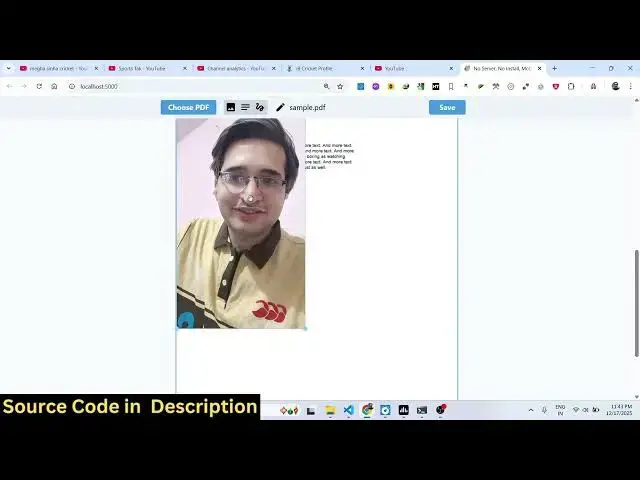
here. We can add text images.
1:14
So we can also if I want to add a image
1:18
I simply select that image and then I
1:21
can resize it place it accordingly
1:23
however I want to add this we can come
1:27
to the next page add this image again as
1:31
you can see how easy it is it will save
1:33
you a lot of time once you purchase it
1:36
you will be able to get this entirety
1:39
and then we also have the option to add
1:44
So here you can adjust the size here
1:48
and the size here. You can just see
1:50
here. So it's very easy. You basically
1:54
and then you can place it accordingly
1:57
wherever you want to place it. This is
2:01
field here. As you can see add text
2:16
you can place it accordingly and then we
2:19
also have the option to digitally sign
2:22
just your signature and you basically
2:25
can embed this signature anywhere. After
2:28
that you simply click the save button to
2:31
actually save all the changes and then
2:33
it will download the output file for you
2:36
containing all the images, text, digital
2:39
signature everything. So your PDF file
2:41
is successfully uh modified, edited. So
2:45
it's a single page application. There is
2:47
no back end to it. Everything is
2:49
happening directly in the browser. You
2:51
can directly purchase the source code
2:53
guys. It's entirely built in the swelt
2:56
framework. As you can see, we are also
2:58
using Tailwind CSS as well. So, the link
3:01
is given in the description. Everything
3:02
is customizable. Uh it will be very easy
3:05
for you to customize or add additional
3:08
features on top of this. So, it directly
3:11
runs in the browser as you can just see
3:13
right here. And I shown you the demo and
3:16
if you face any sort of problem, you can
3:18
contact me after purchase.
3:20
Uh so, you will not face any problem.
3:22
You will be able to run this perfectly.
3:25
just just I am uh shown you in this