Up next in 10

Build a Audacity Clone Audio Speed & Pitch Editor in Browser Using Wavesurfer.js Library in Javascri
Mar 12, 2026

Buy the full source code of application here:
https://procodestore.com/index.php/product/build-a-audacity-clone-audio-speed-pitch-editor-in-browser-using-wavesurfer-js-library-in-javascript/
Live Demo of App:
https://freemediatools.com/pitchandspeedshifter/
Show More Show Less View Video Transcript
0:00
Uh hello guys, in this video I'll show
0:02
you I built out a O Audacity clone audio
0:04
speed and pitch editor directly in
0:07
browser using the wave server library.
0:10
This is actually the full source code of
0:12
this uh this is entirely built inside
0:15
JavaScript. As you can see all the files
0:17
are customizable and this is your single
0:19
index html file which you will basically
0:23
run inside VS code. Just start a live
0:28
server. So it's a static application
0:30
similar to Audacity which is actually a
0:33
very popular editor for sound for
0:36
editing your sound which is a desktop
0:38
app but this runs in directly in the
0:40
browser. So if you're interested in
0:42
purchasing the source code the link is
0:44
given in the description after that you
0:46
will get the source code from Google
0:47
Drive automatically. So what this
0:49
application does, it actually allows you
0:52
to simply select whatever [snorts] file
0:58
you can actually select a song, MP3
1:00
song, wave song. After that, construct
1:03
this waveline structure as you can just
1:05
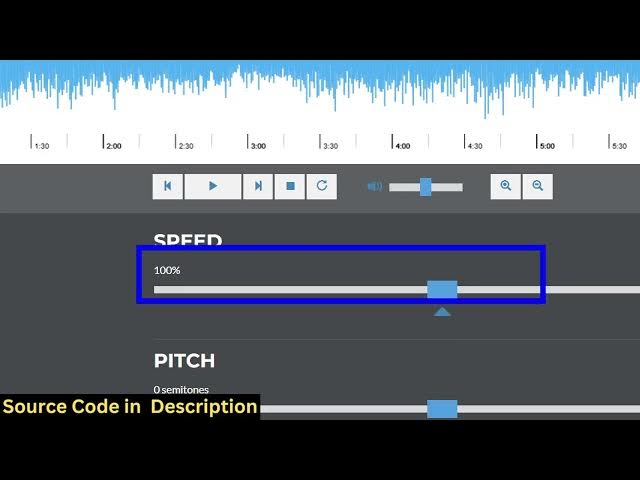
see here and based upon that using these
1:08
sliders you can adjust the speed of the
1:11
song, the pitch of the song, everything
1:13
you can control, customize. So
1:14
everything plays. So you have the play
1:18
button. So once you click the play
1:19
button the audio will play. So due to
1:22
copyright issue I can't play the audio
1:23
but you can choose any sort of song. It
1:27
can be MP3 song. It directly edits it
1:30
directly plays and using these sliders
1:33
you can adjust the sound speed and pitch
1:36
and accordingly it will adjust. So if
1:40
you're looking forward for trying this
1:42
out I have deployed this. So before
1:45
purchasing it, check the full
1:46
description link. So this is actually
1:48
the demo right here. You can actually
1:51
check out the live demo and then select
1:54
the file. After that, it will construct
1:56
the waveform for you.
1:59
And right here you will see that using
2:01
these sliders you can actually use this
2:03
application before purchasing it. So if
2:06
you like it then you can see the this is
2:10
actually the full source code here. It's
2:12
entirely built-in HTML, CSS and
2:14
JavaScript. And specifically for this,
2:16
we are using this wave surfer JS library
2:20
which is a JavaScript library for
2:23
manipulating audio files directly in the
2:26
browser. It's an open-source library. So
2:29
we are actually using this library for
2:32
building out this audio based editor
2:34
directly in browser similar to Audacity.
2:38
So if you're looking forward for
2:40
purchasing it, the link is given in the
2:42
description. You can directly purchase
2:45
it.