Up next in 10 CANCEL
PLAY NOW
Wrong Size in AutoCAD? Use SCALE, Not UNITS #autocadblocks #autocad #engineeringdesign #cadbury Feb 10, 2026
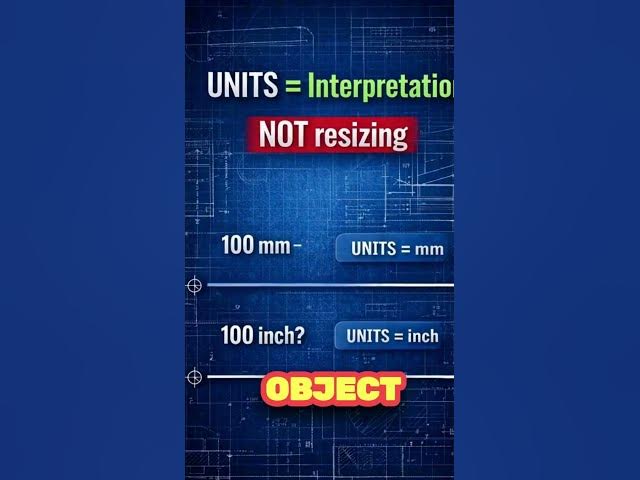
If your AutoCAD drawing is the wrong size, changing UNITS will not fix it.
When you type 100 in AutoCAD, the software only stores a number.
It doesn’t know whether you meant millimeters or inches.
UNITS only control how values are interpreted.
SCALE is what actually resizes your drawing.
This short explains the difference clearly and shows the correct way to fix size issues.
Perfect for AutoCAD beginners and civil engineering students.
Show More Show Less Recommended Videos
play_arrow
1:12
play_arrow
0:49
play_arrow
6:35
play_arrow
2:29
play_arrow
3:28
play_arrow
7:52
play_arrow
2:17
play_arrow
3:48
Nov 18, 2025 Looper
play_arrow
0:16
play_arrow
1:18
play_arrow
18:20
May 29, 2026 IGN
play_arrow
12:27
play_arrow
28:12
play_arrow
0:57
Wrong Size in AutoCAD? Use SCALE, Not UNITS #autocadblocks #autocad #engineeringdesign #cadbury
Feb 10, 2026
2
1:12
UNITS vs INSUNITS: Why Your Blocks Scale Wrong. #autocad #engineeringdesign #autocadblocks
Feb 14, 2026
3
17:22
AutoCAD LIMITS Command Explained Properly (2026) | CAD Essential Series
Feb 23, 2026
4
12:23
Why AutoCAD Exists | History & Foundations (Day 0)
Jan 3, 2026
5
2:38
Every Site Engineer Should Know This! Slab Reinforcement Inspection Step-By-Step
Nov 16, 2025
6
1:30
Fascinating Civil Engineering Facts | TheCivilStudies"
Oct 6, 2023
7
17:41
AutoCAD Interface Explained | Day-1A Beginner Guide (Workspace, Drawing Area, Command Line)
Jan 12, 2026
8
50:57
AutoCAD Interface + OSNAP (F3) (Beginner) | Ribbon, Command Line, Status Bar Explained (Part 2)
Jan 25, 2026
9
1:34
indian construction Industry Booming
Oct 6, 2023
10
0:49
Most AutoCAD Learners Fail Because of This One Mistake #drafting #architecture #house
Jan 12, 2026