0:00
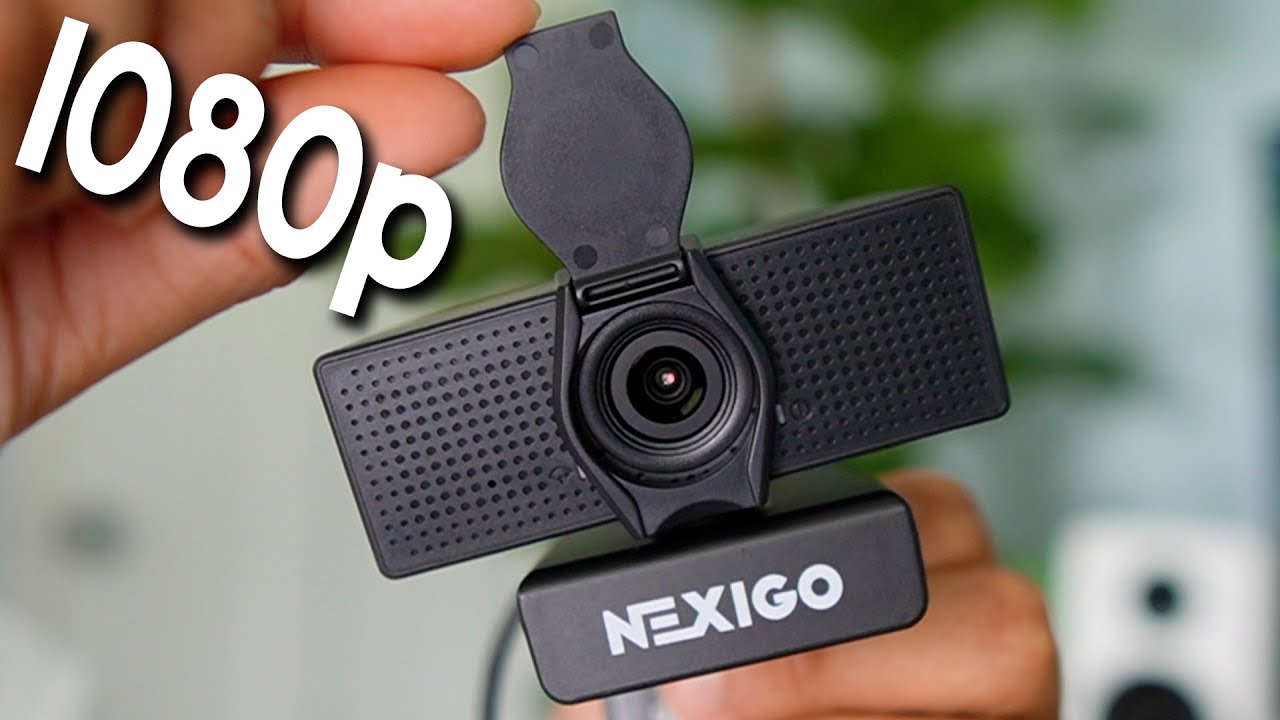
Today I'm taking a look at this Nexco N60 webcam so let's see how well this works
0:05
Now inside the box we're going to have the user manual, the cap for the webcam
0:10
and finally the webcam itself. And so here it is, it's a fairly small and we also have the swivel
0:18
on it so it makes it easy to adjust it. We got the speakers, we got the microphone in the front
0:23
got the logo over here and this also moves to adjust to the depending on how big the monitor
0:30
is and this of course is going to be USB-A so let me plug it into my monitor and see how well this is
0:36
all right so I put it on top of my monitor and this end up being the perfect width for it now
0:40
the last thing to do is to put this cap on and there so now when not in use we can cover it and
0:47
when in use we can open it up just like so so now let me pull up the camera app and see how this
0:52
looks like. All right so the webcam is connected and I want to make sure I have the correct audio
0:56
so the Nexigo N60 FHD webcam audio is put. So now let me start the recording and let's see how the
1:04
sound looks like for this. All right so right now you're hearing through my current microphone the
1:09
mic I'm using right now as you see here and now let's switch over to the Nexigo right now. So this
1:15
is what the microphone sounds like on the Nexigo. I'm currently probably about 14 inches away from
1:21
the camera from the microphone and as I move closer the mics probably gonna be a
1:25
little bit better and a little bit better and a little bit better over here so it might be much louder now let me go back now an appropriate distance I would
1:32
use this webcam would be just like this and if you want to know the exact distance I have my measuring tape so from here all the way to my mouth it's
1:42
roughly 20 inches as you can see over here and over here so hopefully the audio
1:50
quality sounds pretty good for this. And that's a quick test of Nexigo webcam