Up next in 10

Balena Etcher - Easily Clone or Create a Bootable USB Drive #bootableusb
Apr 4, 2026
https://pendriveapps.com/clone-usb-iso-to-usb-tool-etcher/
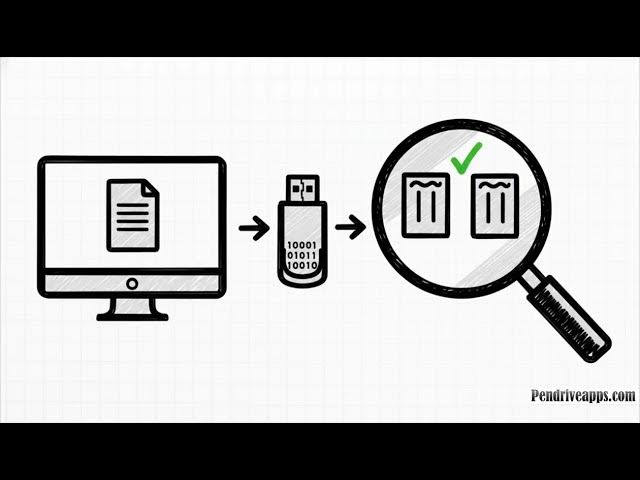
Balena Etcher is a free, open source tool that makes it easy to create bootable USB drives and SD cards from ISO and IMG files. In this guide, learn how to safely flash operating system images on Windows, macOS, and Linux using Etcher’s simple interface, built in validation, and reliable cloning features. Ideal for creating bootable USB installers, recovery drives, and live Linux media, Balena Etcher helps prevent data loss while ensuring accurate and consistent results.
Show More Show Less View Video Transcript
0:00
All right, let's talk about something
0:01
that can be surprisingly stressful for
0:03
pretty much anyone who works with
0:04
computers. Making a bootable USB drive.
0:07
You know that feeling where one wrong
0:09
click could literally wipe out your
0:10
entire system. Well, what if there was a
0:12
tool designed specifically to make that
0:14
almost impossible? Today, we're diving
0:16
into Bellena Etcher. Okay, so just
0:19
picture it. You've got the latest OS
0:21
installer, maybe a new Linux DRO, and
0:23
you need to flash it onto a USB stick.
0:25
You open up some disc tool. You see this
0:28
list of drives and that little voice in
0:30
your head starts whispering, "Wait, is
0:32
that my backup drive?" Or, "Oh no, is
0:34
that my main system drive?" I mean, come
0:36
on. Who hasn't had that split second of
0:38
pure panic? You've got a couple of
0:40
drives plugged in. The names are just a
0:42
jumble of letters and numbers like disc
0:44
2, S1, and you're just crossing your
0:47
fingers hoping you pick the right one.
0:49
That single terrifying moment is the
0:51
exact problem we're talking about. But
0:54
what if you could just make that fear go
0:56
away? What if a tool was built from the
0:58
ground up to prevent that exact
1:00
catastrophic mistake? Well, turns out
1:02
there is, and it's called Bellena
1:04
Etcher. So, what is this thing really?
1:07
Well, Bellena Etcher is a totally free
1:09
and open-source app. Its entire job, its
1:12
whole reason for being is to write image
1:14
files onto USB drives or SD cards. But
1:16
the two most important words you need to
1:18
remember are simply and safely. That is
1:21
its whole mission. And this right here
1:23
is the key difference. See, a lot of
1:25
other tools just throw a bunch of
1:26
powerful options at you and pretty much
1:28
assume you're an expert. Etcher, on the
1:30
other hand, assumes you're human. It's
1:32
built to guide you, to make the whole
1:34
process so clear that it's actually hard
1:36
to mess up. We should probably call its
1:38
best features what they really are, a
1:40
safety net. These are the built-in
1:42
protections working behind the scenes to
1:44
make sure your data is safe and that the
1:46
flash actually works on the first try,
1:48
every single time. So, here's a quick
1:50
look at that safety net. It's open
1:52
source. It works on Windows, Mac, and
1:54
Linux, which is awesome. But what I
1:56
really want to zoom in on are the
1:58
features that make it stand out. Things
2:00
like write validation and its ability to
2:02
flash multiple devices at once. Now,
2:05
this write validation feature is just
2:07
fantastic. After Etcher writes the image
2:10
to your USB drive, it doesn't just call
2:12
it a day. It actually goes back and
2:14
reads the entire drive to make sure
2:16
every single bit perfectly matches the
2:18
original file. Think of it like
2:20
automatic proofreading for your data. It
2:23
guarantees that your new bootable drive
2:25
isn't corrupted and will actually, you
2:27
know, boot. And for all you power users
2:29
out there, this is a gamecher. Imagine
2:32
you're setting up a computer lab or
2:34
deploying a bunch of new machines. With
2:36
Etcher, you can plug in a handful of USB
2:38
drives and flash the same image to all
2:40
of them at the exact same time. It is a
2:43
huge timesaver. Now, of course, Etcher
2:46
isn't the only game in town. To really
2:48
get why it's so special, it helps to put
2:50
it side by side with a more old school
2:51
alternative, something like Win32 Disc
2:54
Imager. Let's see how they compare. You
2:57
can kind of think of it like this.
2:58
Etcher is the modern, safe, polished
3:01
application designed for just about
3:03
everyone. Win32 disc Imager, on the
3:05
other hand, is more like a barebones
3:07
utility. It's lightweight, it's raw, and
3:10
it gets the job done. But their whole
3:11
approach to the problem is completely
3:13
different. And this table just lays it
3:16
all out, doesn't it? Look at the
3:18
difference. Right verification to make
3:20
sure your data is safe. That's a yes for
3:22
Etcher, no for the other. Flashing
3:24
multiple drives at once. Only Etcher.
3:26
And here's the big one. System drive
3:28
protection. The feature that physically
3:30
stops you from wiping your main hard
3:32
drive. Again, only Etcher has it. That
3:35
larger file size isn't just bloat. It's
3:37
the price of peace of mind. It's all
3:39
those safety features and the nice,
3:41
clean interface rolled into one. Okay,
3:43
so whenever we talk about tools that
3:45
mess with disc drives, there are a
3:47
couple of questions that always seem to
3:49
pop up. So, let's just get ahead of it
3:51
and tackle two of the most common ones
3:53
people have when they first use Etcher.
3:56
Ah, the classic. You take a big 64 gig
3:59
USB stick, you flash a 4 gig installer
4:02
onto it, and suddenly your computer says
4:04
the drive is only 4 gigs big. You're
4:07
thinking, "Wait, did Etcher just eat 60
4:10
gigs of my storage space?" Nope. Don't
4:12
worry. This is totally normal and it's
4:14
temporary. What happened is that the
4:16
drive's entire structure was changed to
4:18
perfectly match the image file you wrote
4:20
to it. Your space is not gone forever.
4:22
Once you're done with that bootable
4:23
drive, you just reformat it and boom,
4:25
all of your original space is back.
4:28
Here's another great one. Let's say
4:29
you've already got a bootable USB that's
4:31
set up exactly how you want it. Maybe
4:33
it's a custom repair tool or something.
4:36
Can you use Etcher to just make a
4:37
perfect copy of it? Absolutely. Yes.
4:41
Etcher isn't just for writing ISO files.
4:44
You can actually select another bootable
4:45
USB as your source and Etcher will
4:48
create a perfect bit forbit clone of it
4:50
onto a new drive. It makes duplicating
4:52
your setups incredibly easy. So, when
4:55
you add it all up, the features, the
4:57
incredible safety net, how it compares
4:59
to the alternatives. What's the bottom
5:01
line here? Is Bellena Etcher really the
5:03
right tool for this job? You know, I
5:05
think our source for this explainer, Pen
5:07
Drive apps, really nails it with this
5:09
quote. It is dependable and highly
5:11
recommended for everybody. It doesn't
5:13
matter if you're a total beginner just
5:15
trying to get a Raspberry Pi running or
5:17
if you're an IT pro setting up dozens of
5:19
computers. Etcher just hits that sweet
5:21
spot of being simple and incredibly
5:23
safe. And really, that's what it all
5:25
comes down to, right? The next time you
5:28
have to make a bootable drive, you've
5:29
got a choice. You can use a raw tool and
5:31
just kind of hope you don't click the
5:33
wrong thing, or you can use one that has
5:35
your back. So the real question is when
5:37
it's your data on the line, what tool
5:39
are you going to trust?
#Computers & Electronics
#Computers & Electronics
#Hobbies & Leisure