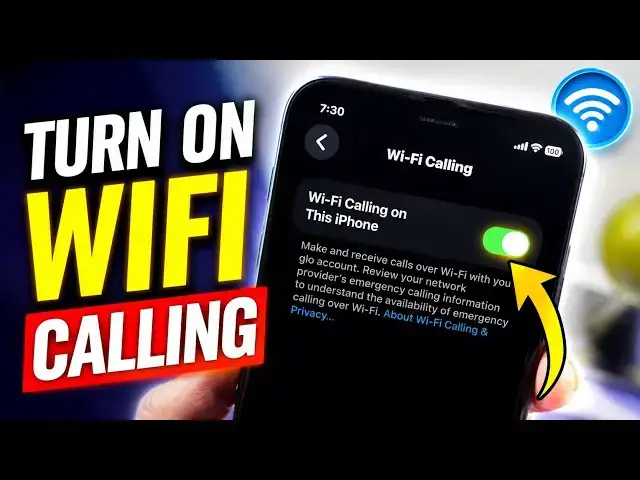

How To Turn On WiFi Calling on iPhone (2026)
Jul 14, 2026

Wondering how to turn on WiFi Calling on your iPhone? In this quick step-by-step tutorial, you'll learn how to enable WiFi Calling in iOS 26 so you can make and receive phone calls over a WiFi network when cellular coverage is poor. This feature is available on supported iPhones with participating carriers in the United States, Canada, UK, and other countries.
In this video:
• How to enable WiFi Calling on iPhone
• Where to find the WiFi Calling setting
If you found this video helpful, don't forget to Like, Subscribe, and turn on notifications for more iPhone tips and tutorials.
:: Mister Mobility's Essentials
These are the gadgets and accessories I personally recommend and use regularly:
• UGREEN Wireless Charger, Qi2.2 Qi2 Certified 25W Fast MagSafe-Compatible Wireless Charging Pad, 5ft Magnetic Charger for iPhone/Samsung/Google phones: https://amzn.to/4gJUiAx
• 5000 mAh Slim Magsafe Wireless Power Bank with USB-C charging: https://amzn.to/4gEHtrc
• Anker USB-C to USB-C Braided Cable, 60W Fast Charging Cable (1FT, 2Pack): https://amzn.to/4aXbkYa
• Anker 140W 4-Port GaN Phone/Laptop/MacBook Charger, USB-C Charger Block with Display: https://amzn.to/3RhW4ym
• SANDISK 1TB Extreme Portable SSD (New Model): https://amzn.to/4hehE1d
As an Amazon Associate, I may earn from qualifying purchases at no extra cost to you.
#wificalling
Show More Show Less