Up next in 10

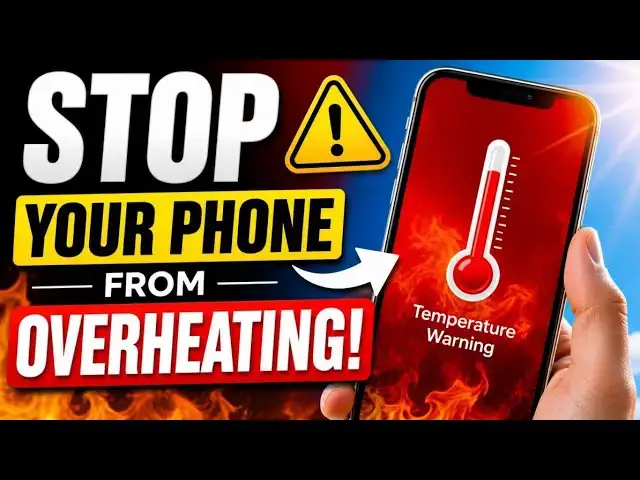
How To Stop Your Phone From Overheating in 2026 (Before It Slows Down or Shuts Off)
May 4, 2026

This is 2026. Stop your phone from overheating by tackling the real causes, not just the symptoms. Your phone doesn’t just “get hot.” It overheats when a few hidden triggers stack up at the same time.
It’s usually a combination of heavy usage, charging, poor signal, and environmental heat stacking together. Even on major US networks like Verizon, AT&T, and T-Mobile, weak coverage can quietly push your phone to run hotter than usual.
Kill those triggers, and the heat disappears just as fast.
:: Mister Mobility's Essentials
These are the gadgets and accessories I personally recommend and use regularly:
• UGREEN Wireless Charger, Qi2.2 Qi2 Certified 25W Fast MagSafe-Compatible Wireless Charging Pad, 5ft Magnetic Charger for iPhone/Samsung/Google phones: https://amzn.to/4gJUiAx
• 5000 mAh Slim Magsafe Wireless Power Bank with USB-C charging: https://amzn.to/4gEHtrc
• Anker USB-C to USB-C Braided Cable, 60W Fast Charging Cable (1FT, 2Pack): https://amzn.to/4aXbkYa
• Anker 140W 4-Port GaN Phone/Laptop/MacBook Charger, USB-C Charger Block with Display: https://amzn.to/3RhW4ym
• SANDISK 1TB Extreme Portable SSD (New Model): https://amzn.to/4hehE1d
As an Amazon Associate, I may earn from qualifying purchases at no extra cost to you.
#phoneoverheating
#overheatingfix
#overheating
Show More Show Less View Video Transcript
0:00
You can stop your phone from overheating
0:02
by tackling the real causes,
0:05
not just the symptoms. Many times,
0:08
people are trying to tackle the
0:10
symptoms. Phones don't just heat
0:13
[snorts] up.
0:14
Something triggers the heat.
0:18
It's usually a combination of heavy
0:20
usage, charging, poor network or carrier
0:23
signal, and then environmental heat, all
0:27
stacking up on one another. It's usually
0:30
not just one thing at a time. Kill these
0:33
triggers and the heat just disappears.
0:36
Now, I'm going to go into details.
0:45
>> [music]
0:48
>> To start with,
0:50
if you are in a sunny place and your
0:52
phone begins to heat up,
0:55
the first thing to do is to get out of
0:56
the sun,
0:58
or put the phone away. Put it in your
1:00
pocket, put it in a bag, shield it from
1:03
the sun. It's just that simple.
1:06
If your phone begins to heat up while
1:10
you're out under the sun, the first
1:13
thing to do
1:14
is to shield that phone from the sun.
1:17
Get under a shade, get into a cool
1:20
building, get under a tree,
1:23
put it in your bag, put it in your
1:25
pocket,
1:26
but get your phone away from the sun.
1:33
If you are using your phone for a heavy
1:35
task and you're charging it at the same
1:37
time, and it begins to feel warm,
1:40
you need to stop charging it,
1:43
or you need to stop doing whatever it is
1:47
that you are doing with it.
1:49
One of those must give way.
1:53
If you're playing
1:54
games on your phone, or watching YouTube
1:57
videos or TikTok videos
1:59
while charging
2:01
and the phone begins to get hot. Either
2:03
put the phone down and let it charge
2:06
or unplug it
2:09
while you keep watching your videos or
2:11
playing your games.
2:13
Having both going on at the same time is
2:16
a recipe for disaster. You're going to
2:17
kill your phone's battery
2:19
much faster.
2:26
Some will tell you kill background apps.
2:29
There are apps in the background, you
2:31
know, generating heat because they are
2:34
using up a lot of system resources.
2:36
That's generally bad advice in 2026 and
2:40
the reason is that
2:41
modern mobile operating systems are
2:44
already very efficient at killing off
2:47
background tasks.
2:49
You can't get better than those
2:52
operating systems.
2:54
The important thing is to find
2:57
the tasks
2:59
that use up a lot of resources.
3:02
And they're pretty much well known. GPS
3:04
navigation for example, if you're using
3:06
[clears throat] Google Maps
3:08
I assure you
3:09
that is a heavy resource hog.
3:14
For example, when I'm traveling by road
3:16
and using Google Maps
3:19
if I do not have
3:20
a high-rated
3:22
fast charger
3:24
connected to it in the car
3:26
using an ordinary charger means that the
3:28
battery keeps dropping. The battery just
3:31
keeps dropping. I have tested this,
3:33
proven this multiple times over. A
3:36
regular charger that's not rated high
3:39
enough will just deplete the battery
3:42
while Google Maps is running.
3:45
When you get a properly rated fast
3:49
charger
3:50
that's good enough to top it up. Yes,
3:53
that's the kind of charger that keeps
3:56
the battery charging while you're using
3:58
Google Maps. Google Maps is extremely
4:00
resource intensive.
4:02
So, if you're running Google Maps and
4:04
your phone is heating up, look in that
4:06
direction. Chances are that it's one of
4:09
the culprits. Another culprit is what we
4:12
call mobile hotspot or tethering. In
4:14
other words, you're using your phone as
4:17
a hotspot to share your internet with
4:19
other devices.
4:21
It's one of the top heat generators in a
4:25
modern smartphone. I have seen this
4:27
happen. I remember
4:29
cases with
4:30
Google Pixel smartphone I was using.
4:32
Every time I put on the hotspot and use
4:35
it for more than 10 minutes, that phone
4:37
heated up.
4:39
So, if you're using your phone as a
4:41
mobile hotspot and it starts heating up,
4:43
turn it off.
4:45
4K video recording. Now, if your
4:48
smartphone supports 4K video recording
4:50
and you're using it for that and it
4:52
starts heating up,
4:54
boom. Google Pixels again are
4:56
[clears throat] culprits.
4:59
I have experienced it with other phones
5:01
as well, but it was bad on my Pixel
5:04
phones.
5:05
It just always heats up to the point
5:08
where the phone now displays a message
5:10
that it's going to shut down and then
5:11
promptly shuts down. If you're recording
5:14
4K video and your phone starts to heat
5:16
up, it's time to pause that recording
5:18
and let the phone rest for a while
5:21
before you continue.
5:22
I have mentioned games. Not all games,
5:25
but high-performance games have a
5:27
greater chance of producing heat in your
5:30
phone. And if you've been at it for a
5:32
while and your phone is heating up,
5:34
pause the game.
5:36
Just put the phone down and
5:39
give it a break.
5:42
One often overlooked generator of heat
5:46
is poor network signal. If you are in a
5:50
location
5:51
>> [clears throat]
5:51
>> where network signal is poor and your
5:54
phone is struggling to stay connected,
5:57
naturally, the processor is working
6:00
overtime to keep that signal
6:03
and chances are it will heat up. So, if
6:05
your phone starts to heat up
6:07
and you can't figure out why else, check
6:10
your network bars. If you're seeing one
6:12
or two bars, your phone is definitely
6:14
struggling to keep up with that. You can
6:17
toggle it off into flight mode for a
6:19
while so that it rests.
6:21
It's It's can be a nuanced situation,
6:24
but if you want your phone to not
6:26
overheat in a poor network signal area,
6:29
[clears throat]
6:30
even if it's just for a few minutes so
6:31
that it cools down, you need to turn on
6:34
flight mode or what you call airplane
6:36
mode
6:36
and let it rest.
6:38
If you have Wi-Fi present, turn off the
6:42
mobile uh part of a phone, the part that
6:45
connects to the network, and let it use
6:48
Wi-Fi instead. That way, it doesn't
6:51
generate so much heat.
6:56
If you have cranked up your display to
6:59
its maximum brightness, there's a chance
7:01
that it's contributing to whatever heat
7:04
you're experiencing on that phone.
7:06
So, dial it down a little bit.
7:09
A lot of people may not be aware, but
7:11
the displays of modern smartphones are a
7:14
big culprit when it comes to power
7:17
consumption and heat generation.
7:19
So, again, if your phone is heating up,
7:22
you can't seem to figure out whatever
7:24
else is causing it, and the brightness
7:26
is set to a very high point, dial it
7:29
down a little bit and give it time to
7:31
cool down.
7:33
This is a favorite topic of mine.
7:37
That case that you're using with your
7:40
phone, that protective case,
7:42
it's a heat trap. If you live in a warm
7:46
or hot region,
7:48
the tropics for example,
7:50
your case, whether it's plastic, whether
7:54
it's leather, whether it's some other
7:57
material from the moon or from a third
8:00
galaxy somewhere,
8:02
is trapping heat.
8:05
It does not allow heat to dissipate
8:09
quickly
8:11
from your phone.
8:13
I don't use a phone case. I live in a
8:16
tropical region. I don't use a case with
8:19
my phone.
8:21
>> [laughter]
8:21
>> I know this is hard
8:23
because not everybody is as careful with
8:25
their phone
8:26
as I am. [clears throat] And so you
8:27
often need a case, but if your phone is
8:29
overheating,
8:30
one of the first things you should do,
8:32
if there's a case on it, is take off the
8:33
case.
8:35
For 10 minutes, 15 minutes, for that
8:36
period, take off the case.
8:39
You're under the sun or whatever, your
8:40
phone is overheating, take off the case.
8:50
If you want to keep your phone from
8:52
unnecessary overheating during charging,
8:56
do not buy cheap chargers. I know it's
8:58
tempting to buy cheap chargers, but they
9:01
are not
9:02
designed
9:03
and well optimized to do this job
9:06
effectively.
9:08
Well optimized chargers are measuring
9:11
the power going into your phone to see
9:14
whether it's a bit too much at that
9:15
time, and then they reduce it so that it
9:18
doesn't overheat, you know, it doesn't
9:20
overcharge.
9:22
We call them intelligent chargers. Of
9:24
course, an intelligent charger is going
9:26
to be higher priced than a regular
9:28
charger. You're going to pay a bit more
9:31
for that convenience, for that benefit.
9:33
[clears throat]
9:33
But in all, please don't use cheap
9:36
charging yeah.
9:38
Charging cables and adapters that you
9:40
can't vouch for the source.
9:45
There are a number of extreme cooling
9:48
tricks that have been recommended all
9:49
over the place, like put your phone in
9:51
the fridge or in the freezer, that kind
9:53
of a thing. Please don't.
9:55
Please, please, please, avoid those
9:57
extreme cooling tricks. Allow your phone
10:00
cool the normal way.
10:02
Right, put it down.
10:04
Put it in front of a fan. Put it in a
10:06
breezy shaded cool area. Shield it away
10:11
[snorts] from heat sources and let it
10:13
cool the natural way. Please avoid those
10:16
extreme cooling tricks and hacks. They
10:19
do more harm
10:20
>> [clears throat]
10:21
>> than good to your precious smartphone.
10:23
Like I've said,
10:25
the core reasons why phones overheat,
10:28
heavy processing tasks,
10:30
charging,
10:31
weak signal,
10:33
high environmental temperature.
10:36
If you remove one of those triggers,
10:37
your phone starts cooling down. If you
10:39
remove two at a time,
10:41
your phone stabilizes. Just treat your
10:43
phone like a modern laptop or PC without
10:47
a cooling system,
10:48
because that's what it is. Thanks for
10:50
watching this video. I hope you found it
10:53
helpful. Do like it, follow my channel.
10:56
I'd love to see you again when I release
10:58
another one. Take care.
Science