Up next in 10


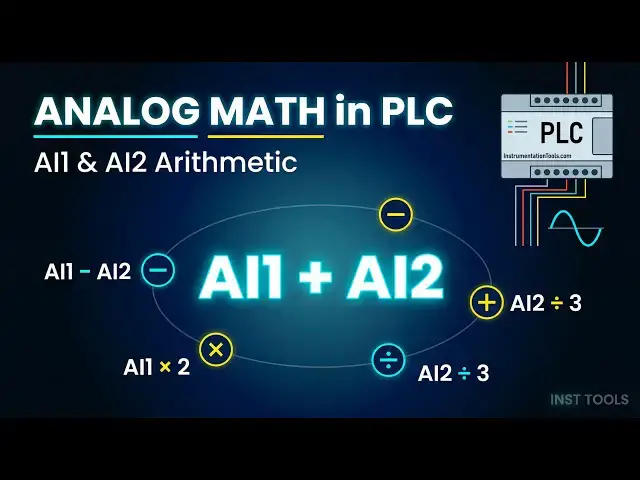
Learn how to do analog arithmetic operations using the PLC exercise program in the Siemens PLC.
✨ FOLLOW US ✨
👉WhatsApp: https://whatsapp.com/channel/0029VaAbUecLNSa4rDPOV31o
👉Telegram: https://t.me/+u3qORX5FKec1NjA1
👉LinkedIn: https://www.linkedin.com/company/instrumentationtools/
👉Facebook: https://www.facebook.com/instrumentationtoolss/
👉Instagram: https://www.instagram.com/instrumentationtools/
👉YouTube: https://youtube.com/instrumentationtools?sub_confirmation=1
👉JOIN Courses: https://automationcommunity.com/
#analog #arithmetic #plc
Tags:
PLC analog arithmetic operations, Siemens PLC programming, analog signal processing PLC, analog scaling Siemens PLC, arithmetic instructions PLC, PLC math operations add subtract multiply divide, analog input output handling, PLC exercise program Siemens, TIA Portal analog programming, industrial automation training PLC, process control calculations PLC, scaling 4-20mA signals, engineering units conversion PLC, ladder logic math functions, function block analog operations
Show More Show Less View Video Transcript
0:07
hello everyone myself
0:10
badas in this video I will discuss about
0:15
simple analog arithmetic operation
0:19
example okay here we have two analog
0:24
values ai1 and
0:27
ai2 analog input 1 analog input
0:33
2 we have to perform the following
0:37
operations a i1 minus a I2 we have to do
0:42
the
0:43
subtraction ai1 + ai2 we have the
0:49
addition addition of two analog values
0:53
subtraction of two analog
0:55
values and the third one is ai1 + 5 100
1:00
that means we have to add a constant to
1:03
the analog
1:04
value and the third fourth one is a I2 -
1:10
500 now we have to subtract
1:13
-500 okay I mean we have to do the
1:17
subtraction of 500 from the analog input
1:20
2 then a i1 multiplied by 2
1:27
multiplication and a I2 divide by 3 so
1:32
we have to do these
1:35
operations okay using analog comparator
1:39
block and
1:41
analog amplifier
1:44
block okay we already discussed about
1:48
these blocks so try to solve
1:52
this in your software just pause the
1:56
video and try to solve it
2:02
okay now we will go to the
2:08
software now I will take two analog
2:12
inputs and give the
2:15
command
2:18
ai1 and the second one
2:22
is ai2
2:33
now we will do the a i1 minus a I2 so we
2:39
will do the analog value
2:41
subtraction for that purpose I will take
2:45
one analog
2:47
comparator so go to the analog category
2:50
and take analog
2:55
comparator and connect a i1 to ax and a
2:59
I2 to a
3:03
y okay and give the comment this is my
3:08
AI 1 minus
3:11
ai2 so this block will do the
3:14
subtraction
3:16
right and output we will connect One
3:19
open connector this output is digital
3:23
output I'm not using any digital output
3:26
here so we have to close this connection
3:30
when we are using
3:32
the program in the real PLC I mean when
3:37
we downloading the program to the PLC we
3:40
have to close the con unused connections
3:43
okay for simulation it will work without
3:46
this open connector also okay now we
3:51
will do the simulation go to tools and
3:54
select
3:58
simulation now now increase the a i1
4:01
value now it is 100 so 100us 0 the
4:05
output is
4:07
100 now I will increase the ai1 value
4:11
300 300 minus 0 300 now I will increase
4:18
ai2 100 300 - 100 200 I will equal the
4:23
values 300
4:26
300 output is zero
4:29
again increase - 200 so using simple one
4:35
comparator block we can do the
4:38
subtraction ai1 minus
4:42
ai2 now click the this Arrow selection
4:46
so the simulation will be
4:51
stopped now we will do the
4:54
addition for that purpose first I will
4:58
take one anal log amplifier block so go
5:03
and
5:05
take
5:09
now I will tell you what this block will
5:15
do go to the com properties and
5:19
comment
5:21
now
5:23
ai2 multiply by
5:28
-1 so the this block will do the
5:31
multiplication of ai2 with minus one so
5:34
I will connect
5:37
ai2 so now this block output is minus of
5:41
ai2 if ai2 value is 100 this block
5:46
output will be minus 100 now I will take
5:50
analog
5:54
comparator okay connect
5:57
this a to ulti minus1 output to the AI a
6:03
y second input of this
6:07
comparator and the first one I will
6:09
connect AI
6:13
1
6:17
okay just adjust these lines so we will
6:21
not get any
6:25
overlapping
6:27
good now give the comment for this
6:32
block what it will do a
6:36
i1
6:39
minus in Brackets minus a i
6:43
2 so it receives ai1 one input in second
6:49
input it will receive minus
6:52
ai2 so finally the output is ai1 + ai2
7:02
okay clear and connect One open
7:06
connector I don't want to use this
7:09
output signal
7:16
okay now go to tools and
7:21
simulation right now A i1 is 300 and ai2
7:25
is 500
7:29
okay but the output is not the same
7:33
right first we have to give this minus 1
7:38
so go to this block
7:40
property and it has to do the multip by
7:44
minus one so the gain we have to enter
7:47
minus one then only it will
7:51
work
7:52
okay see 300 + 500 output is 800 now I
7:59
will change the values ai1 I will
8:02
increase to 400 ai2 I will decrease the
8:05
value to 300 what is the
8:11
output
8:13
700 so this is how we can do the
8:17
addition of two analog values using
8:22
amplifier block and comparator block
8:27
okay now we will do the
8:30
ai1 + 500 right so click the arrow for
8:36
that purpose I will take one analog
8:40
amplifier
8:44
block go to
8:47
properties and we have to do the plus
8:51
500 that
8:53
means we have to use the offset I will
8:56
enter plus 500
9:00
remember when we change the gain or
9:03
offset
9:04
parameters this measurement range will
9:06
automatically change
9:09
accordingly no need to worry about this
9:11
range okay in this case just press
9:16
okay and I have to connect ai1 right so
9:21
go to top and select and drag and
9:25
drop
9:27
connect so I connect
9:32
AI
9:36
1 so what is the comment of this
9:41
block
9:42
ai1 +
9:45
500
9:48
okay and the output is
9:50
analog and select analog
9:57
flag now go to tools and
10:02
simulation what is the analog input
10:05
value 400 so 400 + 500 900
10:11
simple this is how we can do the
10:14
addition of constant value to the analog
10:17
value now the ai1 is
10:20
700 what is the value 700 + 500
10:25
1200 analog Flags when we add here we
10:28
can see the this output 1200 in analog
10:32
flag one in the window here bottom
10:36
window see am1 1200 okay now similarly
10:41
we can do the ai2 minus
10:46
500 for that purpose same
10:50
concept what will
10:54
change take one
10:56
analog amplifier
11:01
and we are
11:03
doing
11:05
ai2 minus
11:09
500 and we have to connect one output
11:12
which is analog
11:15
flag you can use any analog output no
11:18
issue here I'm just using analog flag
11:21
and we have to connect ai2
11:30
okay and go to
11:33
simulation what is the present ai2 value
11:36
300 so 300 - 500
11:42
is before that in
11:44
properties offset here we have to enter
11:49
-500 and
11:51
okay output is
11:54
-200 I will increase the ai2 value to
11:58
600
11:59
so 600 - 500 is 100 see
12:05
100 now we will do ai1 multiplied by
12:10
2 for that purpose how we can do any
12:14
guess pause the video here you can share
12:19
your idea or guess with us through the
12:23
comment section or try to do it
12:26
yourself again I will take the amp
12:30
I will go to the command and I will
12:32
enter ai1 multi by
12:38
2 again we need one output so I will
12:42
take analog out
12:45
flag and I will connect and we have to
12:48
connect ai1 here input so go to top here
12:53
like this Dragon drop connect and go to
12:57
tools simulation
13:00
what is the present ai2 ai1 value
13:03
700 so for this purpose to work we have
13:06
to enter the properties so go to
13:09
Properties multipli by two multiply
13:12
means always we have to use gain so I
13:15
will enter gain two remember range will
13:18
change no issue press okay see
13:23
400 now I will increase the value A1 to
13:27
900 what what is the output for
13:31
multiplication it is
13:34
1,800 okay now we will do the ai2 / by
13:41
3 so for that
13:44
purpose
13:47
again we have to use in this case
13:53
analog
13:55
amplifier and go to the commands
13:59
what we are doing here a I2 / by
14:04
3
14:08
okay and what is the
14:11
output we have to connect one analog
14:15
flag ai2 we have to connect so
14:22
again yeah two is
14:27
connected and go go to
14:32
properties here what we have to do is
14:35
take the
14:39
calculator we are doing ai2 divide by 3
14:44
so for that purpose what I will do I
14:47
will divide 1 / by
14:52
3 What is the value
14:55
0.333 so in gain we have to end enter
15:02
0.33
15:04
okay in this case we cannot directly
15:06
perform the division here again we have
15:09
to opt the multiplication only so what
15:13
I'm doing one I will do 1 IDE by 3 the
15:17
result I multiplied with ai2 okay
15:21
remember we will not get exact output I
15:24
mean value we will always get the nearby
15:27
value
15:29
what is the present ai2 I will decrease
15:32
it
15:34
to 100
15:38
okay so ai2 is
15:43
100 so 100 / by
15:49
3
15:52
33.33 here that is rounded off we got
15:55
only 33 okay now I will in is the ai2
16:00
value see what
16:06
happens now the ai2 is 400
16:15
okay so
16:18
400 divide
16:24
by
16:27
3 one
16:30
33.33 we got 132 here because we can
16:35
only enter two decimals
16:37
0.33 accordingly it is calculated
16:42
see 0.33 multiplied by 400 132 okay so
16:50
when the value is
16:52
increasing there will be an error
16:54
remember that when you are using the
16:56
this method okay so this is how we can
17:00
do
17:01
the multiplication addition subtraction
17:05
division using analog comparator and
17:10
amplifier
17:11
blocks now I will give you a simple TOS
17:15
okay try to do the same functions using
17:21
mathematical instruction
17:23
block we already discussed this block
17:27
okay previously
17:29
so try to complete these functions these
17:33
operations using that block and share
17:36
with us if you had any
17:39
problems okay let us know thank you I
17:43
will meet you in the next session
Jobs & Education