Up next in 10

Discover your new favorite mobile presets on FilterGrade: https://filtergrade.com/product-category/mobile-lightroom-presets/
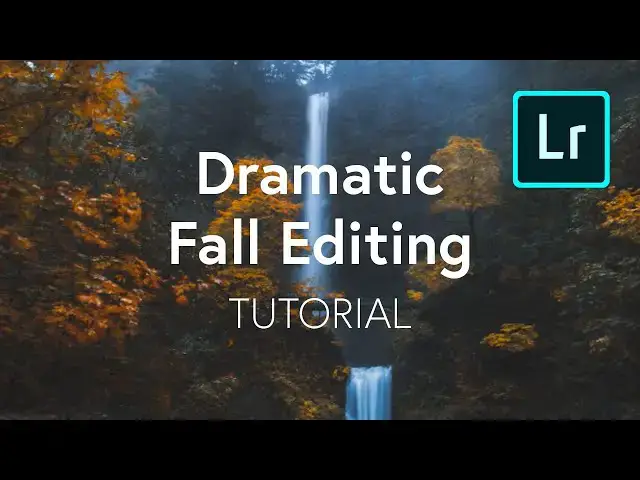
Hey everyone, this is Mason from FilterGrade. Fall is a very aesthetic time of year, and beautiful autumn photography is very popular. Warm orange tones are the name of the game, but there are a lot more subtle changes you can make to achieve a fall look.
Today we’re going to be editing some images that weren’t taken in the fall, in order to show just how easy and versatile Lightroom Mobile can be when you have a specific look in mind.
You'll learn how to work with:
* Contrast
* Highlights / Shadows
* Color Mix
* Curves
* Other Color Adjustments
Download Lightroom Mobile
iOS – https://apps.apple.com/us/app/adobe-lightroom-photo-editor/id878783582
Android – https://play.google.com/store/apps/details?id=com.adobe.lrmobile
Show More Show Less View Video Transcript
0:00
[Music]
0:03
hey everyone this is Mason from filter
0:06
grade fall is a very aesthetic time of
0:09
year and fall photography is very
0:10
popular warm orange tones the name of
0:13
the game but there are a lot more subtle
0:14
changes you can make to achieve a good
0:16
fall look today we're going to be
0:18
editing some images that weren't taken
0:20
in the fall in order to show just how
0:21
easy and versatile Lightroom can be when
0:23
you have a specific look in mind and
0:25
spoiler alert we're not just putting an
0:27
orange filter on it and calling it good
0:28
so here we have this image it's very
0:31
green it's definitely not the middle of
0:33
the fall there's some yellowing in the
0:35
leaves so maybe it's becoming fall but
0:36
it's certainly not the fall look that
0:38
we're looking for it's as far too lush
0:40
so we're gonna start in the light
0:41
settings we're gonna bump up the
0:43
contrast we're going to lower the
0:46
highlights all the way and really see
0:48
the detail come out in the waterfall
0:50
there we're going to raise our shadows a
0:52
little bit and then we're going to lower
0:55
the whites and raise the blacks a little
0:57
bit it's gonna just make some subtle
0:59
changes we're going to go into our
1:02
curves we're gonna make three points so
1:04
that we can adjust our highlights
1:06
mid-tones and shadows what we're gonna
1:08
do is we're gonna raise highlights
1:10
we're going to reduce shadows by a
1:14
little bit we're gonna raise our
1:16
mid-tones just slightly and then we're
1:18
gonna take our blacks and push them a
1:20
little more into the gray or just a done
1:23
so now we're getting a bit of a faded
1:26
look here it's already looking good what
1:29
is really going to make an impact is
1:31
when we go into color and now we're not
1:32
changing the color temperature that
1:35
would make it look like this which is
1:36
not what we want or instead of going to
1:38
go to the color mix and what really
1:41
matters is this yellow and green so
1:44
we're actually gonna change the hue of
1:46
yellow so that it's orange and we're
1:49
going to change the hue of green so
1:51
there's also a bit more that way and
1:52
we're going to reduce the green
1:54
saturation increase the yellow
1:56
saturation increase the orange
1:59
saturation push our Reds into oranges
2:02
and that's looking pretty dang good
2:06
the greens are super subdued and we hear
2:10
getting a lot of orange tones and their
2:11
little pops of color so let's go ahead
2:13
and increase our saturation a little bit
2:16
and we don't want vibrant some of the
2:18
next water to blue we're actually in
2:20
turn the vibrance a little bit down the
2:22
saturation going up is really gonna make
2:24
those orange tones come out and then we
2:26
might benefit from a slight temperature
2:29
increase but now look at that it's
2:33
suddenly a fall picture this was the
2:35
before and here's the after big change
2:40
now let's try a different picture so
2:44
here's another picture where it's
2:45
definitely not fall mostly I've grass
2:47
here what we're going to achieve here is
2:49
a bit of a dead grass look so if we go
2:53
to our lighting we can bring up the
2:55
contrast bring down the highlights which
2:59
in this case pretty much just brings out
3:01
the detail the sky going to increase the
3:04
shadows a little bit and then lower the
3:07
row bites raise the blacks go into our
3:10
curves create our three points and I
3:13
continue to raise the highlights raise
3:15
mid-tones
3:17
reduce shadows and then raise up the
3:21
blacks
3:26
and once again the magic happens in the
3:28
color mix let's go ahead and push our
3:30
yellows into oranges and our greens and
3:36
yellows it's a little bit too orange
3:43
[Music]
3:49
now let's go ahead and increase vibrance
3:51
or decrease vibrance rather and then
3:54
increase saturation and give it a slight
3:57
warm tone and there we go
4:01
seconds later we have something looks
4:03
much more fall-like than this if you
4:07
wanted to you could probably decrease
4:11
the contrast a bit that looks pretty
4:15
good now let's do one last example this
4:19
one is in the middle of the forest looks
4:21
like it could be a round fall time but
4:24
there's no there's no orange sorta do
4:26
the same thing where we increase
4:27
contrast decrease highlights get some of
4:30
the detail back from that fog increase
4:34
our shadows lower the whites raise the
4:37
blacks really get in that contrast again
4:42
make the same adjustments with our
4:43
curves and then go into our color mix
4:55
maker greens yellow and our yellows
4:57
orange and this one's a little bit more
5:02
subtle but I had a little temperature
5:05
increase nothing too crazy and look what
5:12
we've got so of course you can go really
5:16
overboard you can get some really orange
5:18
looks make your entire thing orange but
5:21
it's really all about taking the trees
5:23
and taking all the green out like I said
5:28
earlier orange is the name of the game
5:29
I'm gonna make it feel warm and cozy and
5:32
that is definitely what what this does
5:35
I'm even going back to this first
5:37
picture massive difference we've taken
5:41
out those greens and replace them with
5:42
some nice fall colors if you wanted to
5:46
do anything additional you can go into
5:48
some effects even yet never hurts
5:51
feather that brings to focus in a little
5:53
bit more another thing we can do is
5:59
adjust the clarity then I'll give it a
6:04
little bit of extra extra sharpness of
6:08
course don't go too far but in something
6:10
like this it looks pretty good and
6:14
that's how you edit a fall photo thank
6:17
you guys so much for watching let us
6:19
know in the comments what you think of
6:20
this tutorial if you edit your fall
6:22
photos any differently in the meantime
6:24
get out there and have fun edit in if
6:29
you enjoyed this video be sure to LIKE
6:31
and subscribe and leave a comment down
6:33
below and if you're looking for
6:34
professional Luntz lightroom desktop and
6:36
mobile presets Premiere Pro templates
6:38
and more photo and video education visit
6:40
filter grade comm today
6:44
you