0:03
Hi, it's Lindsay Diane from dandor.com.
0:06
In this video, let's talk about home
0:09
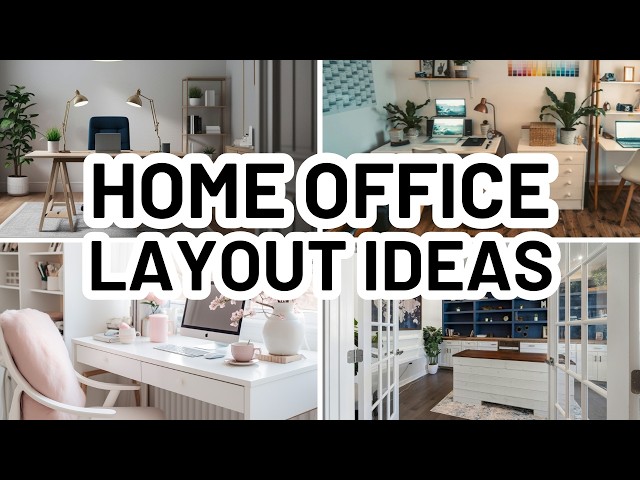
office layouts. Your home office layout
0:12
is more than just where does the desk
0:16
fit. The best layouts support your daily
0:19
habits, protect your focus, and are
0:22
comfortable to be in for long hours on
0:24
end. Whether you work solo, share a
0:28
space, or juggle screens and supplies,
0:31
the way your office is arranged can
0:33
either help you stay productive or
0:35
quietly work against you. Before
0:38
committing to a furniture placement,
0:40
it's important to understand what your
0:42
home office needs to do for you. Once
0:45
that's clear, selecting the right home
0:48
office layout becomes much easier. So,
0:51
in this video, we'll talk about how to
0:53
analyze your home office needs so that
0:55
you can choose the right layout. And
0:57
then I'm going to share with you three
0:59
different layout options. We'll talk
1:01
about who they're best for and the
1:04
things to consider when you're choosing
1:06
this home office layout. Let's get
1:09
started with how to analyze your home
1:11
office needs. Every successful home
1:14
office layout starts with function. So
1:17
ask yourself a few key questions before
1:20
you choose a setup. The first one is do
1:26
If you regularly work with sensitive
1:28
information or spend time on video
1:31
calls, privacy should be a priority. In
1:35
this case, avoid placing your desk so
1:38
that your monitor is facing out towards
1:40
passing people. So whether that's from
1:44
possibly other people in your home or
1:47
whether that's from people that are on
1:50
the other side of a window looking into
1:53
your space, you want to make sure that
1:56
your devices are positioned in a way
1:59
that creates privacy for the data being
2:02
displayed on your screen. Question
2:03
number two, do you need multiple work
2:09
If your work involves both digital tasks
2:12
and hands-on activities like crafting,
2:16
drawing, organizing paperwork, or
2:18
building, you'll need more than just a
2:20
single desk. A home office layout that
2:23
includes multiple surfaces can prevent
2:26
constant rearranging and help you stay
2:29
organized. And then the third home
2:31
office need question that you want to
2:33
ask yourself is, do you need multiple
2:35
monitors or lots of equipment? More
2:39
devices means more cords, and some
2:42
layouts look great visually, but become
2:45
cable nightmares in practice. So,
2:48
choosing a home office layout that
2:50
allows for easy cord management will
2:52
save you frustration in the long run.
2:56
So, with those needs in mind, let's jump
2:58
in to the three home office layout
3:01
options that you may want to choose.
3:04
Number one is the centered executive
3:06
desk. A centered executive desk is one
3:10
of the most traditional home office
3:12
layout options. The desk sits in the
3:14
middle of the room, usually facing the
3:17
door, creating a strong sense of
3:19
structure and authority. Often, two
3:22
smaller chairs are placed on the
3:24
opposite side of the desk with a small
3:26
table in between them for visitors or
3:29
clients. This home office layout works
3:32
best in rooms with enough square footage
3:34
to allow clear walkways around the desk.
3:37
So, if you have a smaller space, this
3:40
particular layout is probably not going
3:42
to work for you. But if you do, it
3:45
creates a professional atmosphere and
3:48
gives the desk visual importance within
3:51
the space. So, who is this layout best
3:54
for? This is best for single office
3:57
users, laptop users who don't need to
4:00
have their device constantly plugged in
4:03
and need to have cords running to the
4:05
center of the room. And it's best for
4:08
people who host in-person meetings or
4:11
consultations for clients. Things to
4:16
While this home office layout looks
4:18
polished, it can be challenging for
4:20
setups with multiple monitors or lots of
4:24
pluggedin equipment. Without thoughtful
4:26
cable management, cords can become
4:28
visible from all angles. So, think about
4:32
these things before you choose that
4:34
centered executive desk layout. Option
4:37
number two is the corner workstation. A
4:41
corner workstation uses either an
4:43
L-shaped desk or two work surfaces
4:46
aligned along the corner of the room.
4:49
This home office layout maximizes wall
4:51
space and keeps the center of the room
4:53
open, making it ideal for smaller rooms
4:56
or multi-purpose spaces. One of the
4:59
biggest advantages for a corner home
5:02
office layout is flexibility. You can
5:05
dedicate one surface to computer work
5:08
and the other to physical tasks or even
5:11
set up two separate corner stations in
5:14
the same room. So, who is this best for?
5:17
This is best for homework stations,
5:21
crafting or drawing, work involving
5:24
physical objects, and double occupant
5:27
home offices. So, things to consider
5:30
with the corner home office layout. They
5:33
can sometimes seem a little bit more uh
5:36
informal, but at the same time, they
5:39
often provide the most usable workspace.
5:43
Proper lighting is key. Adding task
5:46
lighting prevents shadows that corners
5:48
can create. So, if you are going for a
5:51
corner layout, make sure that you have
5:53
like a table lamp for each of your
5:55
corners or you have a floor lamp to help
5:59
illuminate those corners so that you
6:00
aren't working in shady, shadowy areas.
6:04
And the third home office layout option
6:06
is mirrored or dual desks. A mirrored
6:10
desk setup has the two desks sort of
6:14
facing in kind of front to front with
6:17
one another. So the chairs are on the
6:19
outside and the desks sort of meet in
6:22
the middle. Or you could have a dual
6:25
desk setup where the desks are placed
6:28
side by side either along a long wall or
6:32
sometimes on either side of a window.
6:35
That's how my home office is currently
6:37
laid out. I have a desk for myself on
6:41
the one side of the window and my
6:43
husband on the other side. This home
6:45
office layout is especially popular for
6:49
shared offices and creative
6:51
professionals who need room for
6:53
equipment. This layout allows each user
6:57
to have a dedicated zone while
6:58
maintaining symmetry and balance in the
7:01
room. It's also one of the most
7:04
effective home office layout choices for
7:06
handling multiple monitors, printers, or
7:09
camera gear. But if you have the space,
7:12
you can center both of those desks in a
7:15
mirrored fashion. So, similar to the
7:18
executive desk being right there in the
7:20
middle, think of two sort of executive
7:22
desks being back to back to one another
7:24
and you have those centered or mirrored
7:27
in the middle of your space. This gives
7:30
you the ability to have two people
7:32
working at the same time. This is great
7:36
for teams of people. So, let's say you
7:39
have um your own small business and an
7:42
assistant that comes in and helps you
7:43
out during the day. This is a great
7:45
option for that. So, again, this layout
7:48
is best for two occupant offices, desks
7:52
with multiple monitors, and setups
7:54
involving filming, photography, or
7:57
lighting equipment. Things to consider
7:59
with these layouts. Plan electrical
8:02
access carefully. A mirrored home office
8:05
works best when outlets and cable paths
8:08
are considered from the start. If you
8:12
have spaces on either side of a window
8:15
or a wall, make sure that you have the
8:19
proper amount of maybe USB hubs or power
8:23
strips so that each person has enough
8:26
outlets to plug in their devices and
8:29
equipment. And a bonus option is a
8:31
layout with perimeter counters or
8:34
standing desks. While this is less
8:36
common, counters or standing desks
8:39
arranged along the perimeter of a room
8:42
can be incredibly effective. This option
8:45
typically requires custom work, but it
8:48
allows you to fit four to six
8:50
workstations in a single space without
8:53
crowding. This type of home office
8:56
layout is especially useful for
8:58
collaborative environments, homeschool
9:00
rooms, or shared creative studios where
9:04
multiple people need simultaneous
9:07
workspace. So, those are three home
9:10
office layout options and a bonus one
9:12
thrown in there for you. Make sure that
9:14
before you choose one that you just
9:17
analyze your needs. Note, do I need a
9:19
lot of things plugged in? Do I need more
9:22
than one person to be working in here at
9:24
a time? Do I have lots of equipment?
9:28
Depending upon your needs is how you're
9:30
going to orient your home office and its
9:34
layout. So, that's it for this video. I
9:37
hope you found it helpful. If you did,
9:40
please give it a like and consider
9:41
subscribing to my channel. And don't
9:43
forget to visit me at diancor.com. I
9:46
post all about home decorating ideas
9:48
over there. I thank you so much for
9:50
watching and I'll see you in the next