
AutoCAD CHAMFER: Cut Corners to Exact Distances
Aug 26, 2026

Still measuring, trimming, and drawing diagonal lines just to create one precise corner cut?
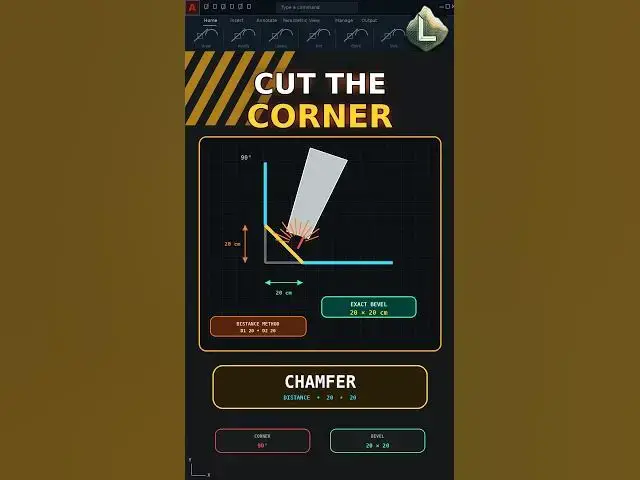
AutoCAD CHAMFER creates an exact bevel between two lines using specified distance or angle values.
Example:
Distance 1: 20 cm
Distance 2: 20 cm
Command sequence:
CHAMFER → Distance → 20 → 20 → Select First Line → Select Second Line
The result is a precise 20 × 20 cm chamfer without manually measuring points, trimming both lines, or drawing the diagonal segment.
Important:
When the two chamfer distances are different, the first value is applied to the first selected object and the second value to the second selected object.
This workflow is compatible with AutoCAD 2021.
Subscribe to CAD LAND for precise AutoCAD commands without unnecessary drafting steps.
#AutoCAD #CHAMFER #AutoCAD2021 #CADTips #CADLand
Show More Show Less