Up next in 10



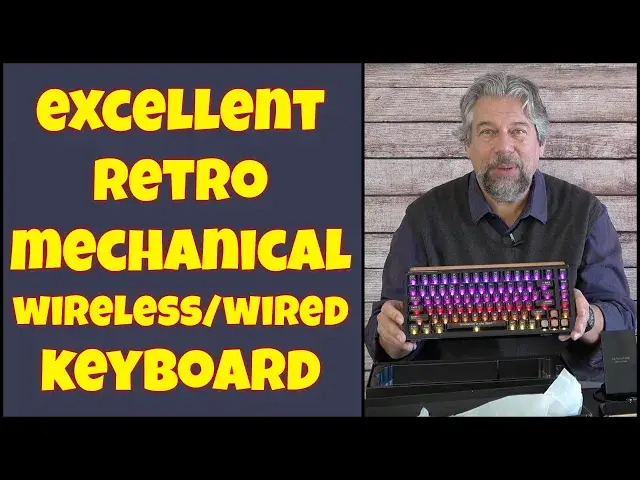
You're not the only computer user who dislikes the new, modern membrane keyboards and ultra-thin external keyboards. You can get old-school wired keyboards for a PC, but then they're limited to wired only. Unless you get the terrific MIIIW BlackIO 83 Mechanical Keyboard, with its 43 RGB lighting modes and support for Windows, Mac, Android, iOS, even Linux and ChromeOS. Bluetooth, 2.4Ghz wireless (with built-in dongle) and wired USB-C, there aren't many devices that don't work great with this keyboard, as tested and demonstrated by tech expert Dave Taylor.
Check it out at: https://shop.miiiw.com/products/mwk22x-blackio83
Visit Dave's Q&A Web site at: https://www.AskDaveTaylor.com/
#miiiw #keyboard #mechanicalkeyboard #rgblighting #pckeyboard #bluetoothkeyboard #askdavetaylor
Show More Show Less View Video Transcript
0:00
There's a great mechanical keyboard inside this box
0:03
Let's check it out. Dave Taylor here, and I'm checking out this
0:14
Well, it's the box. Inside is the me, Black I.O. Mechanical keyboard, and it's ridiculously cool
0:21
So let's get this unboxing started. So it comes in a really cool box
0:27
and I will say that I don't fully understand. how M-I-I-W is pronounced me, but that's what the company tells me. So there is a quick start
0:38
card, but we really want to get to the main device, and that is this absolutely gorgeous
0:45
mechanical keyboard. Check that out with that color on the top, and it is a full 83-key custom
0:55
gaming keyboard, and it works with Windows and Mac and Mac. Android and iOS and Chromebook and Linux
1:04
You have a system that can handle Bluetooth or wired or 2.4 gigahertz USBA and this is compatible
1:12
Now let me turn it on because one of the coolest things is it has a lot of RGB light effects
1:18
In fact it has 43 different lighting modes which is plenty enough for anyone
1:25
and you can customize and program all of this. Now let's talk about
1:29
about the keyboard itself it has an eight-layer design so here's what those
1:34
eight layers look like you can see from the top it's a polyclear keycap an
1:40
upper shell a kale jellyfish switch polycarbonate plates silicon mute pad number one PCB assembly and that's just a circuit board and silicon mute pad
1:52
number two and then finally the bottom shell suffice to say it is a
1:57
mechanical keyboard and so it It's noisier than like the keyboard you're used to on your notebook or laptop, but the feel of it is
2:06
so much different because it has such a nice depth of play
2:11
So when you push it, it goes down. It's such a different, such a classic keyboard experience
2:17
So it has a three-pin design so you can change the keys if you want
2:21
I'll even change a keycap just to show you how easy that is. And it's a hot swappable PCB for those of you that want to really hack your keyboard
2:30
and it's battery powered. You're looking at this and you're saying, hmm, no wires and it's still running
2:35
That's pretty cool, right, because it has a 4 mill hour battery which gives you over 200 hours of use Now even if you hardcore and you doing 10 hours a day that is basically a month
2:49
because you probably take a couple of days off on that journey. So it's a month between charging, if not a lot longer
2:56
Bluetooth-wise, it does Bluetooth 5.0, and you can have up to three different devices
3:01
connected, and there are secret function key sequences to get you to change Bluetooth
3:07
change lighting effects, brighten or dim the lights, all that sort of stuff
3:12
That's all actually part of what's detailed in this little cheat sheet
3:17
And see, what else can I tell you? This is perhaps most importantly, as it says on the top, this is open source QMK and VIA
3:27
which means you can actually program your own key maps. Gamers, pay attention to that
3:33
You can write and code your own key maps. push a button and whatever you want to have happen happens in your game
3:40
How cool is that? Now one more dimensions wise it is 13.2 inches by 6.2 inches by about
3:48
one and a half inches and it's fairly heavy because of that big battery it's a
3:53
1.7 pound keyboard. So got the keyboard now comes with a bunch of accessories too
4:00
And what I'm going to do let's see you need to figure out some way to get some space here so
4:05
Let's just put all of this aside. Okay, nothing broke. And then in the accessories box is a bunch of really interesting things
4:17
So I'm going to just dump it all out so you can see everything
4:22
So perhaps the least interesting is a USBA to USBC cable because you can use this in wired mode
4:30
You don't have to just have it in Bluetooth or 2.4 gigahertz
4:35
In fact, if you did do 2.4 gigahertz, I will note that it also has built into the back
4:41
a little tiny dongle. So you can do this with an older PC, and a lot of people really appreciate that
4:48
So that's really great. So comes with the cable. Comes with two different styles of key cap removers, and then it comes with a bunch of different keys
4:58
So by default, the key layout is for Windows. So this second key, for example, says win on it
5:06
But let's go ahead and change that to a command key, which would be more appropriate for a Macintosh
5:12
And I'm going to do that by using the tool and popping the key off
5:16
You can see that's pretty easy. And then the new one goes on. You don't even need the tool
5:20
So for the new one just put it in the right place give it a push And there we go I just changed key caps on this keyboard How easy is that If you switch between Mac and Windows this is such a nice way to have that happen
5:35
And there are some switches on the back that will enable that too. So here's a close-up
5:39
You can see there's the power switch, and then there's a switch that lets you choose between cable or 2.4 gigahertz
5:47
And then you can switch between Winn and Mac, Windows and Mac. There's the port for USBC, and then there's that little hidden 2.4 gigahertz dongle
5:58
Again, if you want to use it in wireless mode, but your device doesn't have Bluetooth or you don't want to use Bluetooth
6:04
Totally cool, it supports all of that. So now with all of that done, let's move all this out of the way and let me give you a couple of demos
6:10
So first off, assuming this is still connected, let's see. Okay, good
6:16
So I have it hooked up via Bluetooth to my iPhone. phone and I hope you can see here this is a test of my typing when I can't see what I am actually
6:32
typing. I have no idea how accurately that was typed but you can see it's quick and responsive
6:40
and it shows up on the phone screen super easy. Now there's that but what I wanted to also demo
6:47
is I also want to demo wired mode. So I brought my own B-Y-O cable
6:53
So this is USBC. And the reason I'm not using the built-in cable
6:58
and I do have to switch it, is because I only have USBC on this Lenovo laptop
7:04
So let's move all this out of the way, and I will get this hooked up
7:09
Let's log in. Come on, log me in. And let's see. So now, when I hook up
7:17
look up the keyboard, it should automatically be recognized. Yeah, looks like it is
7:23
And now I can again show you my typing. And you can hear it's pretty clickety clackety
7:39
but I like that. I like the sound. Mostly it's the feel I really like
7:44
There's a beautiful feel to this. because the keys aren't just going down one fraction of a millimeter
7:52
They're actually going down a significant amount. And all of this adds up and you can see, well, uh-oh, I was in the wrong mode
8:01
Let try that little demo again here Let me get to notepad There we go Somehow I ended up in the wrong place
8:15
So hopefully that worked. There we go. And isn't it grand. So, all right
8:26
I do need to see the screen when I type. But the point is, you can see, it's a really clean, responsive keyboard
8:33
So let me go ahead and unplug it and everything and just show you because it was in wired mode when I unplugged it, it turned off, which is interesting, although there's still that power switch, which is nice because it actually comes out a little bit in off position
8:48
And then when you push it, it goes on. And there's just a lot I really like about this keyboard
8:55
And I'm an old school computer user. I remember using big old chunky keyboards rather than everything being streamlined
9:03
and printed membranes and everything. So there's really a lot to like here
9:08
If you're a writer or you just do a lot of keyboard entry, or of course if you're a gamer
9:14
and you're constantly wishing you could have, you know, customized keys on your PC
9:20
then this is an extraordinary solution. Now, it is a little spendy
9:25
So before we go and finish up, we do need to talk about the price
9:30
But before we get to the price, I'm going to ask if you could subscribe, to my channel, really appreciate that
9:36
A click or a tap on that subscribe button and that little notification bell
9:40
and we're connected. And if you found this useful, including those close-ups
9:44
then I really appreciate a like. Cool. Now, this is the Me, Black I.O
9:51
Mechanical Keyboard, and it's 199.99 at shop.me.com. And you definitely want to check this out
10:00
If you're looking for the creme de la creme, the, I don't know, what is it nowadays, the Cadillac, the Cadillac of all the keyboards
10:10
maybe that's an old school expression, but just something that's going to be the last
10:15
keyboard you'll ever buy because it's so dang cool and it's such a beautiful feel
10:21
then this is definitely one to check out. That's all I got. I'm going to go and switch back
10:25
some of my keys, so I'll have to get to you in my next video
#Computer Peripherals
#Laptops & Notebooks
#Product Reviews & Price Comparisons