Up next in 10



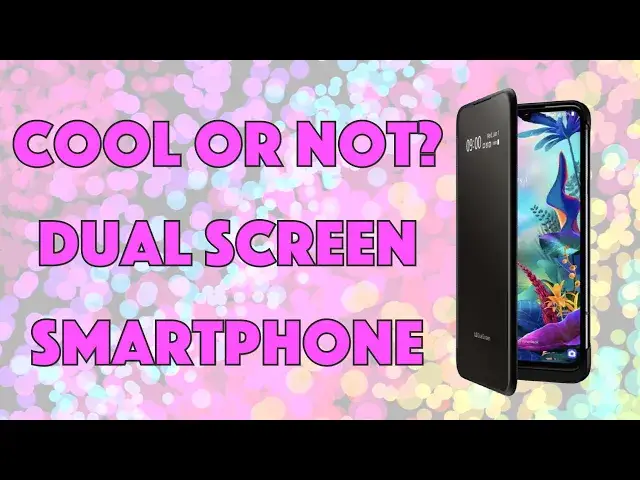
The LG G8X ThinQ is a solid option for an Android phone, featuring LG's typical great audio and solid video capture options, but the G8X has a trick up its sleeve: the (optional, additional cost) Dual Screen unit. Together, you get a cool dual screen Android smartphone with good battery life, a rather amazing selfie camera and a 3.5mm audio jack.
But is it a good phone for the money?
Tech expert Dave Taylor of https://www.AskDaveTaylor.com/ ran the LG G8X ThinQ Dual Screen phone through its paces and shares lots of demos herein, including video, photos, night photography and steadicam footage. It's a neat piece of engineering, but does Android keep up in the dual-screen department?
Check it out at https://Wireless.att.com/ or https://www.LG.com/
Show More Show Less View Video Transcript
0:00
It's a smartphone with a second screen
0:03
Let's check this out. Dave Taylor here, and I'm looking at this
0:14
This is the LGG-G-8X Thin-Q. Well, let's take this apart because, in fact, it's two pieces
0:22
So, unlike some phones that are out there now that are dual screen
0:26
this is actually just a regular Android phone from LGG, G, it's thin, it's reasonably light
0:32
We'll get back to the specs in a second. And then there's this second dual screen that you purchase that if you put the phone in
0:39
the dual screen, then boom, you're ready to rock and roll. So that's pretty cool
0:44
It's an interesting idea because that means you can get this and you can use the second
0:50
screen at moments that you feel are appropriate. Now, we're going to get back to the screen, but let's start with the phone itself
0:56
So this is running Android 9. It's a 6.4-inch O-L-E-D-F-HD display running at 2340 by 1080, which is 403 pixels per inch
1:09
which is pretty low resolution for a modern high-end phone. By comparison, like the Pixel 4 and the Apple iPhone 11 and stuff
1:17
they're at 500 or more pixels per inch. Now, to be fair, when you look at it, that's still at really high density
1:24
and this is a nice, bright screen. And it's very pleasant to look at
1:28
There's, you know, nice, clear brights and vivid colors and stuff, and it's quick and fast
1:35
So if you're watching an action movie, then there's no blurring or streaking or anything
1:40
It's a very nice screen. But it is not the top end of all possible screens you can get
1:45
So the front is Gorilla Glass 6. The back is Gorilla Glass 5
1:50
Why the difference? I cannot explain to you. It's powered by a Qualcomm Snapdragon 855 with a 128 gig of memory, and it's supposed to
1:58
ports on external micro sd card which you can get up to two terabytes of additional storage
2:04
which gives you a lot of storage what are you going to use with two terabytes of storage on
2:09
your phone I have no explanation so cameras are obviously the fun part so this has it's kind
2:16
of a weird setup because the rear facing cameras are lower resolution than the front facing
2:21
camera so the front facing camera and here's a selfie this is a 32 megapixel front camera at
2:28
F1.9 capturing a pretty staggering 6528 by 4896 pixels. That is a lot of data. It's a really
2:37
crisp image. By comparison, the rear cameras, and again, I don't really understand why LG
2:43
made this decision, but the rear facing cameras are a 12 megapixel 78 degree regular camera
2:51
and that's F1.8 capturing 4,032 by 3,024 pixels. And here's an example of that regular shot
3:00
Now, without moving, I jumped to the 136 degree ultra wide. And you can see it's a dramatic difference
3:07
And this one's 13 megapixels. It's an F2.4, so it's a little slower, at 4160 by 312
3:15
So it's capturing a little bit more at the cost of being a little bit slower
3:20
Now, again, cool video features too. But before we get there let me show you Here a night shot This was just illuminated by the street on my street lights on my street And you can see it really looks like it just a dark day It very impressive As with all
3:34
night shots, you have to hold your camera super duper still for a second or two. So it's best to
3:39
have it resting on something. But these modern cameras doing a remarkable job in low light
3:45
But let's talk about video. So first off, here's a video that I took just using the rear
3:50
facing camera. And you can see this is beautiful. nice video. In fact, I'm going to let you just enjoy the stream for a second or two
4:04
One of the other features that the LG video camera has is SteadyCamp, and check out how smooth
4:10
this is as I move the camera around. So lots to like about the photography on this. You know
4:18
there are some things where it doesn't have a third lens on the, you know, rear facing lens
4:23
for photography and it doesn't have super high resolution but seriously even 12
4:28
megapixels is a whole lot of data it's a whole lot of photo now when I zoomed in
4:33
super tight I felt like the details were lacking a little bit but again it is in
4:39
fact a phone with a camera there are inherently limitations in this now one of
4:45
the other things LG does that's really cool is they really look at sound so
4:49
number one on the bottom it actually has yes a 3.5 millimeter jack you can actually plug in headphones. Fantastic, right? So nice. I wish everyone
5:00
else still had those. They do. They also include a 32-bit hi-fi quad DAC or digital og
5:07
converter that gives you really nice, rich sound, and a little weird for a screen this small
5:13
DTSX, which is virtual surround sound. So I guess virtual surround sound while I'm watching a movie
5:20
on something that's six inches wide. Maybe it's still not quite the same
5:24
as a David Lean Epic on the big screen, but it does give you good sound
5:28
Also, Bluetooth 5.0 and the battery. But before we get to the battery
5:34
I want to plug this into the second screen. There's just a USBC connection on the bottom
5:40
You charge by USBC. So there's that USBC connection on the bottom
5:44
And then once I close it, there's an always-on display that I know you can barely see
5:50
I'm sorry, it's not always on, it's often on. Probably a setting, I can make it always on
5:55
but it's showing me date, time, and a couple of status notifications and battery
6:00
Then, of course, if I open it up, then yay, I get both screens
6:04
Now, here's the thing that's weird, is that I found there's a lot of apps that aren't actually rotation friendly
6:10
So you would want to be able to turn it this way, right
6:13
Because that would be really cool, but a lot of the apps are still oriented the other way
6:18
So that's a drag. Fortunately, there are some that do that. So, let's see
6:23
So what did I figure out? I figured I could play like Heart of Vegas slots if it will launch
6:29
What's going on here? Let's try to launch the game. Here we go
6:33
So I can play that and then I can bring up a YouTube video and we'll just watch
6:40
Let's see. We will just randomly pick. This is probably the hardest thing is to just find a video to watch as a demo, right
6:48
So we'll just do this one. And assuming that, there we go
6:52
So now let get it all oriented correctly So now you can see I could play the game on the top while watching a video on the bottom I could obviously also do something similar with like Netflix or something
7:04
So I could be watching a movie while I'm playing a game or something. But this really sort of falls down when you have to worry about which ones actually support the horizontal orientation
7:16
and which ones do vertical because that otherwise is just super frustrating
7:20
So, and now this particular game, I can't get to do anything
7:25
So there we go. Okay, so, you know, it's not a great user experience
7:31
In fact, the whole second screen, it is another 6.4-inch OLED ph-hd display
7:37
So they're exactly the same display on both sides. But the experience of using it is not very good
7:45
I have to say, you know, it takes a while to get the hang of it
7:48
There's no apps I've found that stretch across both screens, which maybe is not the intention of the phone, but it would be something I would like to have as an option
7:58
And, you know, yes, text messaging here or Facebook messaging here while you maybe are doing something else on this side is useful
8:06
But then you get a lot more bulk and a lot more weight
8:10
So this goes from being a nice, slim Android phone to being a fairly hefty and substantial dude
8:16
So, you know, if this is something that you're interested in, then it's definitely a cool option
8:23
But let me also say power-wise that the second display is completely powered by the main phone
8:30
So the main phone has a pretty hefty 4,000 mill-amp hour battery
8:34
and it supports Qualcomm Quick Charge 4 and wireless charging, including while it has the dual display connected
8:43
So you can have it like this, and it will still wirelessly. charge, which is really good because the phone itself actually has that USBC connector on the
8:53
bottom. And the trick is to pop it and then pull it out. You don't want to stress that connector
8:59
on the bottom. So it's USBC on the bottom of the phone, but on the bottom of the dual display is a
9:05
completely different connector. And you've got to use this tiny little adapter to be able to use
9:10
it for a wired charge. Now, I am completely confident that people are going to lose that adapter
9:15
within the first week, kind of the way it goes with these little specialty devices
9:19
And then you will say, oh, either I have to take this out to charge it, or I have to use
9:24
wireless charging, which even with this, like, you know, great Google pixel wireless charger
9:29
it's still not as fast as a wired charge. So, you know, stuff to be aware of
9:34
I also find that the front is not, as far as I can tell, oliophobic, which means that it collects
9:41
a whole heck of a lot of fingerprints. In fact, I am sure that someone from
9:45
like CSI Boulder would love my screen because they would get so many great prints off of it
9:51
Probably not what you want. So the phone, let me go in the box super quick because I want to show one other thing too
9:58
So box comes with all the usual paperwork and rigmarole. So we get all of that, a little quick start guide
10:06
It comes with a wired wall charger. And it comes with a USBC charging cable
10:13
and it comes with a SIM removal tool and that's it. So what's missing
10:20
There's no earbuds. There no audio device of any sort So I really like that LG gave us the 3 millimeter jack but they then opted not to give us anything to plug into it So maybe you already have something
10:35
so you're good, but if not, then kind of a drag. Oops. Let's see if we can get this to
10:42
all fit back together neatly. I think I did it in the wrong order. Let's do that. Then this
10:47
then this, there we go. Okay. So at the end of the day
10:52
the question is, is this a good Android phone and is it, you know, is the addition of this second
10:58
screen worth the extra money? Because this is a $200 ad on. So it's a pretty spendy accessory
11:05
And this is already a fairly expensive phone. But before we talk about specifics on prices
11:10
let me ask if you can subscribe to my channel. Really appreciate when you do that. Great
11:14
So this, let's unlock it. By the way, in-screen fingerprint sensor, super cool. I really like these
11:21
and sometimes it works. It's pretty fussy, actually. You're seeing I'm still trying to get this thing
11:28
to actually unlock for me. Fingerprint recognition failed. All right, I shall
11:34
What's going on? Now I can't even unlock the phone at all, so let's see
11:39
Here we go. So now I can just use the old enter your pin, right
11:43
That's always one way to do it. So a little fussy on the fingerprint sensor
11:47
I think the in-screen sensors still have a little ways to go to get perfectly engineered
11:52
But this is the LG G8X thin Q with the optional dual screen
12:00
The phone itself is 779 at Wireless.AT.com. And AT&T loaned me this phone for the review
12:08
Thank you very much. You can also go to LG.com and pick up the phone for 699.99
12:14
And then you need to also, if you want to use it, buy your dual screen
12:20
and this will cost you an additional $199. So this plus this gets you pretty darn close to $1,000
12:29
Is this a $1,000 phone? I'm not sure it is. I think LG is a little bit overenthusiastic on their pricing
12:37
I would like to see this maybe $100 or $150 cheaper, and then you can optionally get the accessory
12:43
And if the accessory needs to be $200, make it $200. But then you get a really nice, like $600 smartphone
12:50
phone, an Android phone, and this would be a really nice phone at that price. Would I get the second
12:55
screen? Probably not. I have to say that I might use it and it would be a fun gimmick maybe on an
13:01
airplane or something like that, but generally speaking, I would opt for thinner and more portable
13:08
and longer battery life than I would for a second screen that's a little clumsy in how it's
13:13
integrated into the Android system. Maybe down the road, maybe with the next generation of Android
13:18
Who knows? Things will be much, much better. But for now, I will give a lukewarm thumbs up to the phone
13:24
and a, I don't know, middling thumb waggle to the dual screen
13:30
And with that, I will catch you in my next video
#Consumer Electronics
#Camera & Photo Equipment