Up next in 10



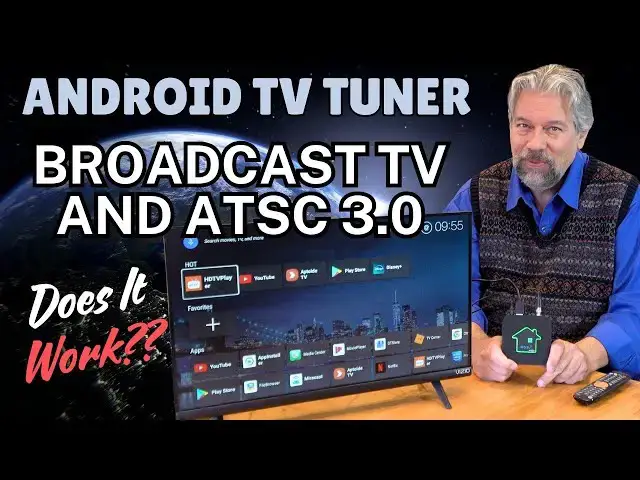
The rise of cable and streaming makes it easy to forget that there are also still hundreds of over-the-air broadcast TV channels. But you need a tuner to get 'em, like the GTMedia Converter X1 ATSC 3.0 Android Tuner Box. Plug it into your TV, connect to the Internet, and you'll be able to watch lots of free channels including all the major networks, many in HD and some in 4K UHD. It's also one of the first boxes to be fully certified to work with ATSC 3.0, which offers better resolution, higher quality audio and more. Yes, it can decode DRM protected broadcast channels too. The actual user experience, however, isn't without hiccups, as tech expert Dave Taylor found out once he plugged it into his own television.
Check it out at: https://amzn.to/4gsNnbS
Visit Dave's Q&A Web site at: https://www.AskDaveTaylor.com/
0:00 Introduction
0:27 What is ATSC?
2:46 How It Works
3:50 DVR Features Explanation
5:23 Channel Scan
6:05 Home Screen, YouTube & Disney+
6:55 Netflix via Browser
7:52 Broadcast TV
9:38 DVR Demo
12:35 Specs & Commentary
13:39 Ports + Remote
15:00 "It's an External Tuner"
17:39 Price and Conclusions
Show More Show Less View Video Transcript
0:00
an atsc3 certified Android set toop box
0:04
but is it any good let's find
0:06
[Music]
0:13
out Dave Taylor here and I'm checking
0:15
out this this is the GT media converter
0:20
X1
0:22
atsc3 Android tuner box what the heck's
0:25
all that it is a digital tuner so you
0:29
plug in an antenna I have a little mini
0:31
one here that I'm using for these tests
0:34
and it then gives you the ability to
0:38
watch any channels that are over the air
0:41
now where atsc3 becomes interesting is
0:45
that we had a switch from analog to
0:48
digital signals some years ago and you
0:51
had to get a new tuner if you had an old
0:53
tube TV and this is a long time ago at
0:56
this point then its tuner no longer
0:59
worked so you had to get a digital tuner
1:01
modern TVs like this little Vio have a
1:03
built-in digital tuner so it works up to
1:07
a point and what happened was all the
1:09
broadcasters said well if we're doing
1:12
over theair channels can we do HD can we
1:16
do 4K can we give you Dolby sound and
1:18
they really wanted to move up and have
1:20
better quality enter
1:24
atsc3 now it's important to not that
1:28
just about every signal you're going to
1:30
receive is atsc 1 which does not have
1:33
the option of encryption and it can do
1:36
HD and look really good and I'll give
1:38
you a demo of that in just a minute or
1:40
two but it's not as capable as
1:44
atsc3 however less than 1% of the
1:47
broadcast signals in the United States
1:49
are using atsc 3.0 and of those a
1:54
smaller percentage are actually using
1:56
DRM or digital Rights Management for
1:59
encryption
2:00
so this does have the ability to use
2:04
those much more sophisticated channels
2:06
to let you watch them if you give it
2:08
internet connectivity that is but you
2:11
can do that but then the question
2:13
becomes do you actually receive any
2:15
atsc3 channels and if you do are any of
2:18
them actually DRM encoded so when I went
2:22
through and looked at all the channels
2:24
this device could receive in my area I
2:27
didn't have any atsc3 at all so whether
2:30
or not they were DRM encoded it didn't
2:32
really matter but almost every single
2:36
channel that I've seen that uses atsc3
2:39
also has an
2:40
atc1 version of it which is just a
2:43
little bit lower resolution all of that
2:46
is to say that if you plug this into an
2:49
antenna of any sort and if you have an
2:51
old antenna on your roof those tend to
2:54
be really good actually most of those
2:56
are the best way you can actually get
2:58
all these channels and then you plug it
3:00
in you run a channel scan we're going to
3:02
do that first in just a second and then
3:05
it gives you a lot of overthe a channels
3:08
just like in the old days before cable
3:11
TV cost 175 bucks a month or before you
3:15
went and chose something like YouTube TV
3:18
which every 6 months goes up 20% so who
3:21
knows how much that's going to end up
3:23
being in a couple of years but all of
3:25
this once you get it set up everything's
3:28
free that's the point of brought BRC
3:30
television is that you don't have to pay
3:32
to subscribe to watch ABC and NBC and
3:36
fox and CBS and so the major broadcast
3:39
networks and a bunch of little guys are
3:42
all free once you get this set up if you
3:46
get them with a good enough signal in
3:48
your area now one of the other big
3:51
claims to fame for the GT media
3:53
converter X1 is that it has a built-in
3:56
DVR so yes you can record overthe a
4:00
broadcast and watch them again later or
4:03
even actually take the device out if
4:05
you're using an external device and I
4:07
have just a simple USB drive here a
4:10
little flash drive and I just plugged it
4:12
in and you'll see it lights up it's
4:14
actually pretty cool and now I can use
4:18
that as storage for my DVR but the DVR
4:22
is a pretty shallow implementation in
4:26
fact I will say overall the user
4:28
experience with this demonstrates just
4:31
how hard it is to make a really easy to
4:34
use system now the Box comes with a very
4:38
nice remote control that gives you a ton
4:41
of features and capabilities and it
4:43
comes with an HDMI cable so you can plug
4:46
it into your television and then I have
4:49
a separate little tiny powered antenna
4:52
that is not the greatest antenna in the
4:54
world it was less than $25 but it gives
4:56
me the ability to test with it and then
4:59
it requires its own power to be plugged
5:01
in and it does light up on the top and
5:04
that color actually gives you some
5:05
feedback if it lights up and it's red
5:08
then you got problems but if it's green
5:10
it should be all systems go now I have
5:13
more I want to tell you about the box
5:14
but let's just jump into a demo and the
5:17
first thing I'm going to do is actually
5:19
run a channel scan so let's get that
5:22
rolling now I have sped up this channel
5:25
scan quite a bit because it takes about
5:28
5 minutes to go through all 35 different
5:31
RF frequencies that are used for
5:34
broadcast television and you can see
5:37
here it got some channels for me but it
5:41
was really not as good as some of the
5:43
other Tunas I've tested but we got it
5:46
all rolling so let's see where we are
5:47
from here looks like I found 35 channels
5:51
which is not great but let's see what we
5:54
got so I'm going to go here and go to
5:58
home
6:00
and so we'll come back to the tuner in a
6:03
minute but here you can see that the top
6:06
row are apps that I've used recently and
6:09
if we don't want to use the tuner we can
6:11
always go to something like YouTube and
6:14
remember this is a wireless connection
6:16
so it's just on my Wi-Fi and it is
6:20
reasonably
6:22
speedy and let's go back to that home
6:25
screen obviously here's the sort of menu
6:29
on YouTube but if we go back to home
6:32
then there's other options here if I
6:34
want to go to something like Disney plus
6:37
then let's see how this
6:40
works new version available um I can do
6:44
that but I don't want to but so you can
6:47
see in the background that I can sign up
6:50
for Disney now one of the streaming apps
6:55
that often has some tricks involved with
6:57
it is Netflix which is very very
7:00
constrained about what devices it will
7:03
run on so let's see how it does with
7:05
Netflix and what we're looking for is a
7:08
native app and that looks like what we
7:10
have so let's see oh please make some
7:14
updates we have to update our browser so
7:17
what we have is we have Netflix through
7:20
a web browser and it's an older web
7:23
browser so there's going to be a little
7:25
bit of fiddling involved to get that one
7:27
to work that is pretty common Netflix
7:30
does not want to be on thirdparty boxes
7:34
but we can also get to things like the
7:36
Play Store and so on we can even go to
7:39
the Chrome web browser you can see that
7:41
over here but the interface for entering
7:44
data is pretty mediocre with the remote
7:47
control so I would not recommend using
7:49
this as your web browser so let's go
7:52
back to our
7:56
tuner and a little confusingly there are
7:59
two different um
8:03
onscreen program guides so this is the
8:07
actually hold on let me mute it so this
8:11
is the onscreen guide that you get if
8:13
you push okay and it has program
8:16
information on the right and then I can
8:19
actually choose different
8:22
channels and if you look on the very
8:24
very bottom you can see what the
8:26
encoding is for this particular channel
8:29
so so this is 177 mahz at atsc which
8:34
means atsc 1 and we can go through and
8:38
what you notice is that with all these
8:42
different
8:43
channels it has not successfully picked
8:46
up any
8:48
atsc3 channels although some of them
8:51
like this which is
8:53
PBS is actually a very good frequency
8:57
and a very good reception
8:59
but there's nothing that's actually
9:02
atsc3 let's try world I don't know what
9:05
world is but we'll go there and I'm also
9:09
bouncing around because I don't have the
9:11
rights to rebroadcast any of this
9:13
content but you can see here are all
9:17
these different choices we can try
9:21
antenna um hazel I don't I guess Hazel's
9:24
another sitcom and so with all the
9:27
different channels I've received here
9:29
none of them are
9:31
atsc3 which probably is an issue but
9:34
maybe isn't I'll come back to that when
9:36
I'm back on camera but I also want to
9:38
show you that if I want to Pro record
9:41
this program Hazel then I go to
9:44
DVR and then I start recording and then
9:47
you can see on the top right that it's
9:50
actually has that flashing red button
9:54
and so now it's a little confusing but
9:57
when you go to the channel list next now
10:00
then it only shows you other channels on
10:03
the same RF frequency so I could
10:06
actually change channels while it's
10:09
recording as long as I'm in that same RF
10:12
band and it will record the correct
10:14
program and when I'm done with the
10:17
recording then I can go back here and I
10:21
can go oh looks like it's gotten
10:24
confused here oh I understand cuz I'm on
10:28
a different channel so let's go back
10:30
here and no that's not the right place
10:33
let's go to channel list and then go
10:37
back to
10:38
antenna okay see so this is how this
10:41
really pushes a lot of this user
10:43
interface onto the user so now I can
10:48
actually stop the
10:49
recording okay we'll stop all even
10:52
though that's the only one I have going
10:53
on I'm going go back to recording and
10:56
let's see what we have so I have a
10:59
couple of different programs that I've
11:00
recorded and we can choose this one and
11:03
it should play off of here so yeah this
11:08
is what we just
11:11
recorded and that recording playback is
11:14
not
11:16
fantastic so again this is in a lot of
11:21
ways it feels like it's a working
11:24
progress so I'm going to just try let's
11:26
just try switching to a different
11:28
Channel okay so now we're back to
11:30
broadcast and you can see here that the
11:34
picture um stop playing that yes given
11:37
that I'm watching something
11:40
else let's see what's happening here so
11:45
on Channels with strong signals it might
11:48
be
11:49
atc1 but
11:52
hopefully it should still look really
11:54
good and I'm not sure what's happening
11:57
here let's try going to a different
12:01
Channel let's try this
12:05
one I think the tuner's gotten a bit
12:08
confused here oh there we
12:09
go so you can see I can't stay on the
12:12
channel for long but there is nothing
12:15
wrong with the video quality or with the
12:18
audio or anything it's really nice but
12:21
if I go back here then we can see this
12:24
is called Wildlife Nation so that's this
12:27
program and
12:29
it is functional is it a great device
12:33
well let me jump back on camera that's
12:36
the whole experience and it's kind of a
12:38
mixed bag I think that the technology is
12:41
really cool I expect with a better
12:44
antenna I would get better results
12:46
though I did try a better antenna and
12:49
got the same number of channels I'm not
12:50
sure what that's about now I live in
12:52
North Boulder Colorado about I don't
12:55
know 50 mi from Denver so I don't have a
12:58
huge number of channels from which I can
13:00
choose overthe a broadcast but I should
13:03
have gotten more than this received and
13:06
again as you saw no
13:08
atsc3 at all but I know there were some
13:11
in my area which is curious but let me
13:14
tell you about the Box just a little
13:15
more it's running Android 11 has 2 gig
13:18
of RAM 32 gig of built-in storage and of
13:21
course you can do external storage as I
13:23
have done here it does support 4K hdr10
13:27
it does support Dolby
13:30
AC4 but all of those are dependent on
13:32
the signal that you get and whether that
13:35
Signal's strong enough and actually has
13:37
all of those Technologies baked into
13:40
what it's sending you so just because it
13:43
is a 4K box doesn't mean that Home
13:45
Shopping Network is going to be in 4k
13:47
that's just kind of how that works so
13:50
HDMI 2.1 USB 2.0 for that external
13:54
storage Bluetooth 5.0 you have some
13:57
ability to work with Bluetooth in fact
13:59
let me show you on the back all of the
14:01
plugs and you can see there's antenna in
14:05
there's ethernet for the maximum speed
14:08
connection to your internet and then
14:10
there's that HDMI 2.1 and finally
14:13
there's power and it does need to be
14:15
plugged in at all times and on the side
14:18
is that USB 2.0 plug the remote control
14:23
is actually pretty sophisticated there
14:25
are a lot of buttons and a lot of
14:27
features on this and you can also teach
14:29
it apparently to actually work with your
14:32
TV though I haven't seen any
14:34
instructions on how to do that but those
14:36
top set of buttons are actually for your
14:38
television now here's a close-up so you
14:41
can see all the different buttons and
14:42
features more
14:45
easily
14:47
and a lot of this is sort of you're on
14:50
your own what do those little colored
14:51
buttons on the bottom do well there's
14:53
some indication on some of the onscreen
14:56
um menus that it they might serve
14:59
specific purposes but other than that
15:01
I'm not sure if I wanted to set up the
15:03
red one to take me to Netflix it might
15:06
do that it might not do that I don't
15:08
know maybe that's something where I need
15:09
to email customer service and they'd
15:11
send me that but it does also work with
15:14
streaming channels as you saw I could
15:16
have gotten Disney I could have dug
15:19
through and done the necessary updates
15:21
and hopefully got Netflix working on it
15:23
but really this is an external tuner so
15:26
this is a way that you can get over the
15:28
air broadcast channels on your TV and if
15:32
you get a good enough signal and you
15:33
have a good enough antenna then they can
15:36
look beautiful and sound great and it's
15:39
certainly plenty good enough for Monday
15:41
Night Football or for the election
15:43
debates or for whatever else that you
15:46
really enjoy watching now size-wise it's
15:49
3.8 in by 3.8 in by 8/10 of an inch and
15:54
10 oz and there's really not much else I
15:56
can tell you the overall experience with
15:59
it is kind of a mixed bag I think I was
16:03
more frustrated than happy with the
16:05
results I got there were times when it
16:07
didn't have on-screen program guides
16:10
there's no grid where you can see here
16:12
are all your channels and here are all
16:14
the programs currently running on all of
16:15
them it's much more manual than that and
16:19
it reflects as I said earlier how hard
16:22
it is to create a really nice seamless
16:25
experience with your TV viewing given
16:28
that that it's going to be different for
16:30
each of us and the channels I get are
16:33
going to be different to the channels
16:35
you get and you might do a scan and
16:37
suddenly new channels are there or it
16:39
might be horrible weather and that's
16:41
causing electrical interference and your
16:43
favorite channel is in fact not viewable
16:46
until the weather improves so this is
16:49
really to some extent hearkening back to
16:51
30 years ago before cable TV came along
16:54
and this is why cable TV was such a
16:56
revolution because you didn't have to
16:58
worry about all these variables all you
17:00
needed was a good signal so this is an
17:04
option for you if you never want to pay
17:06
another nickel for any subscription
17:09
services and yet still be able to watch
17:12
the major networks and possibly some
17:14
side networks that are your favorites
17:16
like met TV or catchy or things like
17:19
that you know
17:21
so that's what I got I hope this was
17:24
valuable I think that if you're going to
17:26
acquire one of these know the pros and
17:28
and the cons it is possibly a good
17:31
solution for you but there are a ton of
17:34
companies selling Android 11 um tv
17:38
tuners that are little external boxes
17:40
and prices go all over the M uh the
17:43
range and atsc3 certified DRM decoding
17:48
is great if you get those channels and
17:51
if you don't have an alternative so you
17:53
know again a really great feature but
17:56
possibly not one that you'll actually
17:58
use
17:59
so I am going to ask you to subscribe to
18:02
my channel because I get a lot of gear
18:03
and I always give you the honest scoop
18:06
on it click on that Bell icon for
18:08
notifications give me a thumbs up if you
18:10
found this of value great now this is
18:15
the GT media converter X1
18:18
atsc3 Android tuner box and it is
18:23
$29.99 at amazon.com so that is
18:27
considerably more spendy than when it
18:29
was on Indiegogo but that's kind of how
18:31
those things work and I think they're
18:34
going to keep revising that software and
18:37
it's going to become a better and better
18:38
experience I hope that's the case
18:41
because this has a lot of potential and
18:43
frankly I really like the design I think
18:45
the little house with the color on it is
18:48
very fun but it's kind of expensive to
18:51
get a cool logo so make sure this is
18:53
what you want and I hope when you do
18:56
your channel scan that you get dozens
18:58
and dozens if not hundreds of channels
19:01
if you're in an urban area then you're
19:03
going to be blown away by how many
19:05
channels are just out there being
19:06
broadcast in the air and none of them
19:09
require you having to pay for it how
19:11
cool is that that's everything I got
19:13
I'll hope to catch you in my next video
19:19
[Music]
19:31
hey
#Consumer Electronics
#Media Streaming Devices