Up next in 10



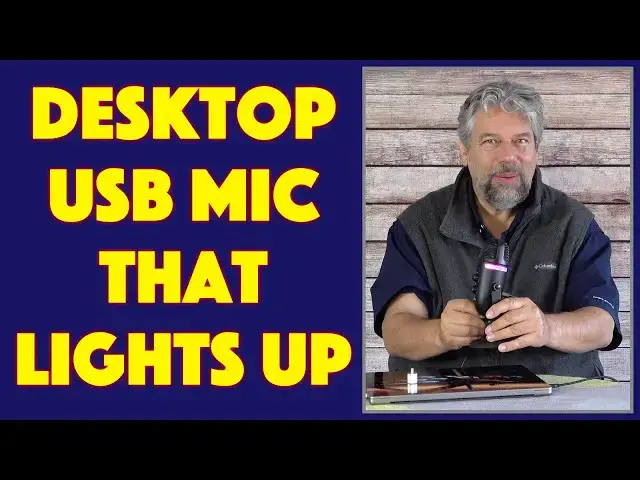
The built-in microphone on your computer or laptop isn't very good, and if you're using it for gaming or podcasting, well, it's time for an upgrade. Like the cool Cyber Acoustics MATTERHORN USB Microphone with Color Lights, ready to plug into your Mac or PC. Tech expert Dave Taylor checks out the Matterhorn Mic and offers up a demo so you too can hear how nice it sounds. And those fun lights? A bonus. There's only one thing he doesn't like, as you'll learn...
Check it out at: https://amzn.to/3qfKQtd
Then visit Dave's Q&A Web site at: https://www.AskDaveTaylor.com/
#cyberacoustics #usbmicrophone #matterhorn #desktopmic #askdavetaylor
Show More Show Less View Video Transcript
0:00
This USB desktop mic looks as good as it sounds
0:03
Let's check it out. Dave Taylor here and I'm checking out this
0:13
This is the Cyberacoustics Matterhorn USB mic with, as you can see, colored lights
0:21
It's a simple idea. It's really well done. So it is a desktop USB microphone
0:27
You can plug into a Mac or PC. It's perfect for gaming
0:32
It's great for podcasts. It obviously is going to work really well for Zoom or Microsoft Teams or whatever other video conferencing you're using
0:42
Anything you're doing that has audio, even like if you're doing FaceTime off your Mac, this is going to make you sound better
0:48
And as you can see, it is the same design as the big guys have
0:53
So it's adjustable. You can get it to be in just the right position for your voice
0:58
You don't even have to be very close to it. And it has two different pickup patterns
1:03
And there's a button on the back. I'll give you a full tour of the buttons in a second. A button on the back let you switch between a cardioid pattern
1:11
which generally is sort of biased towards the front of the microphone
1:15
which is typically what you want to use. But you can also switch it to omnidirectional
1:20
So if you're interviewing someone, you just put this in the middle of the table, and it's going to pick up audio all around it
1:26
all with the same level of quality. the same level of volume. Now, specs wise, 20 to 20,000 Hertz, 48 kilohertz at 24 bits pickup
1:36
So it is CD quality music. So you can use this for your, you know, I don't know, harp solo or jamming
1:45
with your new guitar or really singing with your cousin or something. All of that's going to just
1:51
record and sound really good. So has on the back, in fact, let's do that full tour. So let's start
1:58
with the front On the front you have a mute button on the very top and then you have the button to control the light patterns There nine different light modes Come back to that in a second There the gain control which is sort of the input volume
2:13
is the way to think about that. And then there's the headphone volume
2:17
and that's the output volume. Headphones, what are you doing with that
2:21
Well, on the back, there is a plug where you can use an audio monitor
2:26
You can plug in earbuds or headphones, and you can listen to what it's picking up
2:30
picking up and there's zero latency. It's really great for things like podcasters so you know
2:36
everything's working and it's sounding good. And obviously that front control gives you the ability
2:41
to actually adjust the volume so you don't blow your ears out because it's insanely loud or something
2:47
On the back we have the button that lets you switch between the two pickup patterns. And then we have
2:53
a 3.5 millimeter jack for headphones or earbuds. And then we have micro USB power
3:00
And then on the bottom is actually a screw mount where there's an adapter
3:07
And this gives you the ability, if you really don't want it on your desktop on this stand
3:12
you can actually use this adapter to then screw it onto one of those armatures that you see
3:18
like radio people use where they have the microphone sort of floating in front of them
3:23
And one of the reasons for that is that if I do something like this
3:27
I'm not actually sending bounces or echoes or noise to the microphone
3:32
Obviously, that would be bad if you're doing broadcast work. So having it floating above you eliminates a lot of that sound
3:40
That's one of the main reasons they do that. So obviously, one of the things that's really fun here is the light modes
3:47
And if you don't like the light modes, you turn it off. So it obviously gives you that feature
3:52
And then you can pick from your favorite colors. If you have a favorite color, you could just have it automatically go to that color and stay there
4:02
And as you can see, I'm just pushing the button to change what mode I'm in
4:06
And then there is a let see there is a slow color transition mode I think that this one where it will slowly change between colors
4:18
And then there's another mode, the last of the color modes, and this is sort of the fast rainbow mode
4:23
And this is the one I like where there's just a lot going on. And obviously this is only working because I have it plugged into my computer
4:30
Now, what I know you really want is you really want a demo. So give me a second
4:34
Let me switch things around, and I'll actually let you hear. what this microphone picks up. I'll be right back
4:40
Okay, so now you're hearing the audio from the cyberacoustics Matterhorn microphone
4:46
And as you can hear, it sounds really good. And I have a reasonable distance between me and the mic
4:51
I have it set on cardioid, so it's trying mostly to get the audio from the front rather than all the way around
4:59
That's a pretty typical setup. I can try the mute button if I push mute
5:03
And when I push mute again, I'm back. So pretty straightforward. I'm recording it using something called Audacity
5:13
It's a great open source program on my Mac. It runs on PC, Linux, you name it
5:19
You have a computer. Audacity probably runs on it and lets you edit audio like a pro
5:24
So that's everything. Let me switch back around. Pretty straightforward demo, and I think you heard
5:29
it sounds really good. Now it's about 10 inches tall, and it's
5:33
say it's about four and a half inches wide at its base. Really easy to work with. You do want to have
5:40
some space for that wire coming out the back. And I just got to criticize them a tiny bit. The only
5:45
thing I don't like about this Matterhorn USB mic is that they're using micro USB and that the
5:51
other end of this cable, and this is a five foot cable, but the other end of the cable is USBA
5:58
and that's the only choice. Now, I use USBC, so I had to be a five-foot cable. So I had to be a little bit. I had
6:03
to use my little dollar adapter, but I don't really want to have to use that
6:07
I wish they included a USB C connector but more importantly micro USB is not my favorite connector I really wish they just do USBC on this end too And in fact that this was just a USBC to USB cable They are super inexpensive and it just a better
6:27
connector because you don't have to worry about orientation when you're going to plug it in
6:31
and it just gives better, more reliable data transfer. So really that's probably my only
6:37
criticism of this unit is that I don't like micro USB. Now from your perspective, you might be
6:44
like dude whatever it's a cable you plug it in you never touch it again and that's fair but for me
6:50
since i do plug in an unplug cup cables all the time i definitely have my preferences now let's talk
6:57
about price but before we get to price i'm going to ask if you could subscribe to my channel
7:01
click or tap on that subscribe button then make sure you turn on notifications so you find out about
7:06
my new content thanks so much for subscribing and we're connected cool now this is
7:14
the cyberacoustics Matterhorn USB microphone with color lights, which you can turn off if you don't like them
7:20
and it's 4999 at Amazon.com, and I would say this is a solid option
7:25
if you want to have better audio pickup for whatever reason, whether you're gaming, whether you're talking to Aunt Susan on your Zoom call
7:35
whatever. I actually record myself giving lectures because I teach at college
7:40
and this is exactly the microphone that I use to get the best possible
7:44
audio so that my students aren't like, you sound really fuzzy. With this, I sound really good
7:50
So then it's up on me to actually say something coherent, but that's another subject
7:55
Anyway, so the Matterhorn USB microphone, definitely one worth checking out. That's all I got
8:01
I'll catch you in my next video
#TV & Video
#Audio Equipment
#Virtual Reality Devices